How to Plan and Manage Projects - Kanban board vs Gantt chart
Автор: Kit Betts-Masters
Загружено: 2021-05-23
Просмотров: 2225
Описание:
The most important thing about having a plan is that you can adapt it as you go. A plan is not something fixed. If you have no plan, you have nothing to change, nothing to build on, and you will forget to do important things.
A wise person said to me early in my career, "if you don't plan to do it, you won't do it."
So you need a way to plan which you can add ideas to whenever you have them.
In this video I'm going to give you two ways to plan a project and how to use them to manage the project as the project goes on. This is the process of project management. I'm going to tell you how I use them and how I make sure that I can edit and adapt those plans wherever I am, and whenever an idea comes to me.
Kanban board
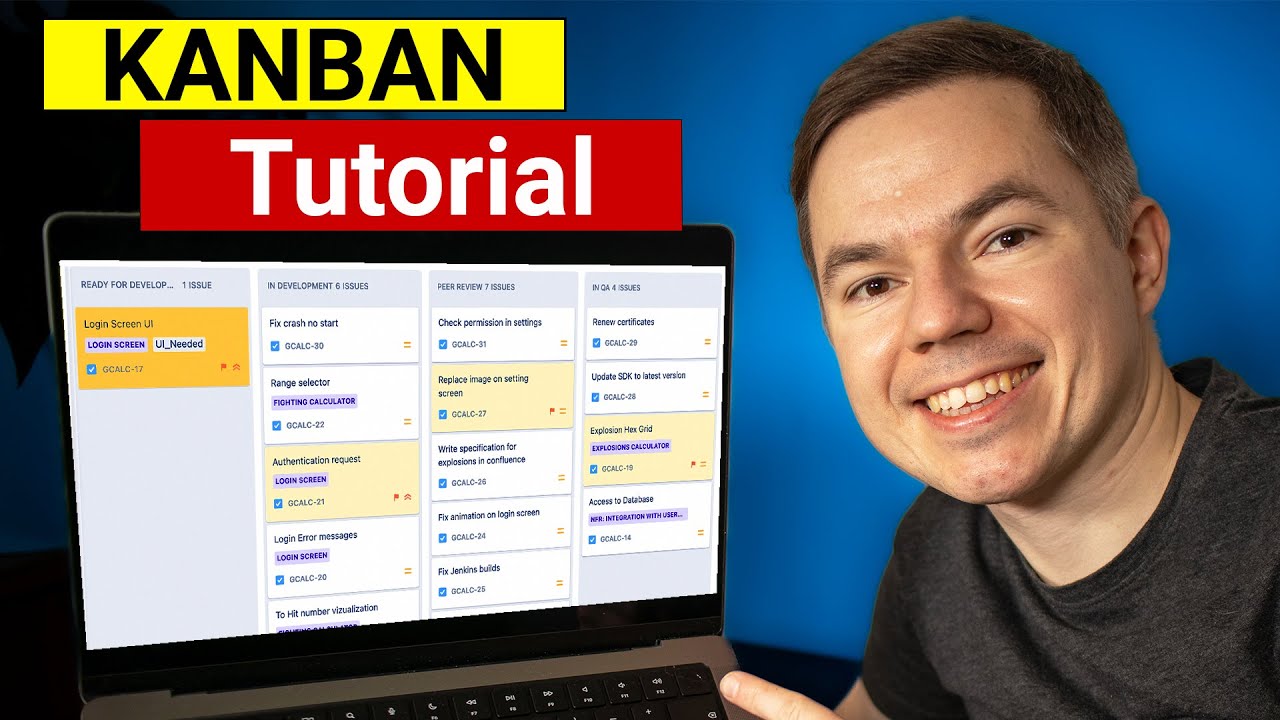
Kanban board is a board on which elements of a project start at one end and move through the board until they are completed. A physical kanban board would have cards or files which could physically be moved from left to right as the process of the project moves on. It's really well suited to projects which have products which go through a similar work flow process.
This makes it incredibly well suited to my process of making YouTube videos. This is because I have lots of different ideas which all need to go through the same work flow to be an actuality. But it is not so well suited to a process which is maybe about one central idea.
So quite literally, my video ideas come in here, in the left most column, "ideas" and end here in the right most column, "published". Once I've completed each stage I simply move it across to the next.
Kannan boards are really well suited for projects which aren't dependent on delivery at a certain time. Bit things need to happen at some point, even if that is as soon as possible. Things can be done quickly, in an efficient way. Importantly it is a system by which teams can collaborate very effectively as if your team knows each step in the process, any one person can pick up a card, complete due tasks and move it through the board.
In practice today, the tool to use is Trello. There's everything you'd expect, a free version you can use of you need basic functions of a kanban board for personal use, with premium features available if you want to use it more powerfully with a team. You can work on the app on your phone, desktop or of course in a web browser.
Gantt chart
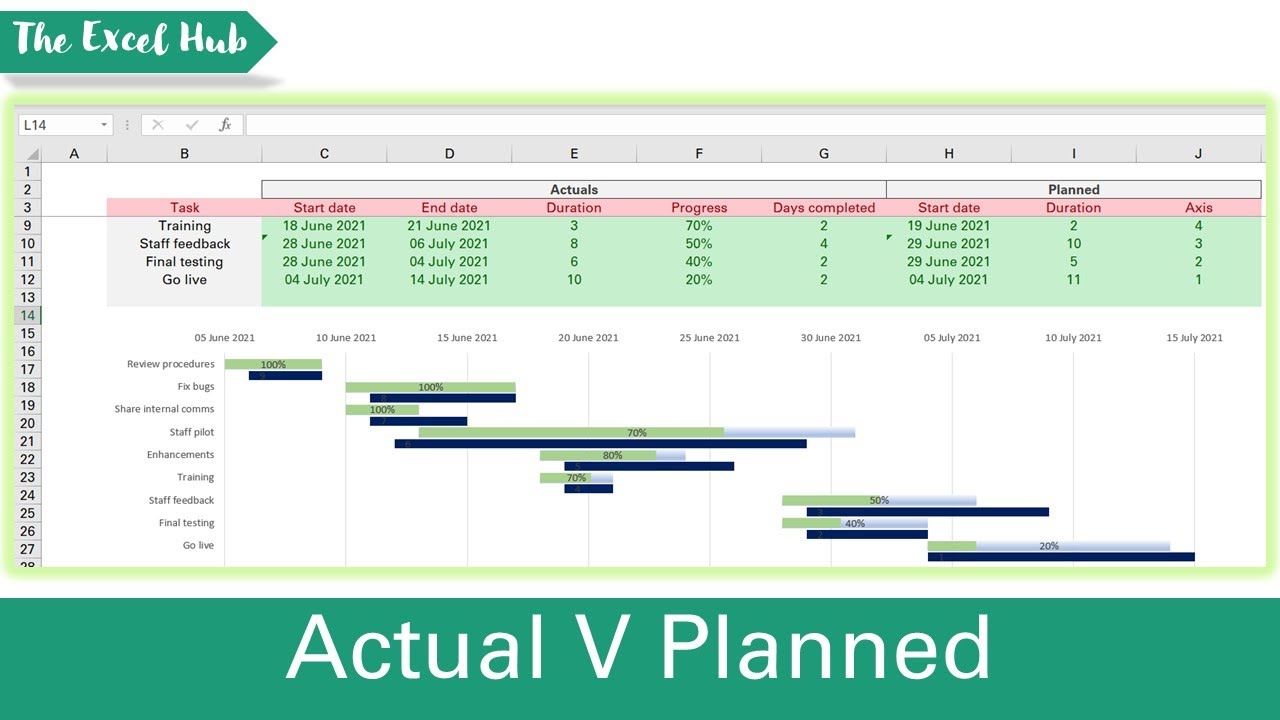
Gantt charts are ideal if you have a time line you need to get a project delivered by. I usually make one after doing a critical path analysis of what needs to happen in which sequence for the project to be a success. Let me know if you want a video on critical path analysis.
Essentially it is a timeline of events set against a weekly calendar of sorts. Timings can be rough or minutely planned depending on what suits the project best.
It works well on a spreadsheet, I use Google sheets so that I can edit it anywhere. Essentially each line is a task and you just block out when on your timeline that task is due to be completed. Then as you go you can use a rag rating of how completed each part is. You can chose to do things early or late and add new lines in. You can add notes on the sheet and change your plans as you go.
Gantt charts are suited to one big idea, developing over time. But they can still be used effectively by teams. I like to first think about phases of the project, and then the smaller tasks which go into each stage. You can see I sometimes move things back a bit because importantly. Having a plan, let's you change your plans.
Critical path analysis Vs calendar with streams
Other channels cover the content but GorillaPhysics will help you get the grade 9 or that A* at A Level.
Grab my new book to help you get ready for studying A Level Physics and to help you throughout the two years on your way to getting the grade A*. https://amzn.to/3c6H9O0
Paperback or Kindle: https://amzn.to/2Tf57Ot
You can read ”Prepare for the Challenge of A Level Physics” for free with a free trial of Kindle Unlimited: https://www.amazon.co.uk/kindle-dbs/h...
Also, if you like GorillaPhysics and want to help me shape and expand my channel and resources, why not join my Patreon community and become part of Gary’s squad:
/ gorillaphysics
You can now support GorillaPhysics by buying your next educational purchase from Amazon at my store:
https://www.amazon.co.uk/shop/gorilla...
At Gorilla Physics we’re all about you understanding more, so you get more confident, then enjoy Physics more and then you’ll do better in your GCSE and A Level Physics exams.
Повторяем попытку...

Доступные форматы для скачивания:
Скачать видео
-
Информация по загрузке: