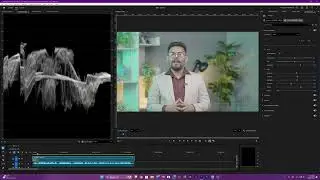
Master Green Screen Removal Premiere Pro + After Effects also Masking, Track Matte, Null & Parenting
Автор: Shariful Islam Apu
Загружено: 2025-12-05
Просмотров: 45
Описание:
Green Screen Removal in Premiere Pro (Ultra Key) + After Effects (Keylight) Tutorial | Masking, Matte, Null & Parenting 🎬
Master clean chroma keying in Adobe Premiere Pro and After Effects! In this step-by-step tutorial, you’ll learn how to remove green screen with Ultra Key, pull a pro-grade key with Keylight 1.2, refine edges using Key Cleaner + Advanced Spill Suppressor, and elevate your composite with masking, track mattes, null objects, and parenting. Perfect for beginners to intermediate editors and VFX artists.
What you’ll learn
Premiere Pro: Ultra Key workflow for fast, clean keys
Picking the right key color
Matte Generation/Cleanup settings
Spill suppression without color shifts
After Effects: Broadcast-quality keying
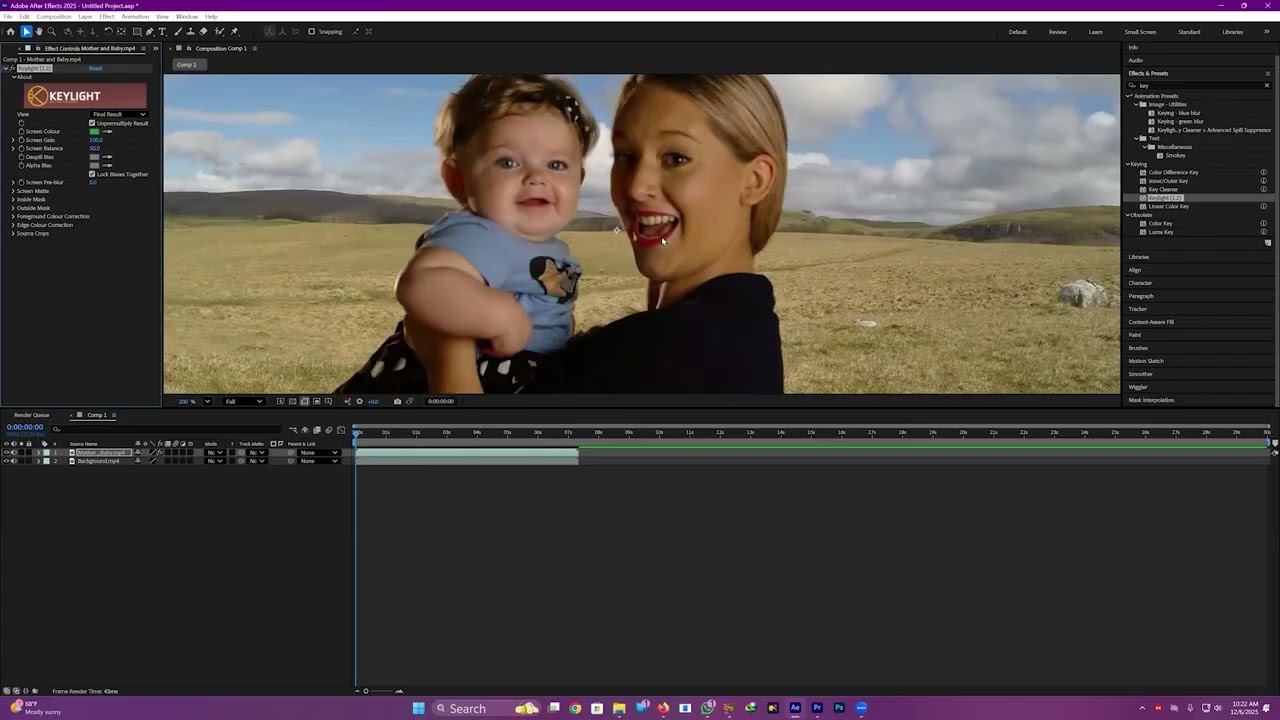
Keylight 1.2 setup (Screen Colour, Screen Matte)
Effect order: Keylight → Key Cleaner → Advanced Spill Suppressor
Compositing essentials
Garbage masks and feathering for cleaner plates
Track Matte (Alpha/Luma) for reveals and transitions
Motion tracking to a Null and parenting elements for stable comps
Pro tips
Lighting and exposure tips for better keys
Edge refinement, light wrap concepts, and color matching
When to key in Premiere vs After Effects
Tools used
Adobe Premiere Pro: Ultra Key
Adobe After Effects: Keylight 1.2, Key Cleaner, Advanced Spill Suppressor
Masking (garbage matte), Track Matte (Alpha/Luma), Null Object, Parenting
Key settings cheat sheet
Premiere Pro — Ultra Key
Key Color: Eyedropper on mid-tone green
Matte Generation: Adjust Transparency, Highlight/Shadow to isolate subject
Matte Cleanup: Soften (small), Choke (subtle) to tighten edges
Spill Suppression: Fine-tune to remove green spill; use Despill Bias for skin tones
After Effects — Effect Order
Keylight 1.2: Set Screen Colour → View: Screen Matte → Tweak Clip Black/White
Key Cleaner: Small radius for edge detail; reduce if halos appear
Advanced Spill Suppressor: Set to Ultra; tune for natural skin/hair
Masking & Track Matte
Add a garbage mask to limit the keyed area; feather 5–20 px as needed
Track Matte: Use Alpha Matte for shape-based reveals; Luma Matte for luminance transitions
Tracking & Parenting
Track motion on background/footage → Apply to Null Object → Parent graphics/elements to the Null for stable motion
Who this is for
Video editors, content creators, YouTubers, and filmmakers who want clean, cinematic keys and polished composites fast.
Call to action If this helped, please like 👍, subscribe, and comment your questions—happy to help! 😊
Have a tricky shot? Drop your footage details below for tailored tips.
#GreenScreen #ChromaKey #PremierePro #AfterEffects #UltraKey #Keylight #KeyCleaner #AdvancedSpillSuppressor #Masking #TrackMatte #NullObject #Parenting #VFX #Compositing #VideoEditing #Adobe
Повторяем попытку...
Доступные форматы для скачивания:
Скачать видео
-
Информация по загрузке:

![Video Editing Introduction - Class 1 - Adobe Premiere Pro CC [Bangla Tutorial]](https://image.4k-video.ru/id-video/uWveRquGOqk)


![Введение в интерфейс Adobe After Effects. Эпизод 2/48 [Adobe After Effects для начинающих]](https://image.4k-video.ru/id-video/O6KRRQm6meY)