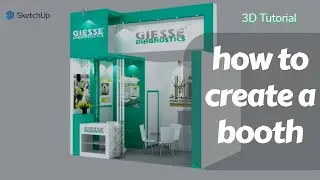
How To Create Exhibition Booth in Sketchup Part 3 Ed2com
Автор: Dken Visual
Загружено: 2026-01-17
Просмотров: 8
Описание:
In this video, we continue the exhibition booth design process in SketchUp, breaking down the workflow used to model a clean, modern booth suitable for trade fairs, expos, and showroom displays.
You’ll learn how to:
Develop a functional exhibition booth layout
Model walls, counters, and display elements in SketchUp
Apply clean materials and color schemes
Arrange furniture for visitor flow and engagement
Present your booth design professionally
This tutorial is ideal for architects, interior designers, exhibition designers, and students looking to improve their SketchUp visualization and presentation skills.
📌 This is a continuation of the previous video—make sure to watch Part 1 for full context.
🛠 Software Used:
SketchUp
🎯 Who This Video Is For:
Architects & Interior Designers
Exhibition & Booth Designers
Design Students
3D Visualization Enthusiasts
👍 If you found this helpful, like the video
💬 Drop your questions in the comments
🔔 Subscribe for more SketchUp, exhibition design, and architectural tutorials
#SketchUpTutorial #ExhibitionBoothDesign #BoothDesign #SketchUpArchitecture #InteriorDesign #3DModeling #TradeShowBooth #ArchitecturalVisualization
Повторяем попытку...

Доступные форматы для скачивания:
Скачать видео
-
Информация по загрузке: