Run Stable Diffusion from Hugging Face on Google Colab (First Run)
Автор: ByteXD
Загружено: 2022-08-22
Просмотров: 2782
Описание:
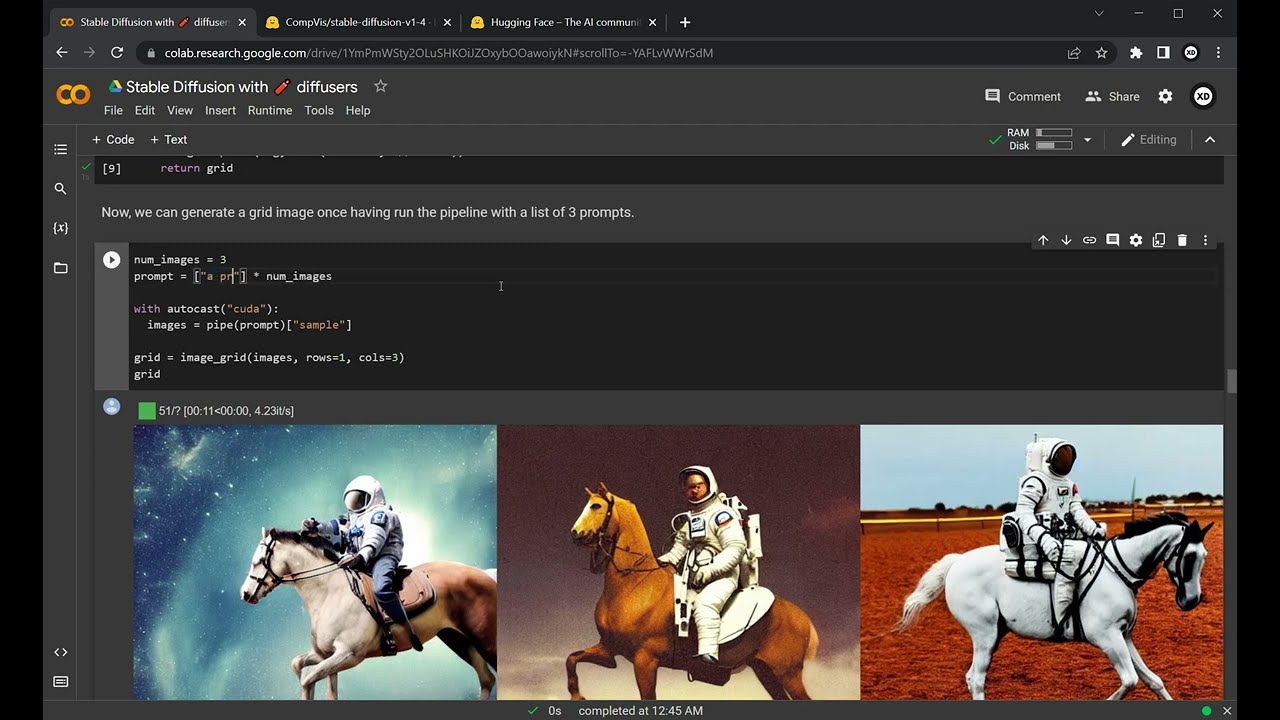
First run start to finish to generate your first AI generated image using Stable Diffusion. This video is part of a separate tutorial, and that's why it doesn't have sound or narration - https://bytexd.com/get-started-with-s...
00:00 Copy the notebook to your Google Drive
00:18 Run the first cell to check your GPU
00:53 Run the second cell to install necessary libraries
01:18 Run the third cell
01:21 Run fourth cell to connect to Hugging Face
01:27 Go to Hugging Face (you need an account) and create a token with write permissions
01:35 Copy Hugging Face token and paste it into the field in the Google COlab
01:43 Run fifth cell. You'll get an error. Visit the suggested URL, visit the next suggested URL, and accept terms and click Access repository button.
02:05 Run fifth cell again and wait for models to download.
03:55 Run sixth cell.
04:03 Generate your first image - change the text prompt to what you want to generate and click play.
05:03 Generate multiple images at once - run 'from PIL import Image' cell, change text in the next cell and click play.
Повторяем попытку...
Доступные форматы для скачивания:
Скачать видео
-
Информация по загрузке: