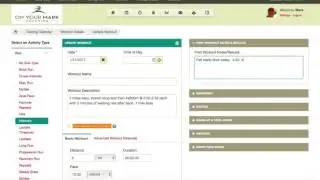
Syncing and downloading workouts from Final Surge to Garmin
Автор: Grit Coaches
Загружено: 2021-10-24
Просмотров: 3958
Описание:
This video outlines how to sync your Garmin account with Final Surge, and how to download and execute workouts from your Garmin watch.
Tips:
Make sure that your Garmin watch doesn't enter power saver mode during a long pause (ie a pause in your warmup while you change shoes or do drills). This may unsync your run from a structured workout. You can disable power saver mode by going Run - Menu - Activity Settings - Power Saver Timeout - Extended. This should solve the problem!
Every evening, your next four days of workouts are pushed to your Garmin Connect account.
When syncing Garmin on your phone and watch to download or upload workouts, make sure that bluetooth is enabled on booth. If it is and they still won't connect, try turning bluetooth off and on.
Troubleshooting:
Connecting Garmin and Final Surge: https://site.finalsurge.com/GarminCon...
Syncing workouts from Final Surge to Garmin: https://support.finalsurge.com/hc/en-...
Повторяем попытку...
Доступные форматы для скачивания:
Скачать видео
-
Информация по загрузке: