How To Get Voice Chat in Roblox (
Автор: App Doctor
Загружено: 2026-01-21
Просмотров: 236
Описание:
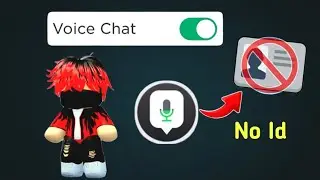
In this video, I’ll show you how to get and enable Voice Chat in Roblox in 2025 step by step, in the fastest and easiest way possible. Voice Chat lets you talk to other players using your microphone while playing supported Roblox games, making gameplay more fun, social, and immersive.
If you don’t see the Voice Chat option in your settings, don’t worry — I’ll explain why Voice Chat might be missing, how to fix common problems, and what requirements you must meet to unlock it. This includes age verification, account settings, privacy options, and device support.
📌 What you’ll learn in this video:
✅ How to enable Voice Chat in Roblox settings
✅ How to verify your age and ID (required)
✅ Why Voice Chat is not showing and how to fix it
✅ Supported devices (mobile, PC, console)
✅ How to test if Voice Chat is working
✅ Common Voice Chat errors and solutions
🔊 Important requirements:
Your Roblox account must be 13+
You must complete age verification
Voice Chat must be enabled in Privacy & Settings
Your microphone permissions must be turned on
🎮 Why use Voice Chat?
Voice Chat allows real-time communication with nearby players in supported games, improving teamwork, roleplay, and overall fun. Whether you’re playing survival games, roleplay servers, or competitive modes, Voice Chat gives you a huge advantage.
💡 Tips:
Not all Roblox games support Voice Chat
Always follow Roblox community rules
Use push-to-talk if available to avoid background noise
If this video helped you, don’t forget to LIKE 👍, SUBSCRIBE 🔔, and COMMENT if Voice Chat worked for you or if you need help!
Повторяем попытку...

Доступные форматы для скачивания:
Скачать видео
-
Информация по загрузке: