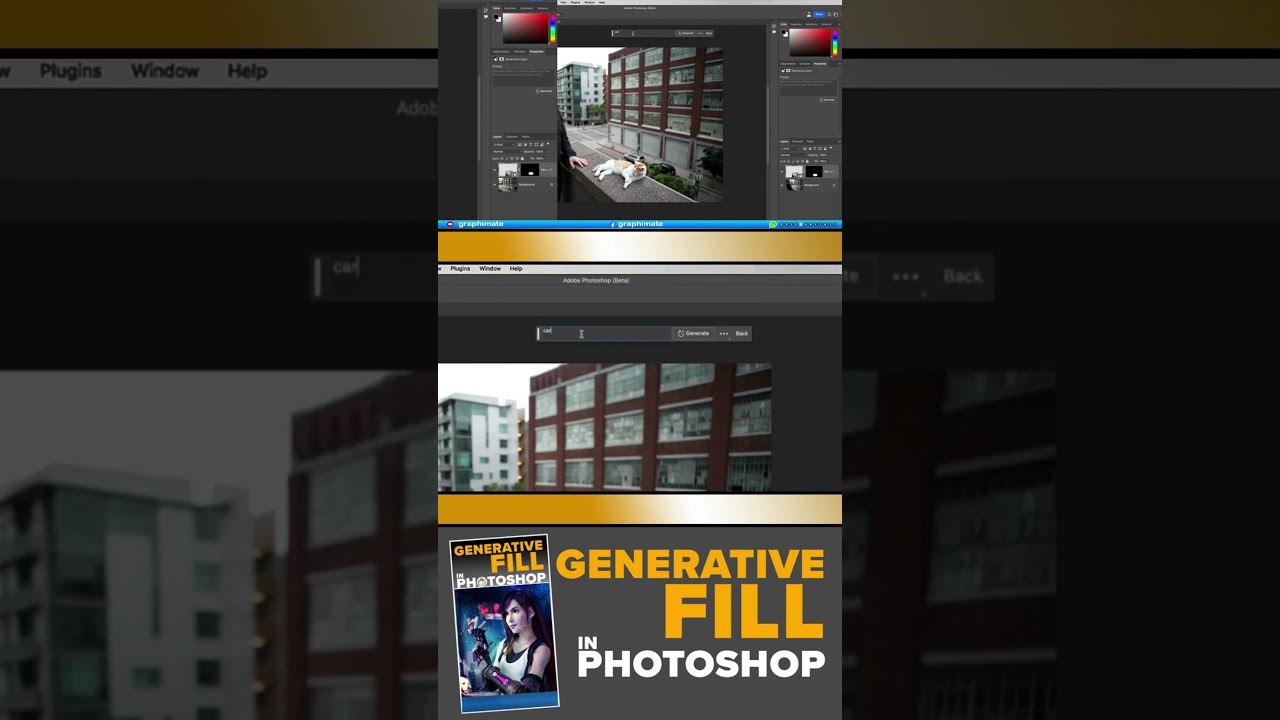
Learning Generative Fill AI In Photoshop Beta - Complete Course ll Urdu/Hindi ll 𝐙𝐞𝐫𝐨 𝐭𝐨 𝐄𝐱𝐩𝐞𝐫𝐭! #13
Автор: Graphimate
Загружено: 2023-08-12
Просмотров: 33
Описание:
𝒢𝐸𝒩𝐸𝑅𝒜𝒯𝐼𝒱𝐸 𝐹𝐼𝐿𝐿 𝒜𝐼 𝐼𝒩 𝒫𝐻𝒪𝒯𝒪𝒮𝐻𝒪𝒫
𝒴𝒪𝒰𝑅 𝒢𝒰𝐼𝒟𝐸 𝒯𝒪 𝒯𝐻𝐸 𝒲𝒪𝑅𝐿𝒟 𝒪𝐹 𝒜𝐼 𝐼𝑀𝒜𝒢𝐸 𝒢𝐸𝒩𝐸𝑅𝒜𝒯𝐼𝒪𝒩 𝐼𝒩 𝒫𝐻𝒪𝒯𝒪𝒮𝐻𝒪𝒫
Everyone’s talking about the brand new Generative Fill in Adobe Photoshop. It’s the hottest new thing! And for good reason, this is the biggest update to Photoshop in it’s history. You can now remove impossible things from images, because ai literally creates whatever is missing. You can generate almost anything to add to your images and even expand outside your image boundaries and Photoshop will create whatever you need.
When the dust clears, you will realize there are limitations to this feature. Many people are struggling to get the best results out of this powerful tool and even to get their heads around what GenFill can do and how to do it. It’s very important for you to get an early grasp of these tools if you want to keep up, and even get ahead of the crowd.
When you have finished this course, you will get a jump-start on other people. Any confusion, or fear will be gone. You will have a clear understanding of what Generative Fill is, and isn’t. You will know what you can do with it and when to use other Photoshop tools. You will be ready to confidently move forward with this new tool and apply it to your own imagery. Whether you are just wanting to clean up your photos, or create fantastical works of art, your imagination will be your limitation.
𝐖𝐡𝐚𝐭 𝐲𝐨𝐮 𝐰𝐢𝐥𝐥 𝐥𝐞𝐚𝐫𝐧..
𝟏. 𝐈𝐧𝐭𝐫𝐨
𝟐. 𝐎𝐯𝐞𝐫𝐯𝐢𝐞𝐰 𝐖𝐡𝐚𝐭 𝐢𝐬 𝐆𝐞𝐧𝐞𝐫𝐚𝐭𝐢𝐯𝐞 𝐅𝐢𝐥𝐥 𝐚𝐧𝐝 𝐖𝐡𝐚𝐭 𝐜𝐚𝐧 𝐢𝐭 𝐝𝐨?
𝟑. 𝐇𝐨𝐰 𝐭𝐨 𝐠𝐞𝐭 𝐀𝐜𝐜𝐞𝐬𝐬 𝐖𝐡𝐞𝐫𝐞 𝐭𝐨 𝐠𝐞𝐭 𝐆𝐞𝐧𝐞𝐫𝐚𝐭𝐢𝐯𝐞 𝐟𝐢𝐥𝐥 𝐢𝐧 𝐭𝐡𝐞 𝐛𝐞𝐭𝐚 𝐚𝐧𝐝 𝐭𝐫𝐨𝐮𝐛𝐥𝐞-𝐬𝐡𝐨𝐨𝐭𝐢𝐧𝐠
𝟒. 𝐆𝐞𝐧𝐞𝐫𝐚𝐭𝐞 𝐚 𝐬𝐜𝐞𝐧𝐞 𝐟𝐫𝐨𝐦 𝐬𝐜𝐫𝐚𝐭𝐜𝐡 𝐆𝐞𝐧𝐞𝐫𝐚𝐭𝐢𝐧𝐠 𝐦𝐮𝐥𝐭𝐢𝐩𝐥𝐞 𝐨𝐛𝐣𝐞𝐜𝐭𝐬 𝐭𝐨 𝐜𝐫𝐞𝐚𝐭𝐞 𝐚 𝐬𝐜𝐞𝐧𝐞
𝟓. 𝐄𝐱𝐭𝐞𝐧𝐝 𝐢𝐦𝐚𝐠𝐞 𝐇𝐨𝐰 𝐭𝐨 𝐚𝐝𝐝 𝐭𝐨 𝐭𝐡𝐞 𝐞𝐝𝐠𝐞𝐬 𝐨𝐟 𝐚𝐧 𝐢𝐦𝐚𝐠𝐞
𝟔. 𝐅𝐢𝐱 𝐩𝐚𝐧𝐨𝐫𝐚𝐦𝐚 𝐑𝐞𝐦𝐨𝐯𝐞 𝐭𝐡𝐞 𝐭𝐫𝐚𝐧𝐬𝐩𝐚𝐫𝐞𝐧𝐜𝐲 𝐟𝐫𝐨𝐦 𝐭𝐡𝐞 𝐩𝐚𝐧𝐨𝐫𝐚𝐦𝐚 𝐞𝐝𝐠𝐞𝐬, 𝐭𝐢𝐩𝐬 𝐟𝐨𝐫 𝐛𝐞𝐭𝐭𝐞𝐫 𝐫𝐞𝐬𝐨𝐥𝐮𝐭𝐢𝐨𝐧
𝟕. 𝐑𝐞𝐦𝐨𝐯𝐞 𝐜𝐫𝐨𝐰𝐝𝐬 𝐑𝐞𝐦𝐨𝐯𝐞 𝐜𝐫𝐨𝐰𝐝𝐬 𝐨𝐟 𝐏𝐞𝐨𝐩𝐥𝐞 𝐟𝐫𝐨𝐦 𝐩𝐡𝐨𝐭𝐨𝐠𝐫𝐚𝐩𝐡𝐬
𝟖. 𝐑𝐞𝐦𝐨𝐯𝐞 𝐜𝐫𝐨𝐰𝐝, 𝐤𝐞𝐞𝐩 𝐩𝐞𝐫𝐬𝐨𝐧 𝐑𝐞𝐦𝐨𝐯𝐞 𝐜𝐫𝐨𝐰𝐝𝐬, 𝐛𝐞𝐭𝐰𝐞𝐞𝐧 𝐚 𝐩𝐞𝐫𝐬𝐨𝐧 𝐚𝐧𝐝 𝐚 𝐥𝐚𝐧𝐝𝐦𝐚𝐫𝐤
𝟗. 𝐑𝐞𝐦𝐨𝐯𝐞 𝐀𝐧𝐲𝐭𝐡𝐢𝐧𝐠 𝐄𝐚𝐬𝐢𝐥𝐲 𝐫𝐞𝐦𝐨𝐯𝐞 𝐢𝐦𝐩𝐨𝐬𝐬𝐢𝐛𝐥𝐞 𝐨𝐛𝐬𝐭𝐫𝐮𝐜𝐭𝐢𝐨𝐧𝐬 𝐟𝐫𝐨𝐦 𝐩𝐡𝐨𝐭𝐨𝐠𝐫𝐚𝐩𝐡𝐬
𝟏𝟎. 𝐆𝐞𝐧𝐞𝐫𝐚𝐭𝐞 𝐎𝐛𝐣𝐞𝐜𝐭𝐬 𝐇𝐨𝐰 𝐭𝐨 𝐠𝐞𝐧𝐞𝐫𝐚𝐭𝐞 𝐧𝐞𝐰 𝐨𝐛𝐣𝐞𝐜𝐭𝐬 𝐚𝐧𝐝 𝐟𝐢𝐭 𝐭𝐡𝐞𝐦 𝐢𝐧𝐭𝐨 𝐚𝐧 𝐢𝐦𝐚𝐠𝐞
𝟏𝟏. 𝐑𝐞𝐩𝐥𝐚𝐜𝐞 𝐎𝐛𝐣𝐞𝐜𝐭𝐬 𝐂𝐡𝐚𝐧𝐠𝐞 𝐨𝐛𝐣𝐞𝐜𝐭𝐬 𝐢𝐧 𝐚 𝐩𝐡𝐨𝐭𝐨 𝐢𝐧𝐭𝐨 𝐝𝐢𝐟𝐟𝐞𝐫𝐞𝐧𝐭 𝐨𝐛𝐣𝐞𝐜𝐭𝐬
𝟏𝟐. 𝐃𝐮𝐩𝐥𝐢𝐜𝐚𝐭𝐢𝐧𝐠 𝐚𝐧𝐝 𝐦𝐨𝐯𝐢𝐧𝐠 𝐚𝐧 𝐢𝐦𝐚𝐠𝐞 𝐌𝐨𝐯𝐞 𝐚𝐧 𝐢𝐦𝐚𝐠𝐞 𝐚𝐧𝐝 𝐛𝐥𝐞𝐧𝐝 𝐢𝐭 𝐢𝐧𝐭𝐨 𝐭𝐡𝐞 𝐛𝐚𝐜𝐤𝐠𝐫𝐨𝐮𝐧𝐝
𝟏𝟑. 𝐂𝐨𝐦𝐛𝐢𝐧𝐢𝐧𝐠 𝐯𝐚𝐫𝐢𝐚𝐭𝐢𝐨𝐧𝐬 𝐂𝐨𝐦𝐛𝐢𝐧𝐞 𝐝𝐢𝐟𝐟𝐞𝐫𝐞𝐧𝐭 𝐩𝐚𝐫𝐭𝐬 𝐨𝐟 𝐝𝐢𝐟𝐟𝐞𝐫𝐞𝐧𝐭 𝐠𝐞𝐧𝐞𝐫𝐚𝐭𝐢𝐨𝐧𝐬
𝟏𝟒. 𝐂𝐡𝐚𝐧𝐠𝐞 𝐁𝐚𝐜𝐤𝐠𝐫𝐨𝐮𝐧𝐝 𝐇𝐨𝐰 𝐭𝐨 𝐜𝐡𝐚𝐧𝐠𝐞 𝐭𝐡𝐞 𝐛𝐚𝐜𝐤𝐠𝐫𝐨𝐮𝐧𝐝 𝐚𝐧𝐝 𝐟𝐢𝐱 𝐭𝐫𝐨𝐮𝐛𝐥𝐞 𝐬𝐩𝐨𝐭𝐬
𝟏𝟓. 𝐀𝐝𝐝𝐢𝐧𝐠 𝐫𝐞𝐟𝐥𝐞𝐜𝐭𝐢𝐨𝐧𝐬 𝐀𝐝𝐝 𝐫𝐞𝐚𝐥𝐢𝐬𝐭𝐢𝐜 𝐫𝐞𝐟𝐥𝐞𝐜𝐭𝐢𝐨𝐧𝐬
𝟏𝟔. 𝐀𝐝𝐚𝐩𝐭𝐢𝐧𝐠 𝐃𝐞𝐩𝐭𝐡 𝐨𝐟 𝐅𝐢𝐞𝐥𝐝 𝐇𝐨𝐰 𝐭𝐨 𝐠𝐞𝐧𝐞𝐫𝐚𝐭𝐞 𝐟𝐨𝐫 𝐃𝐞𝐩𝐭𝐡 𝐨𝐟 𝐟𝐢𝐞𝐥𝐝. 𝐇𝐨𝐰 𝐭𝐨 𝐚𝐥𝐭𝐞𝐫 𝐭𝐡𝐞 𝐛𝐚𝐬𝐞 𝐭𝐨 𝐡𝐚𝐯𝐞 𝐝𝐢𝐬𝐭𝐚𝐧𝐜𝐞 𝐛𝐥𝐮𝐫
𝟏𝟕. 𝐃𝐞𝐧𝐬𝐢𝐭𝐲 𝐖𝐚𝐭𝐞𝐫 𝐚𝐧𝐝 𝐂𝐨𝐧𝐭𝐫𝐨𝐥𝐥𝐢𝐧𝐠 𝐝𝐢𝐫𝐞𝐜𝐭𝐢𝐨𝐧 𝐌𝐚𝐤𝐞 𝐨𝐛𝐣𝐞𝐜𝐭𝐬 𝐥𝐨𝐨𝐤 𝐬𝐮𝐛𝐦𝐞𝐫𝐠𝐞𝐝 𝐚𝐧𝐝 𝐜𝐨𝐧𝐭𝐫𝐨𝐥 𝐝𝐢𝐫𝐞𝐜𝐭𝐢𝐨𝐧 𝐚𝐧𝐝 𝐩𝐥𝐚𝐜𝐞𝐦𝐞𝐧𝐭
𝟏𝟖. 𝐀𝐢 𝐚𝐧𝐝 𝐫𝐞𝐭𝐨𝐮𝐜𝐡𝐢𝐧𝐠, 𝐜𝐡𝐚𝐧𝐠𝐢𝐧𝐠 𝐜𝐨𝐥𝐨𝐫 𝐇𝐨𝐰 𝐭𝐨 𝐜𝐡𝐚𝐧𝐠𝐞 𝐭𝐡𝐞 𝐜𝐨𝐥𝐨𝐫 𝐨𝐟 𝐚𝐧 𝐨𝐛𝐣𝐞𝐜𝐭, 𝐰𝐢𝐭𝐡𝐨𝐮𝐭 𝐢𝐭 𝐜𝐡𝐚𝐧𝐠𝐢𝐧𝐠
𝟏𝟗. 𝐁𝐫𝐢𝐝𝐠𝐞 𝐚𝐧𝐝 𝐛𝐥𝐞𝐧𝐝 𝐢𝐦𝐚𝐠𝐞𝐬 𝐭𝐨𝐠𝐞𝐭𝐡𝐞𝐫 𝐇𝐨𝐰 𝐭𝐨 𝐁𝐥𝐞𝐧𝐝 𝐭𝐰𝐨 𝐝𝐢𝐟𝐟𝐞𝐫𝐞𝐧𝐭 𝐩𝐡𝐨𝐭𝐨𝐬 𝐢𝐧𝐭𝐨 𝐚𝐧 𝐞𝐱𝐭𝐞𝐧𝐝𝐞𝐝 𝐬𝐜𝐞𝐧𝐞
𝟐𝟎. 𝐂𝐨𝐦𝐩𝐨𝐬𝐢𝐭𝐢𝐧𝐠 𝐰𝐢𝐭𝐡 𝐲𝐨𝐮𝐫 𝐨𝐰𝐧 𝐩𝐡𝐨𝐭𝐨𝐬 𝐌𝐚𝐤𝐞 𝐚 𝐜𝐨𝐦𝐩𝐨𝐬𝐢𝐭𝐞 𝐰𝐢𝐭𝐡 𝐲𝐨𝐮𝐫 𝐨𝐰𝐧 𝐩𝐡𝐨𝐭𝐨𝐬
𝟐𝟏. 𝐂𝐨𝐦𝐩𝐨𝐬𝐢𝐭𝐞 𝐲𝐨𝐮𝐫 𝐩𝐡𝐨𝐭𝐨 𝐢𝐧𝐭𝐨 𝐚𝐢 𝐬𝐜𝐞𝐧𝐞 𝐂𝐫𝐞𝐚𝐭𝐞 𝐚 𝐟𝐚𝐧𝐭𝐚𝐬𝐲 𝐜𝐨𝐦𝐩𝐨𝐬𝐢𝐭𝐞 𝐬𝐭𝐚𝐫𝐭𝐢𝐧𝐠 𝐰𝐢𝐭𝐡 𝐲𝐨𝐮𝐫 𝐨𝐰𝐧 𝐩𝐡𝐨𝐭𝐨
𝟐𝟐. 𝐀𝐜𝐭𝐢𝐨𝐧𝐬 𝐚𝐧𝐝 𝐚𝐢 𝐇𝐨𝐰 𝐭𝐨 𝐜𝐫𝐞𝐚𝐭𝐞 𝐚𝐜𝐭𝐢𝐨𝐧𝐬 𝐰𝐢𝐭𝐡 𝐠𝐞𝐧𝐞𝐫𝐚𝐭𝐢𝐯𝐞 𝐚𝐢 𝐜𝐨𝐦𝐦𝐚𝐧𝐝𝐬
𝟐𝟑. 𝐂𝐨𝐧𝐜𝐥𝐮𝐬𝐢𝐨𝐧 𝐚𝐧𝐝 𝐝𝐢𝐬𝐜𝐮𝐬𝐬𝐢𝐨𝐧 𝐨𝐧 𝐚𝐢 𝐖𝐡𝐞𝐫𝐞 𝐝𝐨 𝐭𝐡𝐞 𝐈𝐦𝐚𝐠𝐞𝐬 𝐜𝐨𝐦𝐞 𝐟𝐫𝐨𝐦? 𝐖𝐢𝐥𝐥 𝐈 𝐛𝐞 𝐫𝐞𝐩𝐥𝐚𝐜𝐞𝐝 𝐛𝐲 𝐚𝐢?
Who this course is for:
Photographers looking to remove distractions from photos
Compositors looking to add and combine elements
Retouchers wanting to save time
Hobbyist's wanting to be able to create whatever comes to their mind
Digital artists wanting to collaborate with ai on their art
#photoshoptutorial #photoshop #photoshopbeta #adobephotoshop #Adobe #AdobePhotoshop #AdobeYouTube #photoshopbeta
Повторяем попытку...
Доступные форматы для скачивания:
Скачать видео
-
Информация по загрузке:





