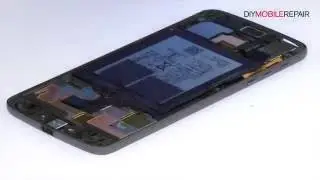
Motorola Moto Z Droid Display Assembly Repair Guide - Fixez.com
Автор: Fixez.com
Загружено: 2016-10-04
Просмотров: 6132
Описание:
https://www.fixez.com presents the Official Moto Z Droid Screen Replacement Guide. Following the step-by-step Motorola Moto Z Droid screen repair instructions we have provided will help you safely replace a damaged or faulty Moto Z Droid AMOLED display. Visit Fixez.com for all of the DIY Motorola Moto Z Droid replacement screens, parts and tools you need to fix your cell phone quickly, and affordably. https://www.fixez.com/store/motorola/...
The DIY Motorola Moto Z Droid repair tools used in this video can be found here: https://www.fixez.com/categories/repa...
If you need your Moto Z Droid repaired ASAP instead- we have you covered there too. Contact one of our skilled technicians at 866-233-6460 or [email protected] and they will fix your device for you. They are available Monday – Friday, 9am to 5pm PST.
Subscribe to our YouTube Channel for additional DIY smartphone and tablet teardown and repair videos! / @fixez
Like us on Facebook: / fixez.com
Follow us on Twitter: / fixezdotcom
Motorola Moto Z Droid Display Assembly Repair Video Transcription:
Warning:
You are performing this repair at your own risk
We claim no responsibility for any damages that might occur
Step 1
Power down your Motorola Moto Z smartphone.
Step 2 (Motorola Moto Z Droid Nano-SIM and MicroSD Card Tray)
Eject the Nano-SIM and Micro SD Card Tray.
Step 3 (Motorola Moto Z Droid Display Assembly)
The Moto Z 5.5-inch AMOLED display is glued on solidly and is a tight fit within the frame. Apply heat to soften the adhesive.
With the precision knife carefully create separation and insert a triangle opening tool to start slicing through the adhesive.
Take your time and apply additional heat as needed.
When attacking the adhesive, be mindful of the fingerprint reader.
The Motorola Moto Z screen is still connected to the motherboard. Do not try to remove it completely, or you will damage the data cable connecting the display to the middle of the phone.
Extract the Moto Z display cable bracket.
Use the spudger to disconnect the display cable and remove the Motorola Moto Z display assembly.
Step 4 (Motorola Moto Z Droid Fingerprint Reader and LED Flash)
Remove the Kapton tape and release the ZIF connector.
Carefully separate the Moto Z Droid fingerprint reader from the front panel.
Use the spudger to pry up the LED flash.
* To reassemble your device, follow the steps in reverse order.
Повторяем попытку...

Доступные форматы для скачивания:
Скачать видео
-
Информация по загрузке: