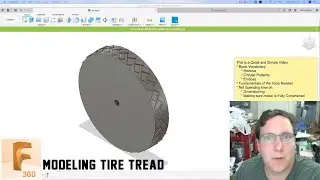
Fusion 360 - (1/3) Parametric Tire and Treads for Beginners/Intermediate Users - Lesson 12 (2023)
Автор: Learn It!
Загружено: 2023-09-07
Просмотров: 19847
Описание:
In this multi-part series of tutorials, you will learn how to make a parametric tire, which means that at a simple adjustment of a parameter, you can change the entire width, aspect ratio, rim size, and number of treads. You will also learn about cartesian planes, tangency, and so much more. This will test your knowledge of all that you’ve learned through prior tutorials made by the Learn It! Channel. You will learn a tonne during this series. You will only create the tire without treads, sidewall text, or appearances in this tutorial.
For the following, click here: https://bio.site/learnitalready
Social and Contact
Memberships
Discounts, Specials, and Freebies
Support Us
Business Partners, Sponsors, & Portfolio
Courses
Recommended Hardware (Including 3D SpaceMouse Pro)
Private Consultation, Instruction, & CAD/CAM work
00:00 - Start
00:50 - Intro
02:48 - Cross section analysis
04:36 - Research our parameters
06:30 - Create them parameters
13:51 - Explanation of cartesian plane and quadrants
17:20 - Sketch the tire profile
19:39 - Link to how to dimension to a point of tangency • Fusion 360 Sketches - Dimension Tangency B...
25:49 - Check those parameters
29:47 - Add the fillets
30:13 - Fully formed tires need parameter checks too
#learnit #fusion360 #tutorial #drawings #manufacturing #tires #parametric #tyres
Повторяем попытку...

Доступные форматы для скачивания:
Скачать видео
-
Информация по загрузке: