How to downgrade T-Mobile CellSpot Router (TM-1900AC) & install CFW
Автор: Light49x Tech Channel
Загружено: 2016-04-21
Просмотров: 83776
Описание:
Steps needed to be done to downgrade your Asus router.
Step 1: Downgrade firmware.
OLD Firmware
Enable TFTP on your windows system.
Boot router in rescue mode.
Set your IP Address to 192.168.29.2.
Boot router in rescue mode by turning off the router and pressing the reset button. While still pressing the reset button, turn on the router and wait until the led light starts blinking.
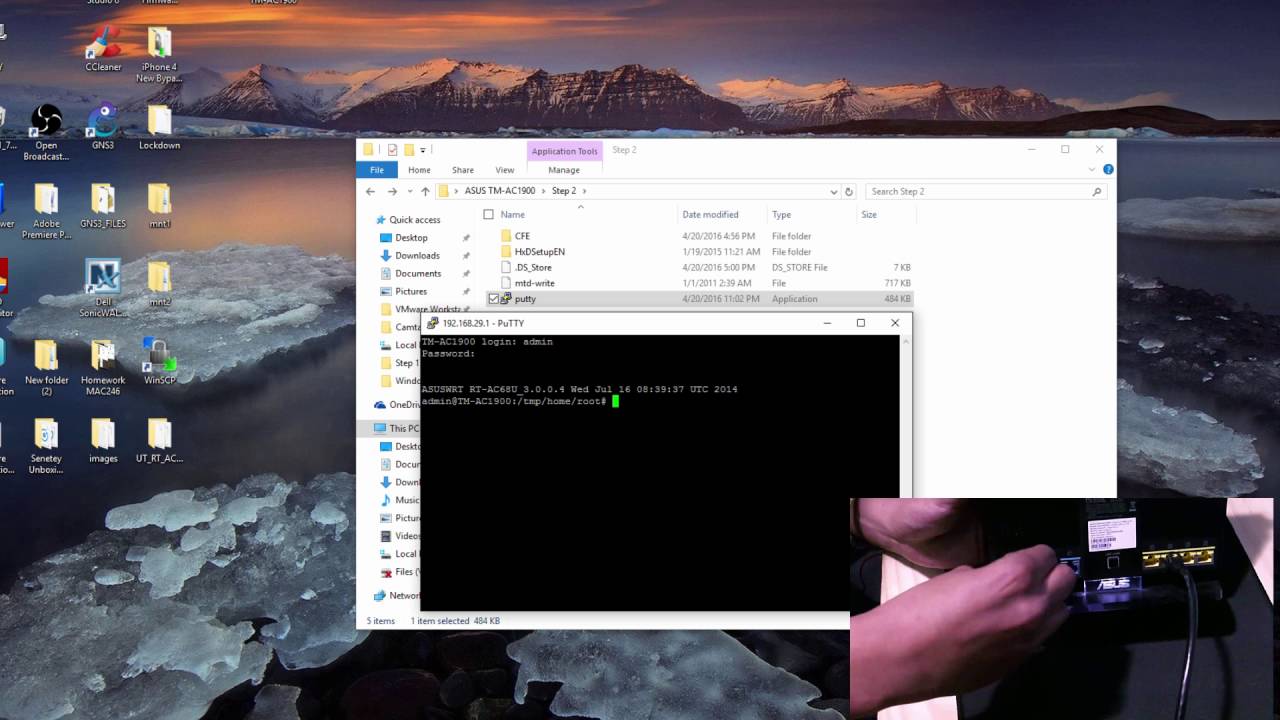
Open CMD and go to the step 1 folder and type the command : telnet -i 192.168.29.1 PUT TM-AC1900_3.0.0.4_376_1703-g0ffdbba.trx
Newest Firmware
-For CellSpot Routers with the latest firmware that are unable to get into rescue mode. Do this ,connect the router to the computer. Then press the Reset button while the power is off. Plug in the router and keep holding the reset button and wait 8 seconds. Once you do this go into your browser and type 192.168.29.1. You will get a CFE up-loader screen, choose the firmware on the Step 1 folder and press upload. Once it finishes uploading , reset the router and connect to it again and follow the video.
Continue watching the video for the rest of the steps
Step 2 : Downgrade Bootloader
Step 3 : Install Custom firmware.
Download Links:
Mega: https://mega.nz/#!LUZDCAIA!kGHoZUptR2...
Mirrors
Filedropper:
http://www.filedropper.com/asustm-ac1900
Sendspace:
https://www.sendspace.com/file/jbnizd
Donate (Since youtube change the monetization rules i wouldn't mind a donation. Thank You)
Bitcoin: 1AsHtscAvaociaMLE3HuFodeHEKfctq7QH
paypal: https://www.paypal.me/light49
Thanks for watching.
Повторяем попытку...
Доступные форматы для скачивания:
Скачать видео
-
Информация по загрузке:










![Testing ASUS [AiMesh] [Repeater] [Access Point] Whole-home WiFi](https://imager.clipsaver.ru/5sagIw6_ofE/max.jpg)




![Тестирование моей системы Asus AiMesh [тест скорости, роуминг и многое другое]](https://imager.clipsaver.ru/qusVMXQC9zU/max.jpg)