How to Add Passwords to Google Password Manager on ZTE Nubia Red Magic Astra
Автор: TUTORIAL_info
Загружено: 2026-02-28
Просмотров: 1
Описание:
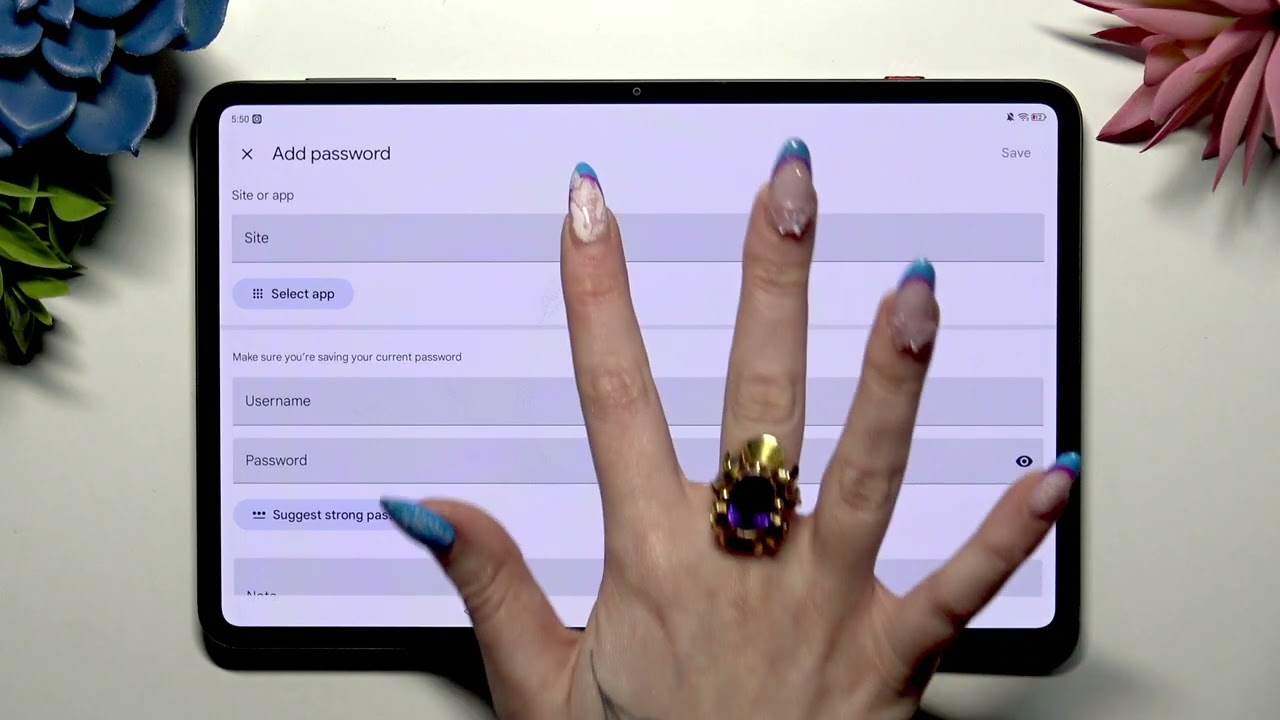
Learn how to add passwords to Google Password Manager on your ZTE Nubia Red Magic Astra gaming tablet. In this short, clear walkthrough I show where to find Passwords (Settings → Users & Accounts → Google → Google Password Manager), how to enable "Offer to Save Passwords", how to create the first saved login by signing into any app or website, and then how to add additional entries manually (website or app, username/email/phone, password and notes). This video is perfect if you want to secure and sync your logins on the Nubia Red Magic Astra using Google's built-in password manager.
How to add passwords to Google Password Manager on ZTE Nubia Red Magic Astra?
How to manually add a password in Google Password Manager on ZTE Nubia Red Magic tablet?
Where is Google Password Manager in ZTE Nubia Red Magic Astra settings?
0:00 Intro – Nubia Red Magic Astra & what we'll do
0:09 Open Settings → Users & Accounts
0:22 Open Google → Google Password Manager
0:30 Tap Add Password / check Offer to Save Passwords
0:54 Create first saved password by logging into a website or app and tapping Save
1:25 Manually add password: select website or app, enter username/email/phone, password and notes, then Save
2:03 Outro and reminders
#NubiaRedMagic #RedMagicAstra #GooglePasswordManager #PasswordManager
Find out more:
https://www.hardreset.info/devices/zt...
Follow us on Instagram ► / hardreset.info
Like us on Facebook ► / hardresetinfo
Tweet us on Twitter ► / hardreseti
Support us on TikTok ► / hardreset.info
Use Reset Guides for many popular Apps ► https://www.hardreset.info/apps/apps/
Повторяем попытку...
Доступные форматы для скачивания:
Скачать видео
-
Информация по загрузке: