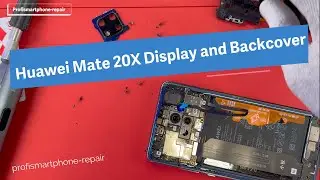
NOT DIY-FRIENDLY? Huawei Mate 20 X Screen Replacement | Sydney CBD Repair Centre
Автор: Sydney CBD Repair Centre
Загружено: 2023-01-31
Просмотров: 5034
Описание:
Let's take you to through a complete rundown on how we replace a Huawei Mate 20 X screen in our Sydney CBD Repair Centre shop. Mind you, this Huawei Mate 20 X screen replacement is done by a professional. If you plan to do a DIY Huawei Mate 20 X screen replacement, then you might see the complexity of the entire process.
We do #HuaweiMate20X #ScreenReplacement in #SydneyCBDRepairCentre!
#HuaweiMate #Mate20X
Visit our site: https://www.sydneycbd.repair/huawei-r...
Visit our shop: https://www.sydneycbd.repair/locate-us/
We offer professional, guaranteed, and same day screen replacement on Huawei Mate 20 X. You can visit our shop or you can send us your smartphone for repair if you're outside Sydney, Australia.
Here's our complete address.
Suite 201, Level 2, 661 George St, Haymarket, NSW 2000
▶ Share, Support, Subscribe!!!
▶ Let's Connect:
▶ Facebook: / sydneycbdrepaircentre.com.au
▶ Instagram: / sydney_cbd_repair_centre
▶ Youtube: / sydneycbdrepaircentre
▶ Google My Business: https://goo.gl/maps/XfQydpdvhT2bGANv7
▶ Website: https://www.sydneycbd.repair/
Tips and Tricks for a Quick and Easy Huawei Mate 20 X Screen Replacement
If you are the proud owner of a Huawei Mate 20 X, you know that this powerful device is capable of performing many tasks. However, when it comes to screen replacement, it can be a bit of challenge. Fortunately, there are some tips and tricks that you can use to make the process go as quickly and easily as possible.
First and foremost, make sure you have all the necessary supplies on hand before beginning the process. You will need a new display assembly for your Huawei Mate 20 X, as well as a few tools such as tweezers, screwdrivers, and pry tools. Additionally, you may want to invest in an anti-static wrist strap so that static electricity won’t damage any of the components inside your device during the repair process.
Once you have all your supplies ready to go, turn off your Huawei Mate 20 X and disconnect any power sources or cables connected to it. Then use tweezers or other pry tools to remove the back cover from your device. Carefully detach any remaining components such as screws and connectors that are still attached before completely removing the back cover from your phone.
Once this is done, locate the display assembly on your phone and carefully remove it using tweezers or other pry tools. You should then be able to disconnect any cables connecting the display assembly to other components in your phone before removing it completely from its housing unit.
Now that all these steps have been completed successfully, you should be able to take out your new display assembly and attach it into place by reconnecting all the appropriate cables and screws back into their correct positions inside of your phone’s housing unit. Make sure they are firmly connected before continuing with reassembling the back cover onto your device again using tweezers or pry tools once more.
Finally turn on your Huawei Mate 20 X one last time just to check whether everything is working correctly after this successful screen replacement process has been completed successfully on time!
By following these tips and tricks for a quick and easy Huawei Mate 20 X screen replacement job properly using adequate supplies like an anti-static wrist strap along with necessary tools like screwdrivers or pry tools can help ensure successful results without needing much assistance from professional repair services! After completing this task successfully one last time just check whether everything is working correctly with no issues whatsoever!
Повторяем попытку...

Доступные форматы для скачивания:
Скачать видео
-
Информация по загрузке: