How To Sidechain With No Compressor! (Ableton Envelope Follower & EQ)
Автор: Bass Computer
Загружено: 2023-02-05
Просмотров: 3162
Описание:
→ You make music and want the sounds I use? Get them here:
https://www.glitchmagic.com/
Look Mom! No Compressor!
Using only the Envelope Follower and EQ8 without any compression, we're going to duck out the frequency range causing issues.
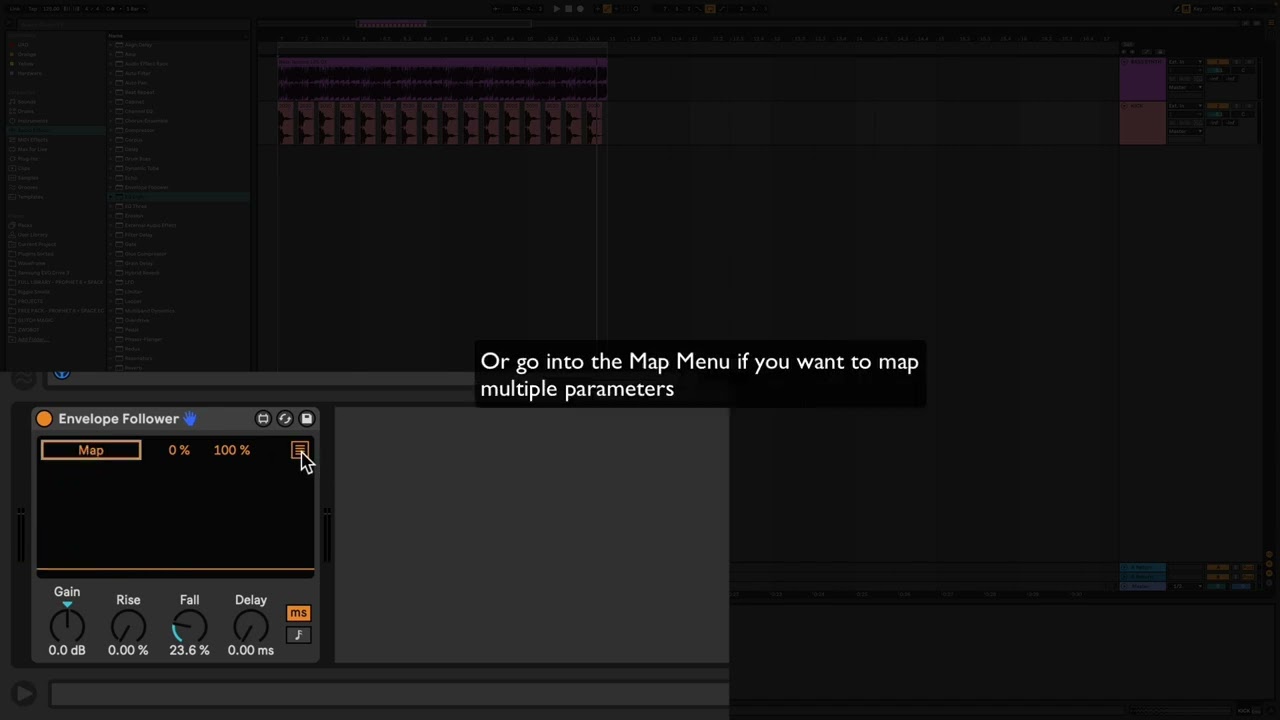
Start by putting the Envelope Follower on the Kick Drum track. When audio signal hits the plugin, you'll see it trace the waveform like this. Since this isn't a compressor, the Rise, Fall and Delay controls take the place of attack and release settings. Honestly the easiest way to dial this in is to play with the settings until the waveform looks correct.
Now on your bass synth (or whatever bass track you want) put an instance of EQ8 with one band enabled. The low end shelf or a wide bell will work.
Go back to your kick track and click the square button in the upper right corner of the plugin to access the mapping menu. Set the first slider to 45%-50% and the second one to 0%. This will keep our sidechain moving in the right range.
Click the first Map button and it will start blinking. While it is blinking, navigate back to the bass track and click on the Gain knob of the the enabled band in EQ8.
Now when you play the audio, the EQ band should be creating a cut when the kick drum plays, but then returning back to flat right after the drum hit, totally automatically!
If you've never done this before, it's going to seem like magic.
Повторяем попытку...
Доступные форматы для скачивания:
Скачать видео
-
Информация по загрузке: