SAMSUNG Samsung Galaxy Z Fold 8 как поменять тему устройства julial информация о руководстве fDiP...
Автор: TUTORIAL_info
Загружено: 2026-08-20
Просмотров: 7
Описание:
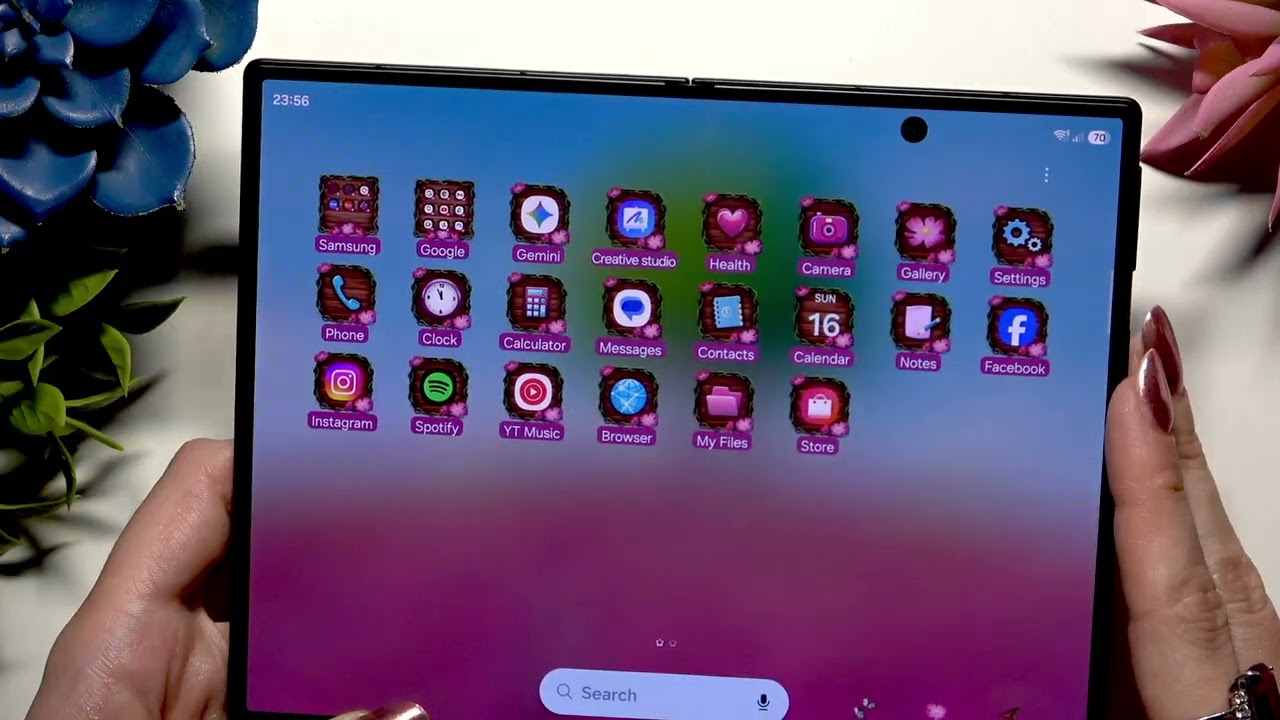
Want to change the look of your SAMSUNG Galaxy Z Fold 8? In this video I show you how to apply a new theme from the Themes store so you can see the changes immediately. You'll hold your display until options appear, tap "Themes," and browse categories like "Featured" or "Top." If you want a specific style, use the icon in the top right corner to search, select a theme, hit "Download," and then choose "Apply." To revert to the original look or switch back to a previously saved style, go to the "Themes" section again, tap "My Stuff" at the top left, pick "Default" or any other theme from your list, and hit "Apply."
How to change device theme on SAMSUNG Galaxy Z Fold 8?
Where is the Themes store on SAMSUNG Galaxy Z Fold 8?
How to go back to default theme on SAMSUNG Galaxy Z Fold 8?
0:00 Intro - changing SAMSUNG Galaxy Z Fold 8 theme
0:09 Hold display to show options
0:28 Browse Featured and Top themes
0:58 Download a selected theme
1:06 Apply the new theme
2:03 Go back to default theme
2:21 Access downloaded themes list
2:35 Wrap up - like and subscribe
#Samsung #GalaxyZFold8 #ChangeTheme #DeviceTheme
Find out more:
https://www.hardreset.info/devices/sa...
Follow us on Instagram ► / hardreset.info
Like us on Facebook ► / hardresetinfo
Tweet us on Twitter ► / hardreseti
Support us on TikTok ► / hardreset.info
Use Reset Guides for many popular Apps ► https://www.hardreset.info/apps/apps/
Повторяем попытку...
Доступные форматы для скачивания:
Скачать видео
-
Информация по загрузке: