ਈ ਰਿਕਸ਼ਾ ਤੇ ਈ ਸਕੂਟਰ ਦਾ ਕੰਟਰੋਲ ਤੇ ਮੋਟਰ ਖਰਾਬ ਹੈ ਜਾ ਠੀਕ ਚੈੱਕ ਕਰਨ ਦਾ ਤਰੀਕਾ
Автор: Iqbal Raikot
Загружено: 2025-08-09
Просмотров: 294
Описание:
ev rickshaw and e bike controller and motoer checking video
ਈ ਰਿਕਸ਼ਾ ਤੇ ਈ ਸਕੂਟਰ ਦਾ ਕੰਟਰੋਲ ਤੇ ਮੋਟਰ ਚੈੱਕ ਕਰਨ ਦਾ ਤਰੀਕਾ
#ev rickshaw #ev auto #e bike controller
e rickshaw controller Rapir
To check an e-rickshaw motor, particularly its functionality and components like the Hall sensor, follow these steps based on available information:
Safety First:
Ensure the e-rickshaw is turned off and the motor is cool before starting any checks to avoid electric shock or injury.
Visual Inspection:
Examine the motor for physical damage, such as burnt wires, loose connections, or signs of overheating (e.g., discoloration or burn marks). Check for debris or obstructions blocking ventilation, as overheating is a common issue.
Check the Hall Sensor Using a Multimeter:
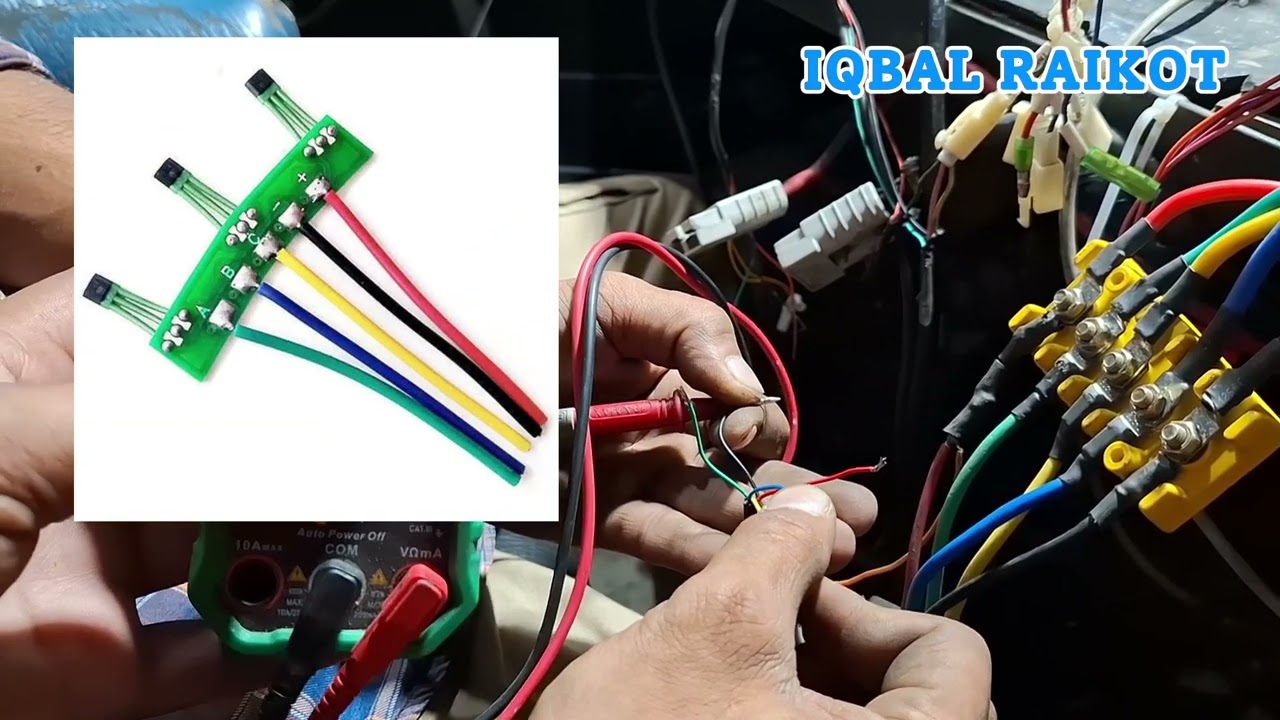
Locate the Hall Sensor: The Hall sensor, crucial for detecting rotor position in the BLDC (Brushless DC) motor, is typically near the motor’s rotor. Refer to the motor’s manual for exact placement.
Set Up Multimeter: Switch the multimeter to the diode test function.
Test the Sensor: Connect the multimeter probes to the sensor’s wires (red to positive, black to negative). A working sensor should show varying voltage as the rotor moves. A constant voltage or no reading indicates a faulty sensor.
Symptoms of Failure: Look for jerking during acceleration, unusual noises, or reduced power, which suggest Hall sensor issues.
Motor Performance Check:
Listen for Noises: Start the e-rickshaw and listen for unusual sounds like grinding or humming, which could indicate worn bearings or internal damage.
Check for Vibrations: Excessive vibrations may signal misalignment or motor wear.
Power Output: Test the motor under load (e.g., driving with passengers). If it struggles to climb hills or carry loads, there may be issues with the motor or controller.
Inspect Electrical Connections:
Check motor terminals for dust, rust, or moisture, which can disrupt current flow. Clean with a soft brush or dry cloth, and replace corroded parts.
Verify the controller connections, as the controller regulates power to the motor. Loose or damaged wiring can cause motor failure.
Test the Controller:
Use a multimeter to check the controller’s power supply (typically 48V or 60V). Low or no voltage suggests a blown fuse or wiring issue.
Inspect MOSFETs and capacitors in the controller for signs of failure (e.g., bulging capacitors or burnt MOSFETs), as these can affect motor performance.
Check Motor Rating:
To verify the motor’s specifications, locate the rating plate on the motor (usually indicating voltage, power in watts, or RPM). This ensures the motor matches the e-rickshaw’s requirements. A YouTube resource (Wattsman Self-Help Session 6) provides guidance on checking motor ratings, which can be useful for compatibility checks.
Common Issues and Fixes:
Overheating: Ensure cooling fins are clean and avoid overloading the vehicle. Use a high-quality controller (e.g., sine wave) to regulate power and reduce heat.
Water Damage: Check for water ingress, especially in monsoon conditions. Drain water, clean, and dry affected parts. Sand rust gently if present.
Worn Brushes (if applicable): For brushed motors, inspect brushes for wear and replace if necessary.
Professional Assistance:
If the motor or sensor issues persist (e.g., no voltage change in the Hall sensor or complex controller faults), consult a qualified technician or visit an authorized service center for advanced diagnostics, such as using an oscilloscope or checking the motor’s schematic.
Maintenance Tips:
Schedule regular motor checkups every 3–6 months to catch issues early.
Avoid waterlogged roads and park in dry areas to prevent water damage.
Use compatible, high-quality batteries and parts to avoid voltage mismatches.
For visual guidance, YouTube videos like “How to Check E-Rickshaw Motor Sensor Using Multimeter” or “E-Rickshaw Motor Checking” can provide practical demonstrations. Always use genuine replacement parts from trusted suppliers to ensure compatibility and performance.
If you need specific tools or further details on any step, let me know!
Повторяем попытку...
Доступные форматы для скачивания:
Скачать видео
-
Информация по загрузке: