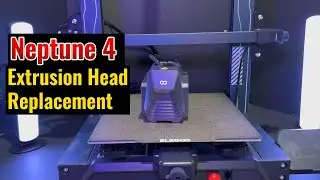
SUPPORT: How to Resolve a Clogged Nozzle in the Print Head on Neptune 4 Plus & Max
Автор: Elegoo Official
Загружено: 2024-11-26
Просмотров: 20174
Описание:
Having trouble with a clogged nozzle? Don’t worry! In this video, we’ll walk you through several quick and easy methods to fix a clogged nozzle on your Neptune 4 Plus or Neptune 4 Max. We’ve got practical tips to help you get your printer back on track, whether you’re a beginner or a pro.
These solutions will save you time and get your prints back to perfect quality in no time!
▶ Video Chapters:
00:02 1. Normal Methods to Remove Filament.
00.04 Method #1: Press the extruder handle to remove filament.
00.30 Method #2: Remove filament via touchscreen.
00:59 2. Solution for Clogged Nozzle.
03:20 3. Solution for Clogged Extruder Gear.
▶ Disassembly screwdriver sizes: 2.0mm, 2.5mm.
▶ If you need a new nozzle: https://amzn.to/3B1CwpR
Thanks for watching, hope this video helps you!
Got questions or tips of your own? Drop them in the comments below! We’d love to hear from you!
FOLLOW US ON SOCIAL MEDIA!
Linktree: https://linktr.ee/elegoo_official
TikTok: / elegoo3dofficial
YouTube: / @elegooofficial@ucvpdrdiwslr7vvdpnyid9ra
Facebook: / elegooofficial
Instagram: / elegoo
Twitter: https://x.com/Elegoo_Official
Website: https://us.elegoo.com/
Повторяем попытку...

Доступные форматы для скачивания:
Скачать видео
-
Информация по загрузке: