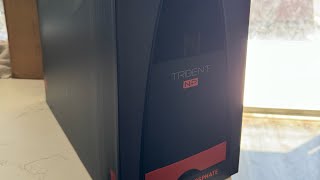
How to Disassemble a Neptune Systems Trident | Full Setup Guide
Автор: Printed Reef
Загружено: 2025-10-04
Просмотров: 356
Описание:
Watch how to take apart and install your Neptune Systems Trident or Trident NP into the Printed Reef Trident Mini Pro Housing — a compact, stackable, and fully customizable upgrade for your reef aquarium testing setup.
In this step-by-step installation tutorial, Tom from Printed Reef walks you through how to:
🔹 Disassemble the Neptune Systems Trident
🔹 Prepare and mount it inside the Printed Reef Mini Pro housing
🔹 Properly route your tubing and cables
🔹 Use the included light shield blocker to ensure accurate testing
🔹 Secure your reagent bottles with needle guides and reagent rings
🔹 Customize your housing with your favorite colorway
The Trident Mini Pro is engineered to make your reef tank automation cleaner, sleeker, and more reliable. Whether you’re a hobbyist reefer or professional aquarium maintenance company, this upgrade gives you:
✅ Easy tool-free access with magnetic panels
✅ Stackable design (Trident + Trident NP setups)
✅ Compact footprint that saves cabinet space
✅ Optional clear or colored panels
✅ Better testing accuracy with included light blocker
💡 Why Upgrade to the Printed Reef Trident Mini Pro?
Because it’s built by reefers — for reefers. Our father-and-son team at Printed Reef designs 3D-printed reef-safe aquarium products that solve real problems in the hobby.
🛒 Get yours here:
👉 https://printedreef.com/products/nept...
📸 Share your setup!
Tag us @PrintedReef on Instagram and TikTok so we can feature your custom colorway.
Повторяем попытку...

Доступные форматы для скачивания:
Скачать видео
-
Информация по загрузке: