How to Setup the Aqara Touchscreen Switch S100 US and Connect to Home Assistant Over Matter
Автор: Jeff Keenan
Загружено: 2026-02-22
Просмотров: 38
Описание:
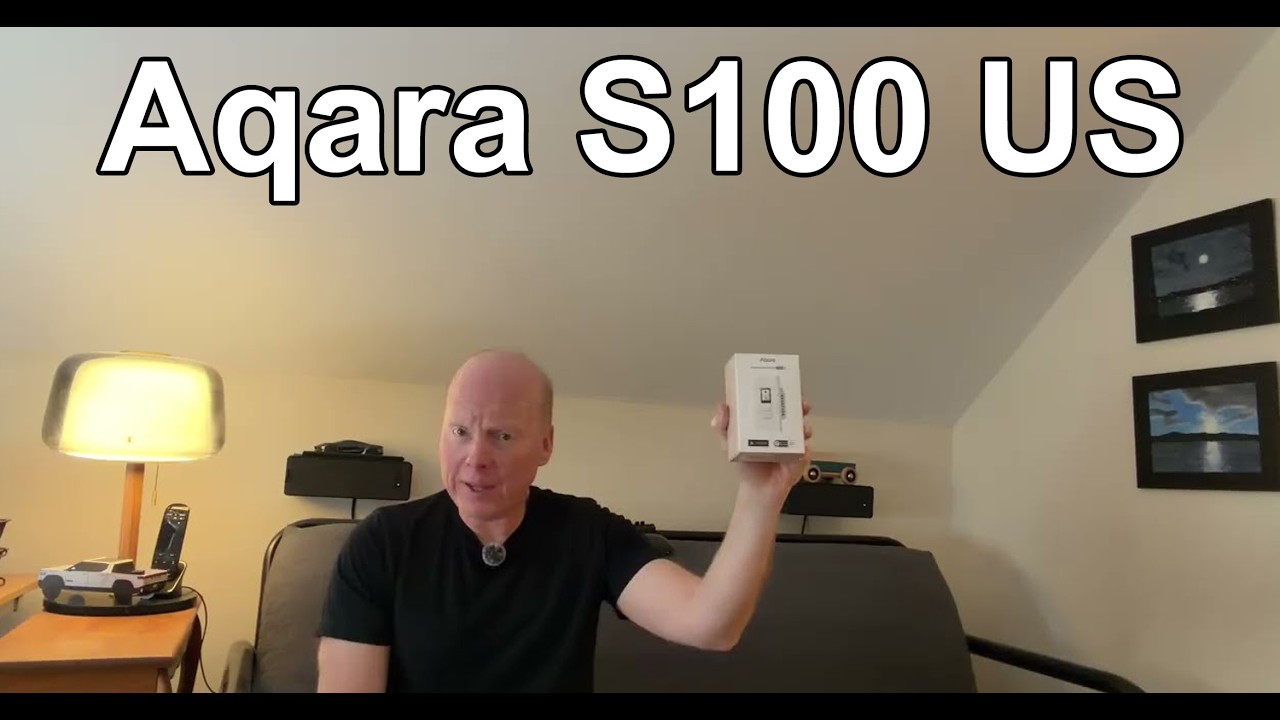
Is this the smartest light switch ever made for the US market? Today we are unboxing and installing the Aqara Touchscreen Switch S100 US. This isn't just a light switch—it's a high-definition command center that fits into a standard North American wall box.
Featuring a vibrant 1.3-inch LCD, built-in Thread Border Router capabilities, and dual 10A physical switches, the S100 is designed to be the brain of your room. We’ll dive into the setup, test the proximity sensors, and show you how it integrates with Matter and Home Assistant for a truly local smart home experience.
Key Specs & Features:
📺 1.3-Inch HD LCD: Swipe through custom themes, scenes, and device controls.
✋ Dual 10A Physical Switches: Reliable, tactile buttons for your main light loads.
🚶 Proximity & Light Sensors: The screen wakes up as you approach and adjusts brightness based on your room's lighting.
🌐 Multi-Protocol Power: Support for Wi-Fi (2.4/5GHz), Bluetooth, and Thread.
🏠 Matter Certified: Seamless, local integration with Home Assistant, Apple Home, Google Home, and Alexa.
🛡️ Safety First: CSA/UL equivalent certified with built-in overheat and overload protection.
In This Video:
Meet the Aqara S100 US
Unboxing & Hardware Specs
Wiring & Installation (Neutral Wire Required!)
Interface Walkthrough: Themes & Wireless Buttons
Proximity Sensor & "Wake on Approach" Test
Matter Setup: Adding to Home Assistant and creating automations
Wiring Note: The S100 US requires a Neutral Wire for installation. It is rated for up to 10A (Incandescent) or 400W (LED/CFL) per channel.
+1
Links & Resources:
Get the Aqara S100 US: (coming Soon)
Aqara M200 PoE Hub (Perfect Pairing): https://amzn.to/3MX29Oq
Support the Channel:
If you enjoyed this deep dive, make sure to hit that 👍 Like button and Subscribe for more smart home reviews, PoE setups, and Matter tutorials!
00:00:00 - Introduction & Hardware Features
00:00:26 - Connectivity (Matter, Thread, Wi-Fi)
00:00:32 - Safety Ratings & Wiring Requirements
00:00:55 - Wiring Diagram & Physical Installation
00:01:27 - Initial Power On & Language Selection
00:01:39 - Pairing with the Aqara App & M200 Hub
00:02:01 - Configuring Wireless Switch Mode
00:02:07 - Connecting to Home Assistant via Matter
00:02:16 - Home Assistant Automation Demo
00:02:25 - Configuring Accessories on the Touchscreen
#Aqara #S100 #SmartHome #Matter #HomeAssistant #Thread #AppleHome #HomeAutomation #TechReview #SmartSwitch
Повторяем попытку...
Доступные форматы для скачивания:
Скачать видео
-
Информация по загрузке:
![[#136] Хаб-панель Sonoff NSPanel Pro 120 – всё что нужно за 8.000 рублей](https://imager.clipsaver.ru/tIP82WeSyGg/max.jpg)