Build an Event Countdown Reminder Popup Form in Microsoft Access
Автор: Computer Learning Zone
Загружено: 2022-08-18
Просмотров: 9111
Описание:
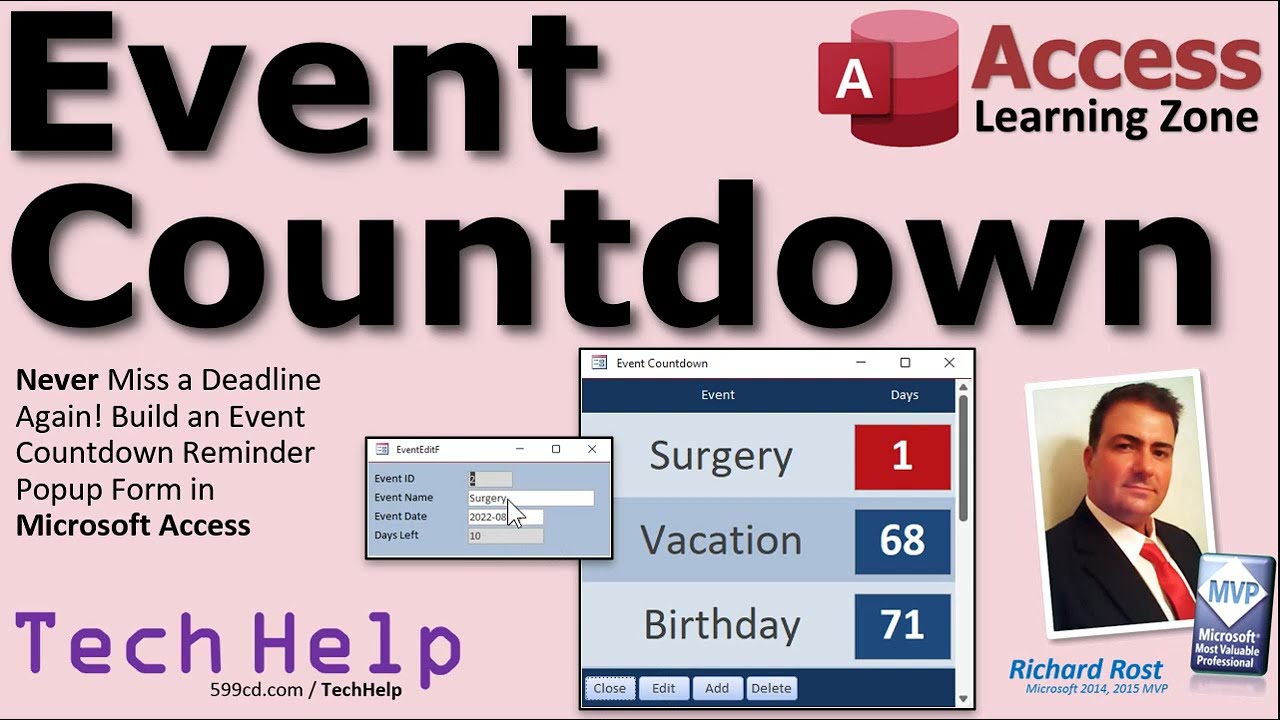
Never miss a deadline again! In this Microsoft Access tutorial, I'll show you how to build an event countdown reminder form. You can add events to a table, and when your database starts up, a form will automatically pop up showing you how many days you have left until each of your events. We'll also make buttons to easily close the form, edit an event, add new events, or delete events - complete with an "are you sure?" prompt. While this database can't help you prepare for these events, at least it will help you to not miss them.
Meghan from Albany, Georgia (a Gold Member) asks: It seems I'm always missing events. Yeah, I put them on my calendar, and I set alarms, but I'm always dismissing them and forgetting about important stuff. Is there any way I could have Access pop a huge reminder in my face that says "you have that conference in 2 days!" It would be nice if I could see the next 3 or 4 things coming up so I know what's going on. Thanks.
Silver Members and up get access to an Extended Cut of this video. Members will learn how to create different custom color schemes using Conditional Formatting and apply one to each event.
MEMBERS VIDEO:
• Event Countdown Timer EXTENDED CUT MEMBERS...
BECOME A MEMBER:
YouTube: / @599cd
or My Site: https://599cd.com/THMember
LEARN MORE:
Transpose Data: https://599cd.com/EventCountdown
PRE-REQUISITES:
Reminder Popup Date: https://599cd.com/ReminderPopupDate
Calculated Fields: https://599cd.com/Calculated
Continuous Forms: https://599cd.com/Continuous
Intro to VBA: https://599cd.com/IntroVBA
LINKS:
Default Value: https://599cd.com/Default
ISO Date Format: https://599cd.com/ISO
Tab Stop, Order, Cycle: https://599cd.com/TabOrder
Modal & Popup: https://599cd.com/ModalPopup
Close Form: https://599cd.com/CloseForm
Value From a Form: https://599cd.com/FormName
Don't Delete Data: https://599cd.com/DontDelete
MsgBox: https://599cd.com/MsgBox
Conditional Formatting: https://599cd.com/Conditional
If Then: https://599cd.com/IfThen
DCount: https://599cd.com/DCount
RECOMMENDED COURSE:
Access Developer 40: https://599cd.com/ACD40
NOTES
The maximum number of conditional formatting items you can have in Microsoft Access is 49. If you try to add more than that, you'll get the error "Run-time error '7966': The format condition number you specified is greater than the number of format conditions."
FREE TEMPLATE DOWNLOADS:
TechHelp Free Templates: https://599cd.com/THFree
Blank Template: https://599cd.com/Blank
Contact Management: https://599cd.com/Contacts
Order Entry & Invoicing: https://599cd.com/Invoicing
More Access Templates: https://599cd.com/AccessTemplates
ADDITIONAL RESOURCES:
FREE Access Beginner Level 1: https://599cd.com/Free1
$1 Access Level 2: https://599cd.com/1Dollar
Donate to my Tip Jar: https://599cd.com/TipJar
Get on my Mailing List: https://599cd.com/YTML
Contact Me: https://599cd.com/Contact
TechHelp: https://599cd.com/TechHelp
Consulting Help: https://599cd.com/DevNet
Twitter: / learningaccess
https://en.wikipedia.org/wiki/Microso...
https://products.office.com/en-us/access
https://microsoft.com/en-us/microsoft...
KEYWORDS:
access 2016, access 2019, access 2021, access 365, microsoft access, ms access, ms access tutorial, #msaccess, #microsoftaccess, #help, #howto, #tutorial, #learn, #lesson, #training, #database, OnLoad, SetFocus, Modal, Double Click Event, On Dbl Click, DblClick, Allow Additions, Allow Edits, Allow Deletions, Me.AllowDeletions, Delete Keyboard Shortcut, Buttons to Close Form, Open Form, Add Record, Delete Record, Requery Parent Form, DoCmd.RunCommand acCmdDeleteRecord, MsgBox, vbYesNoCancel, vbCritical, DCount
QUESTIONS:
Please feel free to post your questions or comments below. Thanks.
Повторяем попытку...
Доступные форматы для скачивания:
Скачать видео
-
Информация по загрузке: