User Management in Nexentis | Create Users & Assign Shops
Автор: Verner Technologies inc.
Загружено: 2026-05-31
Просмотров: 8
Описание:
Learn how to manage users in Nexentis using the Manager Panel and Admin shop assignment tools.
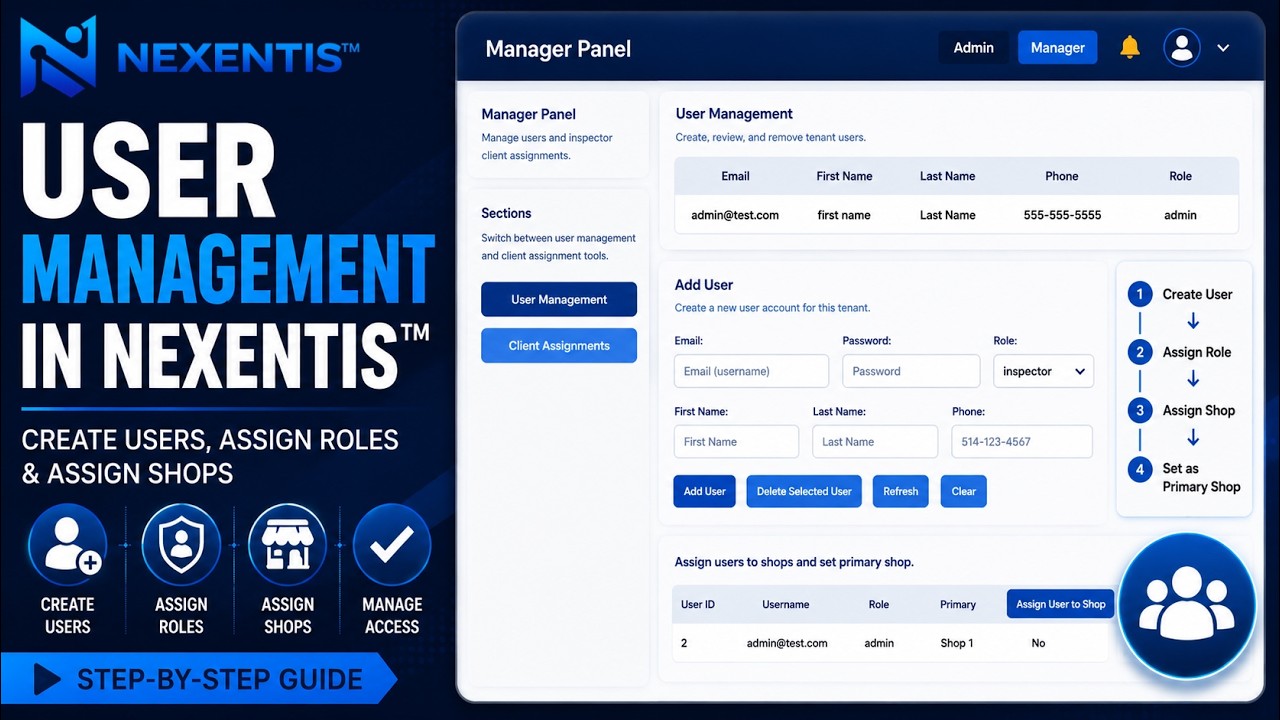
In this tutorial, we show you how to open the Manager Panel, review existing users, create a new user, choose the correct role, and assign the user to a shop location.
Nexentis is a Factory Quality Management solution designed to help manufacturers manage inspections, purchase orders, parts, follow-ups, NCRs, RFIs, reports, and quality documentation from one connected platform.
In this video:
Open the Nexentis Manager Panel
Review existing users
Create a new user account
Assign a user role
Add user contact information
Confirm user creation
Assign the user to a shop
Set the user’s primary shop location
For more information, visit:
https://nexentis.ca
© Verner Technologies inc. All rights reserved.
Повторяем попытку...
Доступные форматы для скачивания:
Скачать видео
-
Информация по загрузке: