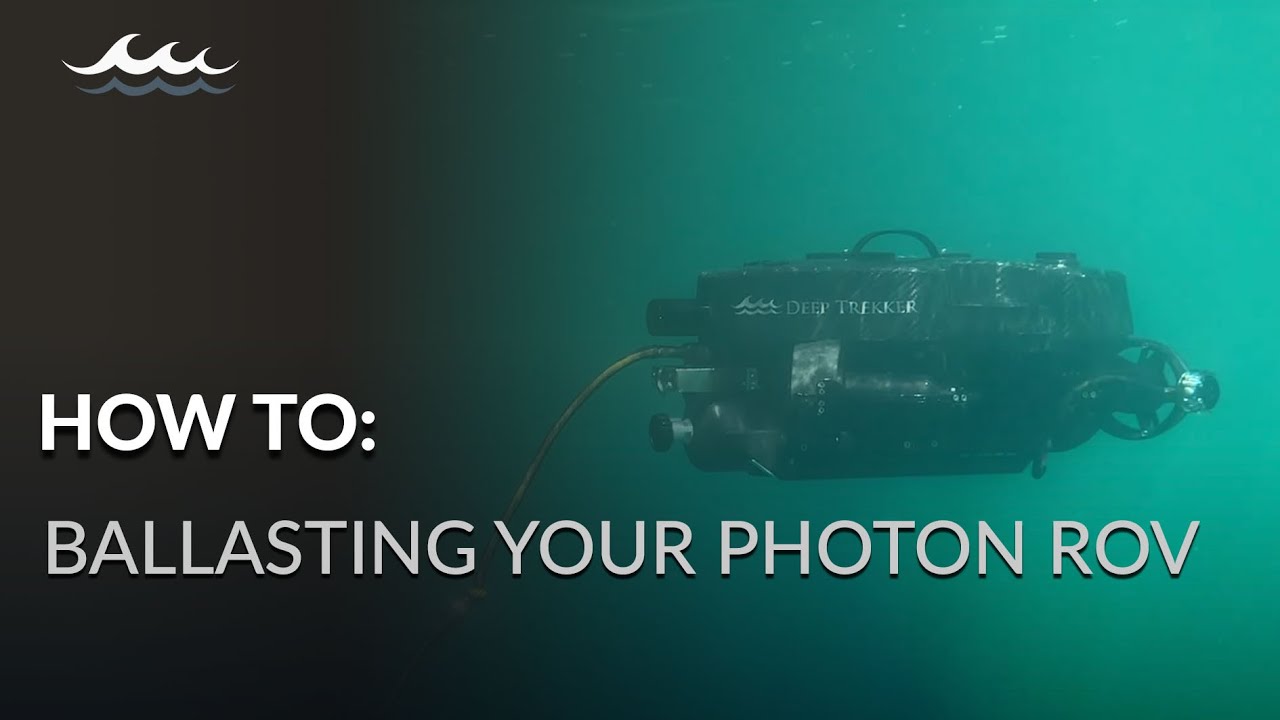
How to: Ballasting your Photon ROV
Автор: Deep Trekker Inc.
Загружено: 2024-05-21
Просмотров: 322
Описание:
For precise underwater operations, you'll want to properly ballast your ROV to be neutrally buoyant, maximizing battery power and movement control. Learn how you can do this easily with this quick tutorial. 🦾
Interested in learning more about Deep Trekker ROVs and their capabilities? Contact us today.
https://www.deeptrekker.com/contact-us
For more information about Deep Trekker, including product features, industry news updates, and case studies:
Website: https://bit.ly/2F363Cf
ROVs: https://bit.ly/3idtzN3
Follow us to stay in the loop:
LinkedIn: https://bit.ly/3Oaojea
Facebook: http://bit.ly/2nMD3VS
Twitter: http://bit.ly/2WXicNU
Instagram: http://bit.ly/2pTEHHs
TikTok: https://bit.ly/3NYIFqX
Transcript:
0:01
How to ballast your Photon.
0:04
ROV underwater operations require a high degree of precision and stability it is imperative that you take the time to ensure your ROV is properly ballasted before each Mission.
0:15
Your photon is composed of Steel and aluminum modules connected to a high density polyethylene frame with a large block of buoyant seafoam under the carbon fiber shell which counteracts the force of gravity.
0:28
Ideally the unit should be neutrally buoyant meaning it neither floats nor sinks this will maximize your battery power and equalize vertical movement speeds.
0:38
All photons are tested and ballasted for fresh water however all bodies of water differ and will require adjustment in order to balance your unit.
0:48
Power it on and deploy it, descend several meters from the surface to avoid waves then disable your Motors.
0:55
If the depth decreases your unit is positively buoyant and requires more weight.
0:57
If the depth increases your unit is negatively buoyant and requires less weight. Observe the pitch and roll rots, if they are off by more than 2° you may need to adjust the balance blocks.
1:09
This will only need to be done when adding and removing components to the unit to adjust balance blocks, unscrew the captured locking pin and pull it all the way.
1:21
Blocks can be added or removed easily. Slide the Locking pin back in and tighten return the photon to the water to assess your changes.
1:30
If your pilots are sitting close to a soft seafloor and are concerned about disturbing the sediment and decreasing visibility, ballast your Photon slightly positive if you regularly stop your mission to take notes or perform other tasks.
1:43
Consider balancing your Photon slightly negative so you can park it on the bottom and disable Motors to save.
Повторяем попытку...
Доступные форматы для скачивания:
Скачать видео
-
Информация по загрузке:





![Как работают очки ночного видения? [Veritasium]](https://imager.clipsaver.ru/qIbMPHTXnAU/max.jpg)