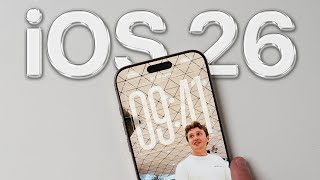
iOS 26.2 Is Here! The Most Important New Features Explained!
Автор: Tech Tips
Загружено: 2025-12-14
Просмотров: 493
Описание:
iOS 26.2 Is Here! The Most Important New Features Explained!
iOS 26.2 is here, and while it may look like a small update, Apple added several important changes that make a real difference in daily use.
From a more customizable Lock Screen, smarter reminders, safer AirDrop transfers, new accessibility alerts, subtle Home Screen UI updates, and important bug fixes — here’s everything you should know.
In this video, I break down the most useful iOS 26.2 features, explain what changed, and show you exactly how to enable or use each one.
⏱ Chapters / Timestamps
00:00 — iOS 26.2 overview
00:16 — Lock Screen time opacity (Liquid Glass)
00:50 — Reminders with alarm support
01:25 — AirDrop verification codes
01:58 — Flash for alerts (accessibility)
02:24— Home Screen edit menu changes
02:49— Important bug fixes
03:10 — Final thoughts & outro
🔒 1. Lock Screen Time Customization (Liquid Glass Opacity)
Apple added a new Lock Screen time option that lets you adjust how transparent or solid the clock looks.
How to use it:
1. Tap and hold on the Lock Screen
2. Tap Customize
3. Choose Lock Screen
4. Tap on the time
5. Adjust the Liquid Glass opacity slider
This makes the clock easier to read and better match your wallpaper.
⏰ 2. Reminders Can Act Like Alarms
In iOS 26.2, reminders can now behave like real alarms.
They can:
• Ring loudly
• Show Snooze options
• Appear as a Live Activity on the Lock Screen
How to enable it:
1. Open the Reminders app
2. Create or edit a reminder
3. Tap Date & Time
4. Enable Alarm
5. Choose a time and save
Perfect for urgent tasks and deadlines.
🔐 3. AirDrop Codes for Extra Security
AirDrop is now safer when sharing with people not in your contacts.
How it works:
• A verification code appears on the receiver’s device
• The sender must enter that code
• Only then does the transfer complete
How to use it:
• Just AirDrop to someone not in your contacts
• Enter the code shown on their iPhone
No settings required.
⸻
♿ 4. Flash for Alerts (Accessibility Feature)
Your iPhone can now flash the screen when notifications arrive.
How to enable it:
1. Go to Settings
2. Tap Accessibility
3. Tap Audio & Visual
4. Enable Flash for Alerts
5. Turn on Screen Flash
Great if your phone is on silent or you miss vibrations.
✨ 5. New Home Screen Edit Menu
Apple refreshed the Home Screen edit menu:
• Cleaner, more liquid design
• Faster animations
• Instantly disappears when you tap elsewhere
It’s subtle, but makes iOS feel more modern and polished.
🛠️ 6. Bug Fixes & Stability Improvements
iOS 26.2 also fixes important issues:
• Pre-release Apple Music albums not playing at launch
• Privacy & Security settings incorrectly marked as enterprise-managed
• Overall performance and stability improvements
Not flashy — but essential.
👍 If this video helped, leave a like and subscribe for more iPhone tips and iOS updates!
#iOS262 #iPhoneTips #iOSUpdate #AppleUpdates #iPhoneHacks
iOS 26.2 features, iOS 26.2 changes, iOS update tips, iPhone new features, iOS lock screen customization, iOS reminders alarm
Повторяем попытку...

Доступные форматы для скачивания:
Скачать видео
-
Информация по загрузке: