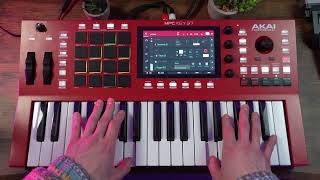
How to Use the MPC37 as a MIDI Controller with Your DAW (Without Controller Mode)
Автор: Andrew Lozano
Загружено: 2025-03-02
Просмотров: 4282
Описание:
Here’s a quick tip on using your MPC as a MIDI controller with your DAW—without switching to controller mode. This isn’t groundbreaking, but it’s a useful trick that isn’t always easy to find online.
The user manual explains how to put the Akai MPC in controller mode to function as a dedicated DAW controller. That’s great if you only need it as a controller, but what if you also want to use the MPC’s internal sounds? Here’s the solution:
1. Press Main Mode, then select New Track and set it to MIDI.
2. Ensure your MIDI Input Port is set to All Ports and that your DAW is also configured for all ports.
3. To the right of the All Ports option, select the Output Port and set it to USB Port 1.
4. Depending on your DAW, you might need to choose USB Port 2 or, in some cases, Remote instead.
This setup allows you to control your DAW while still accessing the sounds within your MPC.
I hope this helps you out if you like what you see, like share and follow!
#Standalonemode
#midicontroller
#mpc
#mpckey37
Повторяем попытку...

Доступные форматы для скачивания:
Скачать видео
-
Информация по загрузке: