How to Check your DNS Server Address on Windows 10?
Автор: TechMeSpot
Загружено: 2020-02-04
Просмотров: 95596
Описание:
How to Check your DNS Server Address on Windows 10?
Step 1: click on the 'Search box,' and then type 'cmd.'
Step 2: Right click on 'Command Prompt,' and then click on 'Run as Administrator.'
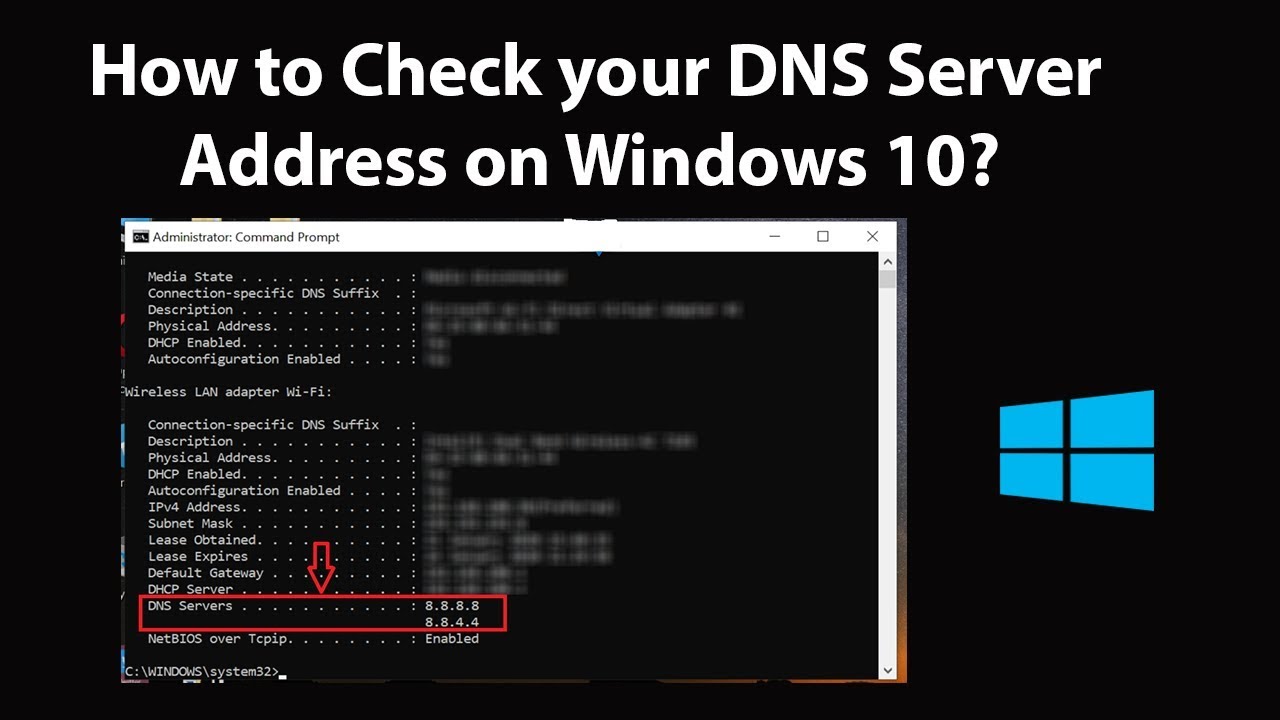
Step 3: Type 'ipconfig /all' without quotes in command prompt, and then hit enter key on the keyboard.
Step 4: Go to your Active connection, and at the bottom, there is a section of 'DNS Servers,' there you can find yours.
It's done.
Thanks for watching, please like and subscribe
=======================================
YouTube Subscribe: https://goo.gl/4lCCN8
Twitter: / techmespot
Website: http://techmespot.com
#howto #CheckDnsServer #Windows10
Повторяем попытку...
Доступные форматы для скачивания:
Скачать видео
-
Информация по загрузке: