Realme Note 60 Network Problem Solution | Complete Hardware Repair Guide in Urdu Hindi
Автор: Mobile hardware solutions
Загружено: 2025-08-13
Просмотров: 1065
Описание:
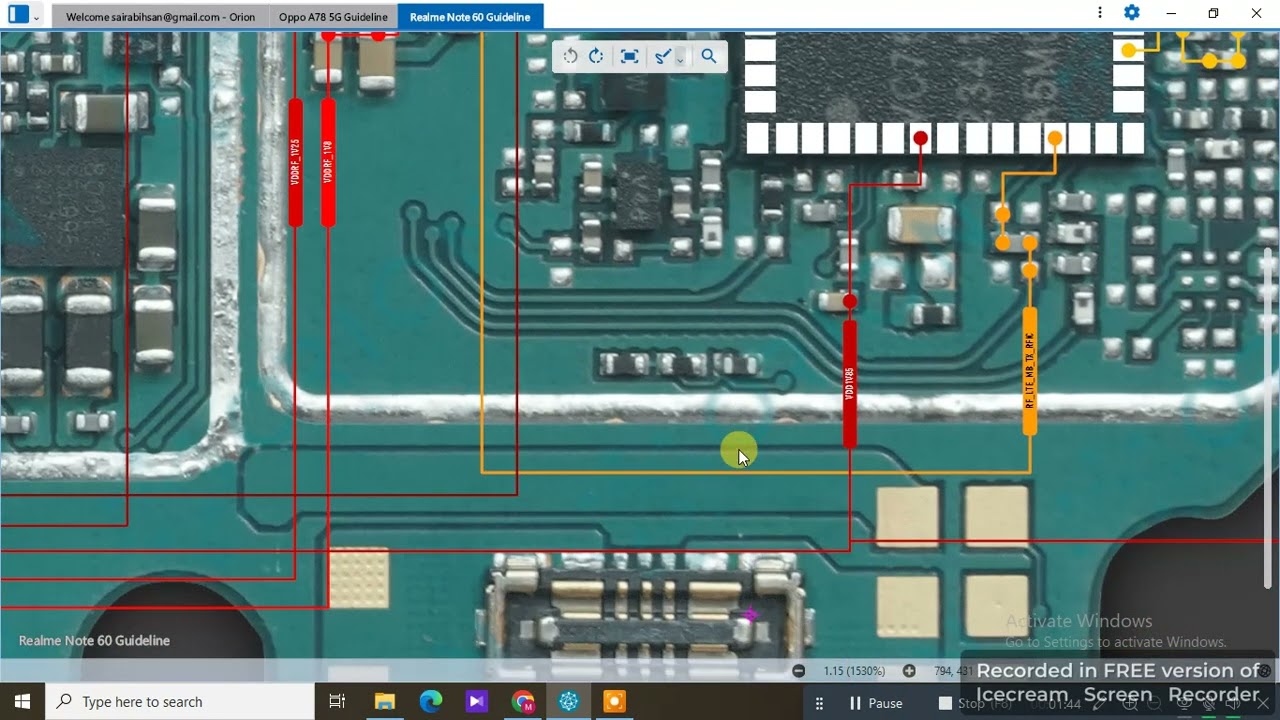
In this video, learn how to fix Realme Note 60 network problems with a complete hardware repair guide in Urdu Hindi. Step-by-step troubleshooting to solve SIM no service, weak signals, and network drop issues. Covers antenna checking, SIM slot repair, RF IC testing, and signal path tracing. Ideal for mobile repair technicians and beginners who want a full Realme Note 60 network hardware solution.
🔧 30 Step-by-Step Instructions
Power off the Realme Note 60 and remove the SIM tray.
Open the back cover carefully without damaging flex cables.
Disconnect the battery connector for safety.
Inspect the SIM card slot for physical damage.
Clean the SIM slot contacts using isopropyl alcohol.
Test the SIM slot pins for continuity with a multimeter.
Replace the SIM slot if pins are damaged or broken.
Check the antenna connector for looseness or corrosion.
Clean the antenna contact points properly.
Ensure the antenna cable is properly connected to the motherboard.
Test antenna cable continuity with a multimeter.
Inspect RF section components near the antenna port.
Test capacitors, coils, and resistors in the RF circuit.
Replace any burnt or damaged RF components.
Check the Power Amplifier (PA) IC for proper voltage supply.
Test signal lines from SIM slot to baseband IC.
Inspect and reflow the RF IC if poor soldering is found.
Test network reception with a known working SIM card.
If signals are weak, replace the antenna cable.
Test the phone in multiple network modes (2G/3G/4G).
Check the network settings to ensure correct configuration.
Verify baseband version in settings – if missing, reflash firmware.
If network drops continue, reball or replace the Power Amplifier IC.
Inspect the motherboard for cracks or water damage in RF area.
Repair or jumper broken signal lines if detected.
Reassemble the phone after repair.
Reconnect the battery and test signal strength again.
Perform a call test and check internet connectivity.
Ensure the network is stable in different locations.
Deliver the phone to the customer with network repair warranty.
📢 Hashtags
#RealmeNote60 #NetworkProblemSolution #MobileRepair #HardwareRepair #NetworkFix #RealmeRepair #MobileRepairGuide #UrduHindiRepair #NoServiceFix #SignalProblem #RFICRepair #AntennaCableFix #RealmeNote60Repair #SIMCardIssue #MobileHardwareRepair #SignalDropFix #TechRepair #SmartphoneFix #PowerAmplifierIC #RFProblemSolution #NetworkTroubleshooting #RealmeMobileRepair #NetworkICRepair #SIMSlotFix #RepairInUrdu #MobileNetworkSolution #RealmeNetworkFix #SignalStrengthFix #RealmeNote60Solution #MobileRepairUrdu
Повторяем попытку...
Доступные форматы для скачивания:
Скачать видео
-
Информация по загрузке:






![Divine Music - The Year Mix Vol.10 [Chill & Ethnic Deep 2025]](https://imager.clipsaver.ru/Q3XBH_FhuKY/max.jpg)