Your data is missing in Qualtrics! What you can do to get it back!
Автор: Your Qualtrics Expert
Загружено: 2023-12-04
Просмотров: 779
Описание:
This video covers the troubleshooting tip of re-indexing that can be extremely helpful when data is not showing up as expected in the Data and Analysis tab of your survey.
For more helpful reading about the data and analysis tab, head here: https://www.qualtrics.com/support/sur...
Chapters
0:00 - Introduction
1:40 - Generating Test Responses
2:25 - What is reindexing?
2:45 - How to reindex your survey
4:15 - Recap & Review
4:45 - Why reindexing works
5:50 - Wrap Up & Conclusion
Transcript:
Today we're going to go over a quick troubleshooting tip that you can use to help your data show up as expected in the data analysis tab in cases when it isn't showing up completely. There are certain situations when your data has been processed by Qualtrics but it doesn't show up as expected.
This quick tip called re indexing, refreshes this on the Qualtrics back end to help the data show up so it can be exported, analyzed, and manipulated.
So I'm going to hop into this survey called reindexing survey test then add a quick preview response.
So this 0 of 1 lets me know that zero responses are currently being displayed, but one response has been processed.
This is important when we talk about why reindexing works and what's going on behind the scenes. I see this response in here, everything looks good. Now I'm going to do something similar, except I'm going to generate test responses this time.
So one response is displayed. Six responses have been processed. Now this happens on a larger scale where sometimes 100 responses are being displayed, but 600 responses have been processed. To speed up how fast the response gets processed, what we can do is something called re indexing the data, where we sort of clear the data pipeline so that all the data can flow through as normal.
Because sometimes some data can get stuck, and while it has been processed, like we see here, it just isn't displayed yet.
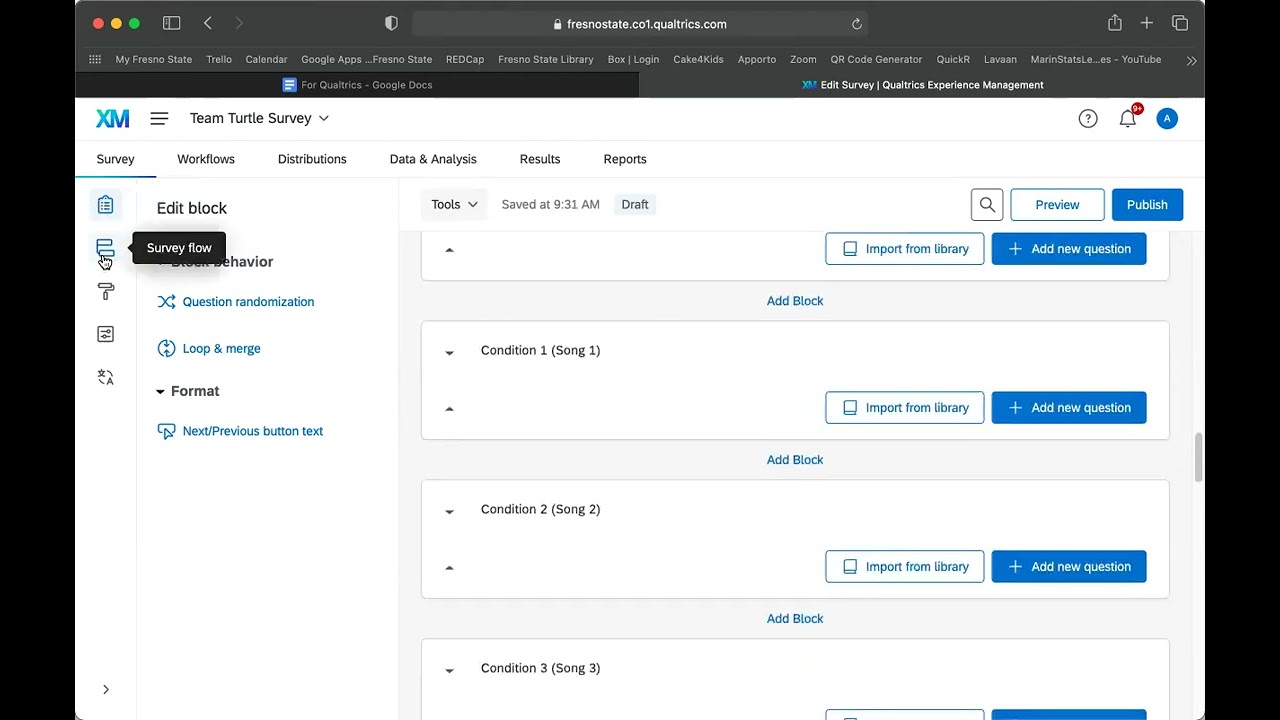
Now to re-index, what you're going to want to do is head over to the survey flow. You're going to want to click add a new element here, embedded data, and then re-index. You're going to want to move this to the top, and hit apply.
Then once we do that, this clears out the data pipeline, so that if there's any data flowing through, That's getting stuck from being displayed. Everything's been cleared out and the data gets displayed as expected. So once we head back to the survey, we're going to republish this, make sure things saved, and then head back to the data analysis and take a look again.
And then the way you know reindexing works is if you see a warning like this, we're generating the prepared dataset and some percentage complete data points. That's how you know that the system is refreshing to include the latest data. And as we can see here, all the six responses have been recorded.
Since this was a very small data set, it happened fairly quickly. For larger data sets, it'll take a little bit more time.
For the rest of this video, I'll talk about why this works. But otherwise, if you ever run into a situation where the data you're either exporting doesn't match what's being shown in the data analysis, or you ever see that the numerator for the recorded responses is less than the denominator, re-indexing is a great way of making sure that those two data sets align so that you can manipulate and analyze the data as you want to.
If you're still here, let's go over why this works and what re indexing is doing behind the scenes to get the data to show up as expected. So usually what happens when data is collected is that it goes to this processor and after it gets to this processor, it gets shipped down to the display and then out in the data analysis tab for us to view in as normal in the Qualtrics platform.
However, sometimes there's some sort of blocker here that prevents the data from moving through this display pipeline and blocker here that prevents the data from moving through this display pipeline and then being outputted so that people can view it as normal in the data analysis tab. What reindexing does is it clears out that display pipeline so that after the data is processed, the display pipeline is sort of reset and everything in that pipeline is cleared, then data can flow through as normal.
Then, once that happens, your data displays as it should!
_________________________________________________________________
All materials in these videos are used for educational purposes and fall within the guidelines of fair use. No copyright infringement is intended. If you are or represent the copyright owner of materials used in this video and have a problem with the use of said material, please contact me via my email on the "about" page on my channel.
#qualtrics #survey #surveying #research #data #college #byui #byu #collegelife #phd #dissertationhelp #dissertationlife #dissertation
Повторяем попытку...

Доступные форматы для скачивания:
Скачать видео
-
Информация по загрузке: