How to make your own background for episode interactive
Автор: The DIY'ers
Загружено: 2015-12-18
Просмотров: 116073
Описание:
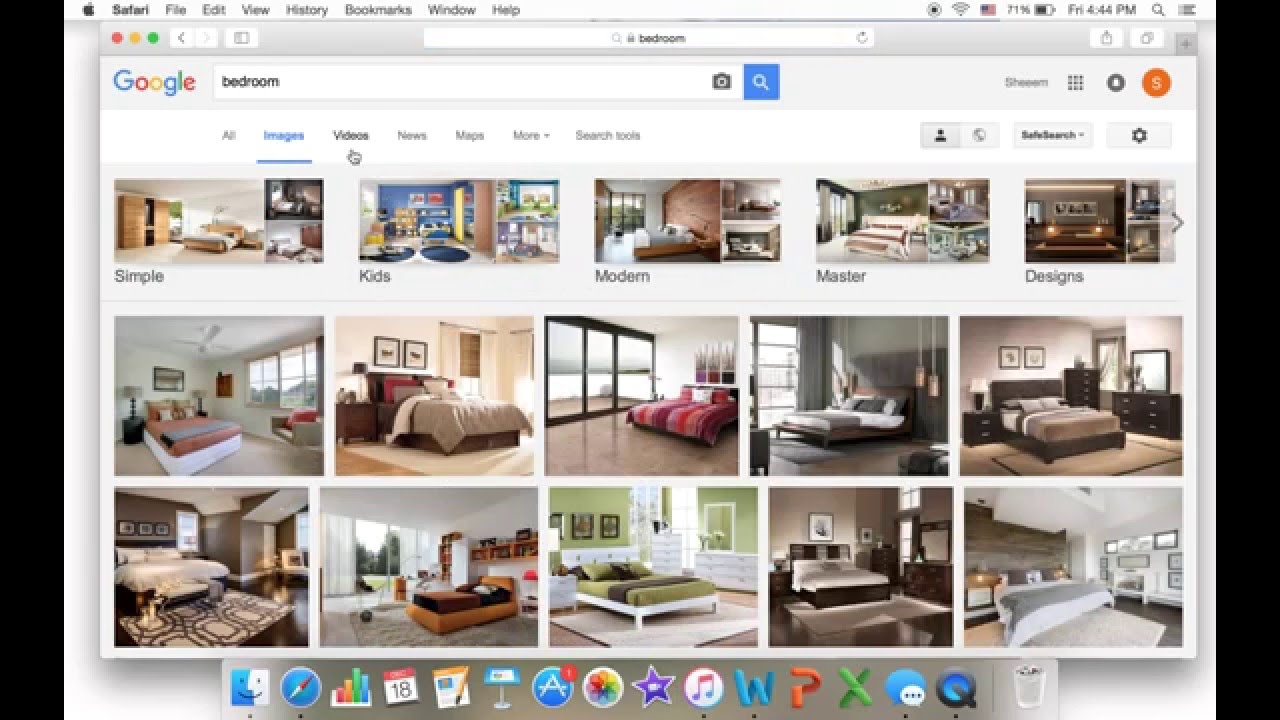
First go to google images and write bedroom or kitchen etc. And then go to search tools and click on size, then exactly. Type in "1920 and 1136" to have 3 panels! Then select your photo and save it. After that go to "simple image resizer" and click on select image and select your image and then click on dimension and change it into "1920 for width and 1136 for height" then click on resize, then wait and then click on download and then save your photo! Then go to episode interactive and go to Art Catalog and then go to my background and then go to select image and select your image and ta da! Wait for them to approve your background!
Oh and read my story, "All about Maya's life"
Thank you for watching!
Повторяем попытку...
Доступные форматы для скачивания:
Скачать видео
-
Информация по загрузке:





![Правила монтажа, которые не стоит нарушать [Полная теоретическая база для монтажера]](https://imager.clipsaver.ru/tQadosJgCa8/max.jpg)








![Turn Your Rough 3D LAYOUTS into CINEMATIC Renders locally [FULL ComfyUI Masterclass 2026]](https://imager.clipsaver.ru/0WkixvqnPXw/max.jpg)
![[2022] How to Transfer Photos/Videos from iPhone to Any Mac!!](https://imager.clipsaver.ru/1JsAuLl_X7Y/max.jpg)