MARG ERP GARMENTS SALE ENTRY IN TELUGU
Автор: ss laxmi softwares
Загружено: 2026-01-09
Просмотров: 65
Описание:
MARG ERP SOFTWARE లో GARMENTS SALE ENTRY ఎలా చేయాలో తెల్సుకుందాం ! SS LAXMI SOFTWARE 7330129912
Marg ERP Software లో Sale Entry (Bill Entry) step-by-step విధానం తెలుగులో.
ఇది ముఖ్యంగా Billing, Accounting, Inventory నిర్వహణ కోసం ఉపయోగపడుతుంది.
ఈ వీడియో ద్వారా కొత్త Marg users కి Sale Entry ఎలా చేయాలో పూర్తిగా తెలుస్తుంది.
1. Open Marg ERP Software
2. Select Company → Press Enter
3. Click Transactions
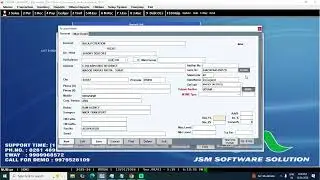
4. Click Sale → Press Enter→ Select Retail Bill (Direct Open Press Alt+N)
Opened Sale Entry → Press enter key,
5. Entry date, Customer Mobile No, Name, Address, Scan Barcode , Quantity, , Sale Rate, Discount, then Next Item Barcode scan or press Ctrl+W for Save a Bill.
Contact : Santosh 7330129912
WWW.SSLAXMISOFTWARES.COM
#sslaxmisoftwares #barcode #excel #education #viral #account #accounts #accountingsoftware #billingsystem #billingmachine #billingautomation #inventorymanagement #telugu #telugushorts #barcodeprinter #printer #retail #distributor #tally #profit #tax #gst #tallyprime #pharmacy #pharma #supermarket #garments #jewellery #fmcg #groceryshopping #software #hardware #automobile #busysoftware #tallyprime #focus #zoho #profitmaker #vyapar #business #sales #invoice #purchase #einvoice #ewaybill
Повторяем попытку...

Доступные форматы для скачивания:
Скачать видео
-
Информация по загрузке:










![[FULL] Thomas Djiwandono Dibanjiri Pertanyaan Oleh DPR Saat Fit and Proper Test](https://image.4k-video.ru/id-video/kKdXJlpHJxc)