How to Change Google Business Profile Address to New Location?
Автор: Ako Stark Tutorials
Загружено: 2024-11-30
Просмотров: 3702
Описание:
To change your Google Business Profile address to a new location, follow these steps:
Accessing Your Google Business Profile
1. Sign in to your Google Business Profile account.
2. Select the Google Apps grid icon in the top right corner.
3. Click on the "Google Business" icon to view your business on search results.
Editing Your Address
1. Choose "Edit profile" below "Your business on Google".
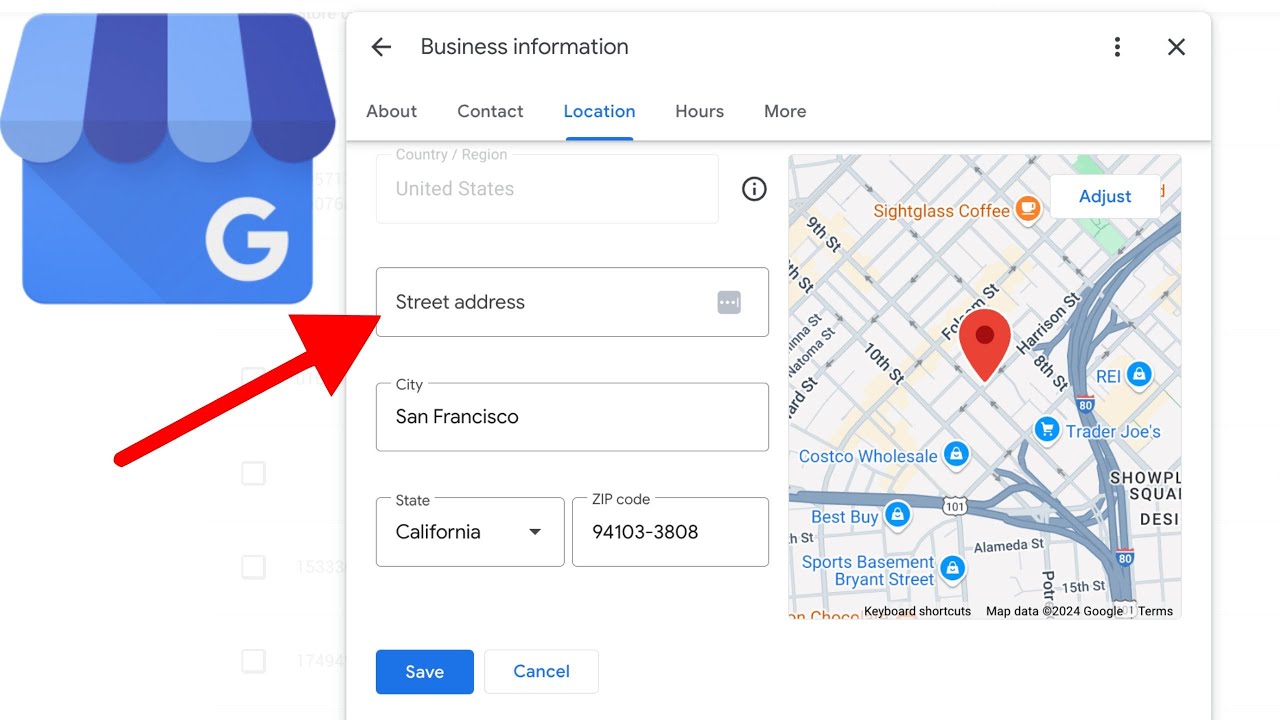
2. Navigate to the "Location" tab and click the pencil icon next to your listed address.
3. Enter your new business address, including street address, city, state, and zip code.
4. Use the map to drop a more exact pin placement for your new location.
5. Click "Save" to submit your changes
Verification Process
After updating your address, Google may require you to verify the changes. This typically involves:
1. Receiving a postcard with a verification code at your new address.
2. Entering the code in your Google Business account to confirm the accuracy of the information.
What to Expect After Updating
1. Your edits may take up to 3 days to appear in search results and on Google Maps.
2. Google Maps will show pins for both your old and new addresses until the update is permanent.
Additional Recommendations
1. Update your address across other online platforms and directories to maintain consistency.
2. Review and update other relevant information such as phone number, website URL, and business hours.
Повторяем попытку...
Доступные форматы для скачивания:
Скачать видео
-
Информация по загрузке:


![How to Use SpyFu to Analyze and Build Backlinks [Tutorial]](https://image.4k-video.ru/id-video/w5iaI_52_Ck)


![Почему ваш бизнес-профиль Google не отображается [как исправить!]](https://image.4k-video.ru/id-video/-dPSeO0LKYA)