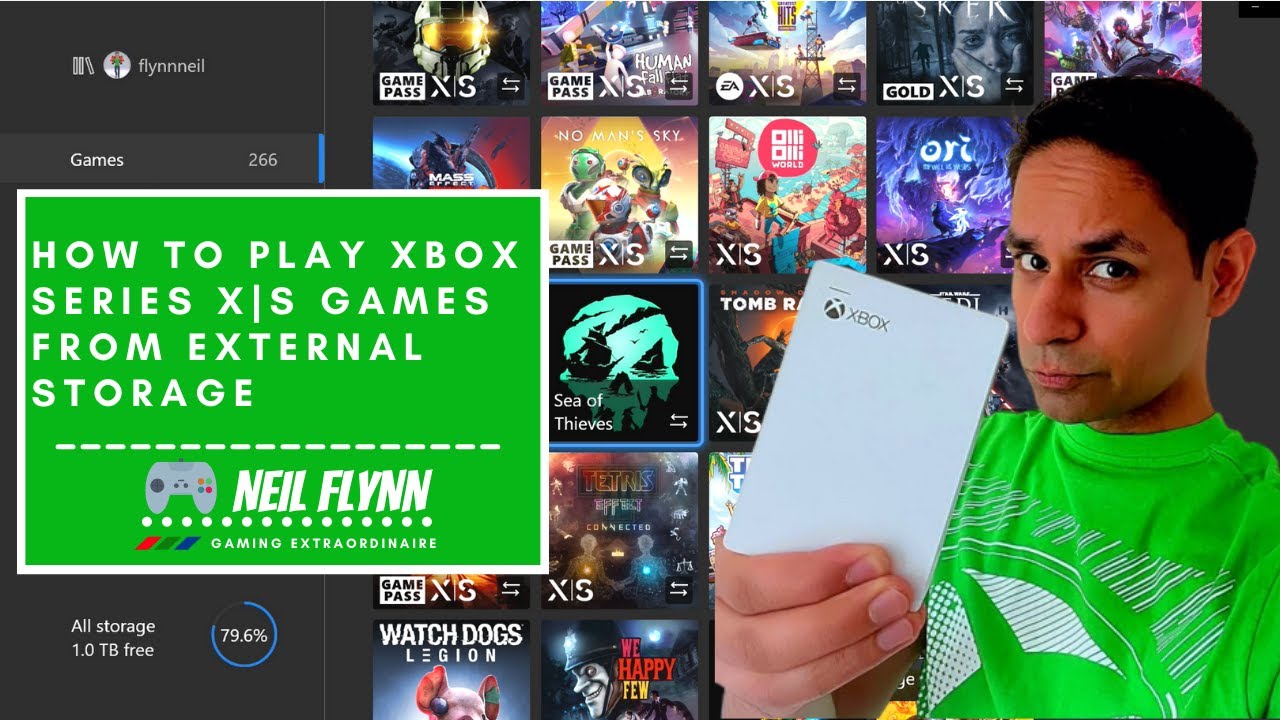
How to Play Xbox Series X|S Games from External Storage
Автор: Neil Flynn Gaming Extraordinaire
Загружено: 2022-05-22
Просмотров: 376111
Описание:
3 months of Xbox GamePass Ultimate could be yours!
Like this video and follow the instructions here - https://gleam.io/competitions/xrwi8-x...
T&Cs apply. Good luck.
- - - - - - - - - - - - - - - - - - - - - - - - - - - - - - - - - - - - - - - - - - - - - - - - - - - - - - - - - - - - - -
The 9th generation of consoles came with the need for fast and rapid storage. Both the Xbox Series X|S and PlayStation 5 require super fast storage, with the former needing a proprietary Expansion Card to extend the SSD storage to both boot and store the games. Both consoles allow for external portable HDDs and SSDs to be plugged in via the USB ports, but this form of storage only allows for 8th gen on PS5 (which is just PlayStation 4 games), and for Xbox, Xbox 360 and Xbox One games to be played direct from the drive.
You’ll see that if you try to boot an Xbox Series X|S game that isn’t on your internal storage you’ll get the message that the game cannot be played from external storage, and that it will need to be transferred to internal storage. And this was, until recently, illustrated by the two arrows symbol, any games that had this symbol means that they need to be transferred to the internal storage to be played. But there used to me be games that didn’t have this symbol and that was an easier way to tell if a game could be booted from external storage or not. There are games like Shadow of the Tomb Raider, Sea of Thieves and We Happy Few, Star Wars Squadrons and Maid of Sker that despite being Xbox Series X|S games can be booted from the External Storage.
- - - - - - - - - - - - - - - - - - - - - - - - - - - - - - - - - - - - - - - - - - - - - - - - - - - - - - - - - - - - - -
But why do games need to be on the internal drive at all?
When Microsoft announced the Series X|S buzzwords like Xbox Velocity Architecture and Smart Delivery were brought in, with the latter being the tech behind knowing which version of the game should be downloaded from the store. So if you are on the base Xbox One, One S, One X, Series S or Series X, you would get the best available game for that system. Unfortunately for Series S owners they are quite hamstrung by the small capacity on 364GB (advertised as 500GB) yet, having to download large file sizes.
- - - - - - - - - - - - - - - - - - - - - - - - - - - - - - - - - - - - - - - - - - - - - - - - - - - - - - - - - - - - - -
So how do I get Series X|S games to play off an External Drive?
Well, this won’t apply for all games but there are few games out there that are Xbox Series X|S certified such as Decenders, which has the X|S logo, but can be stored on External Storage.
You can press the VIEW Button, the button that has two over lapping squares just above the D-pad, then you can bring up a menu and then go to “file information”. From here you can see two important pieces of information, the first;
Is the “Gen” – it says Durango, (which was the pre-release code name for the Xbox One)
The second is “Console Type” – which says Xbox One Gen 9 Aware. Meaning that this the Xbox One version of the game but with certain features on the Xbox Series X|S
- - - - - - - - - - - - - - - - - - - - - - - - - - - - - - - - - - - - - - - - - - - - - - - - - - - - - - - - - - - - - -
But why care?
Well games are starting to take up a huge amount of space, such as the Halo Master Chief collection and if you didn’t have to store this on your internal drive then it makes it a bit more palatable to have it as part of your collection when it can be stored externally, and yet still reap the benefits of the Xbox Series X|S.
- - - - - - - - - - - - - - - - - - - - - - - - - - - - - - - - - - - - - - - - - - - - - - - - - - - - - - - - - - - - - -
Like and subscribe if you haven’t already!
- - - - - - - - - - - - - - - - - - - - - - - - - - - - - - - - - - - - - - - - - - - - - - - - - - - - - - - - - - - - - -
Be sure to check me out on my social network channels;
Tik Tok - / neilflynngaming
Twitter - / flynnneil
Twitch - / flynnneil
Повторяем попытку...
Доступные форматы для скачивания:
Скачать видео
-
Информация по загрузке:






![Как использовать Xbox Game Pass и учетную запись LIVE Gold на двух Xbox [2025]](https://image.4k-video.ru/id-video/aym-c_mqj7I)