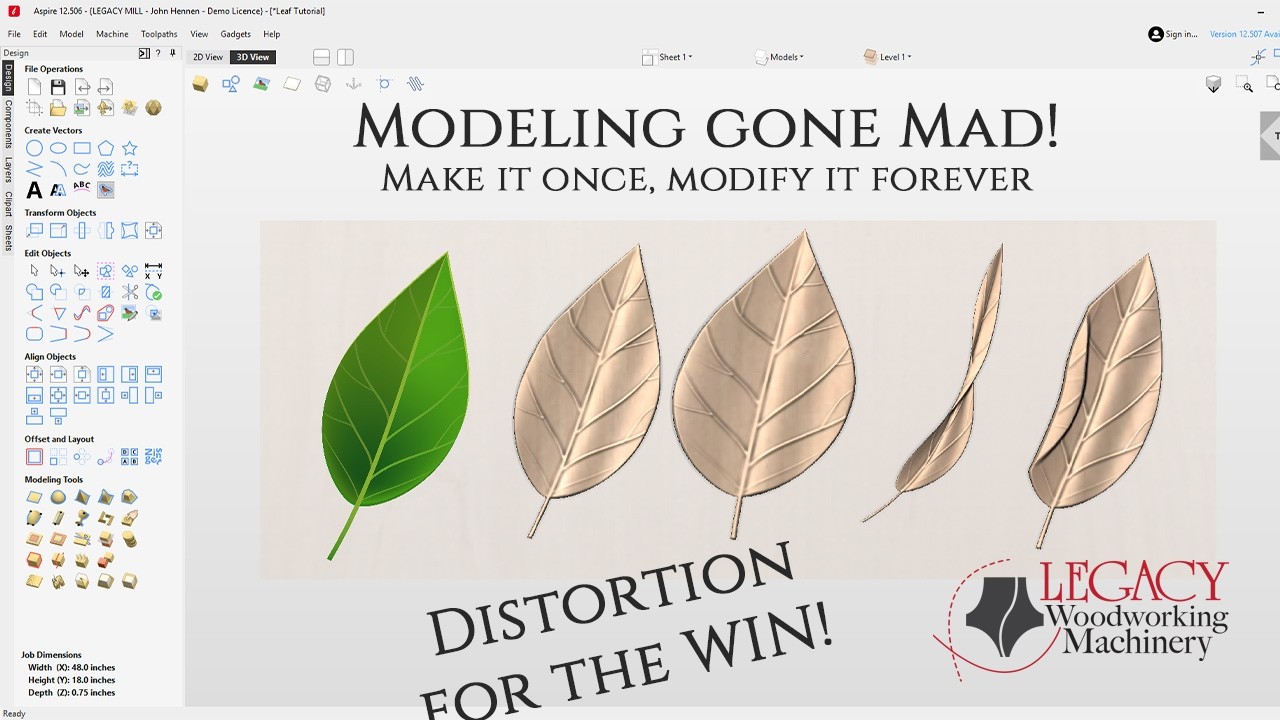
Master the Distort Tool in Aspire | One Leaf, Four Variations
Автор: Legacy CNC
Загружено: 2026-02-23
Просмотров: 468
Описание:
Turn a 2D Leaf into a 3D Leaf Using Vectric Aspire | Distort Tool Tutorial
In this tutorial, John from Legacy Woodworking walks you step-by-step through turning a traced 2D leaf vector into a fully sculpted 3D leaf using powerful — and often underutilized — modeling tools inside Vectric Aspire.
You’ll learn how to:
Create rounded 3D components from vectors
Use Two Rail Sweep effectively
Merge and bake components
Sculpt and smooth naturally
Use the Distort Tool in 3D (not just 2D!)
Create multiple natural-looking leaf variations from a single drawing
By the end of this lesson, one simple 2D leaf becomes four unique 3D leaves — perfect for CNC carving, decorative panels, signs, and artistic woodworking projects.
🔧 Tools Covered
Rounded Shape Tool
Two Rail Sweep
Merge & Bake Components
Sculpting Tool (Normal Mode)
Split Tool
Mirror Tool
Distort Tool (3D Editing)
🌿 What You’ll Learn
Most people use the Distort Tool only in 2D. In this class, John demonstrates how powerful it becomes in 3D modeling — allowing you to:
Curl leaves naturally
Twist edges
Simulate drying and rolling effects
Create realistic variations for more organic designs
Nature doesn’t make two identical leaves — and now your models won’t either.
📞 Questions?
If you have questions about this class or any others:
📞 Call: (801) 491-0010
And as always — be nice to each other. See you in the next one!
— John
Legacy Woodworking
Повторяем попытку...
Доступные форматы для скачивания:
Скачать видео
-
Информация по загрузке:


![🔴 EXPRESS BIEDRZYCKIEJ | RADOSŁAW GRUCA, MARCIN CELIŃSKI [NA ŻYWO]](https://imager.clipsaver.ru/8_3vl3VOwnM/max.jpg)