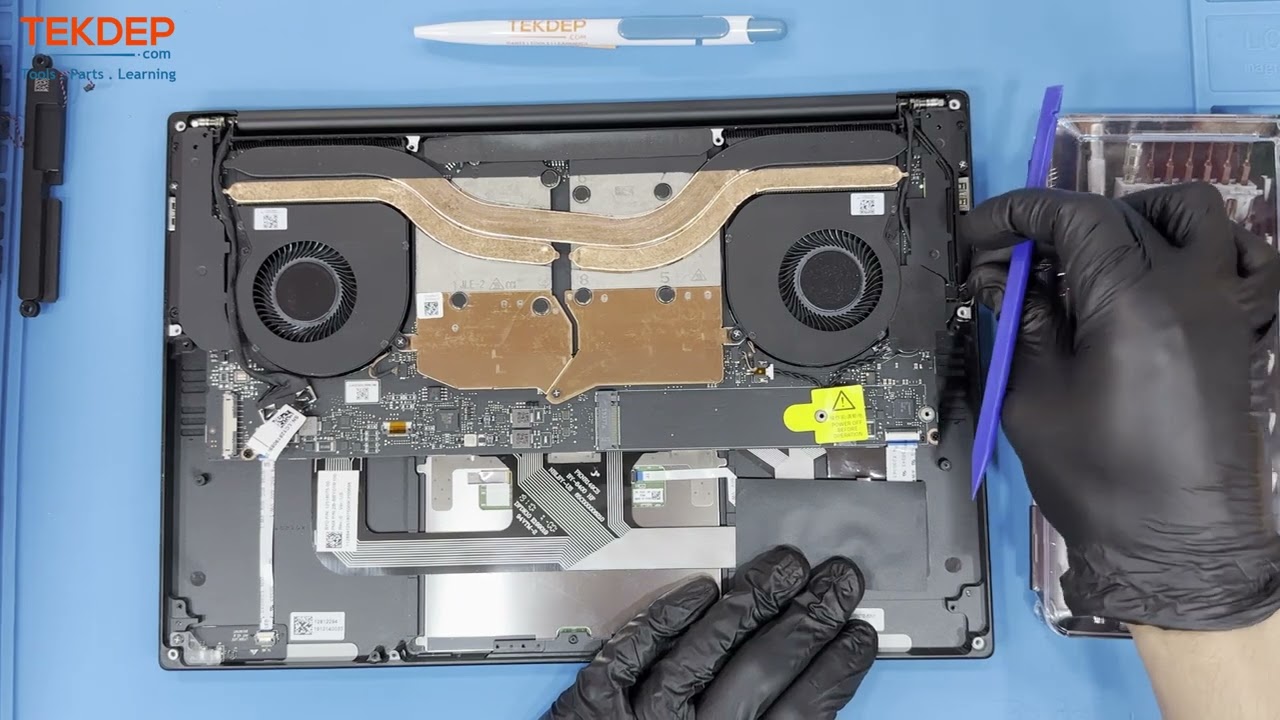
Razer Blade Stealth 13 inch 2019 RZ09-0310 Complete Teardown and Disassembly.
Автор: TEKDEP
Загружено: 2023-06-21
Просмотров: 5782
Описание:
In this video, we will show you how to completely teardown and disassemble a Razer Blade Stealth 13 inch 2019 (Model RZ09-0310). Join us on this TekDep adventure as we remove the battery, logic board, LCD, and more! Let us hear your feedback in the comments below! If you enjoyed the video, help us out by leaving a like, commenting, and subscribing. Thank you for watching and learning with us, we hope you found this video helpful and enjoyable to watch! If you're looking for more information about this teardown or a detailed breakdown, click the Blog post linked in the description below.
00:00 Introduction & Tools
00:10 Unfastening Bottom Case Screws
00:38 Services
00:46 Removing Bottom Cover
01:00 Disconnecting & Removing Battery
02:01 Removing the M.2 SSD
02:24 Unplugging Wi-Fi Antennas & Card
02:51 Removing Speakers
03:09 Disconnecting Webcam & Microphone
03:23 Optional: Removing Bio Speaker
03:40 Unlatching LCD Connector
03:55 Removing Side Covers
04:22 Unplugging Ribbon Cables
04:36 Removing Motherboard Screws
04:58 Unfastening Cooling Fan Screws
05:13 Unplugging CPU & GPU Fans
05:32 Gently Lifting Motherboard & Fans
06:09 Freeing LCD Assembly Screws
06:33 Removing LCD Assembly
06:55 Conclusion & Outro
💟 💟 Visit Our Website To Find All Parts & Tools
👉👉 https://www.TEKDEP.com
Find All Mac and PC Parts & Tools
💟 💟 Find All Parts For Razer Blade Stealth 13 inch 2019 Z09-0310.
👉👉https://tekdep.com/product-category/f...
💟 💟Link to Purchase Tool Kits:
👉👉 https://tekdep.com/product-category/r...
Instagram: / tekdep
Facebook: / tekdep.store
Twitter: / tekdepc
Razer Blade Stealth 13 Inch 2019 RZ09-0310
Check out our Blog Post about this video teardown for another in depth breakdown!
👉👉 https://tekdep.com/2023/06/21/step-by...
------------------------------------------------
Important Disclaimer.
TekDep assumes no liability for property damage or injury incurred as a result of any of the information contained in this video. TekDep recommends safe practices when working electrical , expensive electronics, Battery's or any other tools or equipment seen or implied in this video. Due to factors beyond the control of TekDep, no information contained in this video shall create any express or implied warranty or guarantee of any particular result. Any injury, damage or loss that may result from improper use of these tools, equipment, or the information contained in this video is the sole responsibility of the user and not
TekDep. Only attempt your own repairs if you can accept personal responsibility for the results, whether they are good or bad and do your research before attempting any disassembly or repair, make sure you understand the risk and take responsibility.
Read, Please Note If you planing to change your battery, This is Professional job but, Most people with common sense and some research can get the battery changed done safely, No bending, No Sharp Objects, No Poking, No Heating, And Make make sure you discharge the battery by letting the laptop stay on until turns off due to low battery before starting the battery swap.
Повторяем попытку...
Доступные форматы для скачивания:
Скачать видео
-
Информация по загрузке:


![Razer Blade Stealth 13 - disassemble [4k]](https://image.4k-video.ru/id-video/rQmvkHhZ8LY)