How To Copy the File Path in Windows 10 or 11 - Quick Fix
Автор: How to Simplify Tech
Загружено: 2024-11-05
Просмотров: 130
Описание:
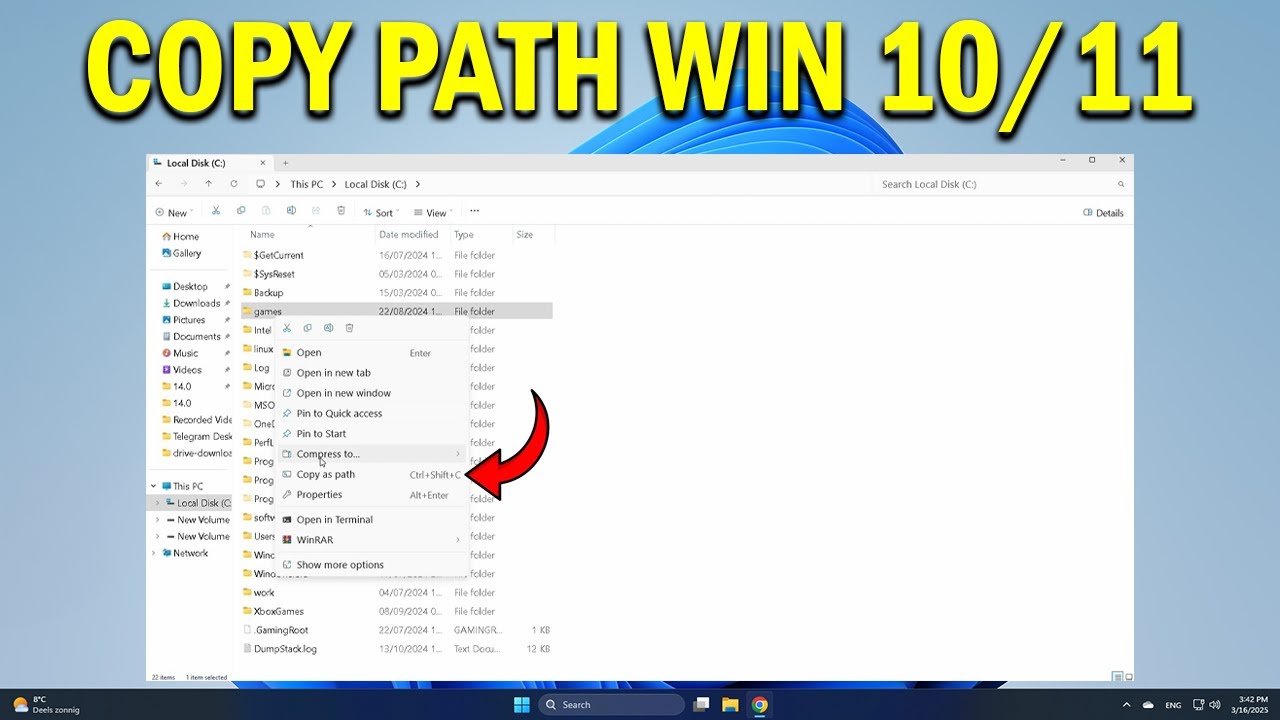
How To Copy the File Path in Windows 10 or 11
Need to copy the full file path in Windows 10 or 11? This video shows you exactly how to do it — whether you’re sharing a file location, pasting a path into a command prompt, or uploading to a website. Learn the fastest ways to copy accurate file and folder paths in just seconds.
🔹 copy file path from File Explorer address bar Windows 11
🔹 right-click to copy full file path in Windows 10
🔹 use Shift + Right-click to get file path option
🔹 copy folder path for command line use Windows 10/11
🔹 get file location from properties window
🔹 copy path of multiple files at once in Windows
🔹 paste file path into Run or PowerShell correctly
🔹 troubleshoot missing “Copy as path” option in context menu
Applies to: Windows 10 and Windows 11 PCs on laptops and desktops from HP, Dell, Lenovo, Asus, Acer, Microsoft Surface, and other major brands.
Повторяем попытку...
Доступные форматы для скачивания:
Скачать видео
-
Информация по загрузке: