How to Create a Stock Watchlist/Stock Screener in Google Sheets! (Step by Step)
Автор: Dividendology
Загружено: 2021-07-19
Просмотров: 7999
Описание:
Access Tickerdata and my Spreadsheets: https://tickerdata.com/
Get 50% off of Seeking Alpha Premium!
https://www.sahg6dtr.com/9D5QH2/R74QP/
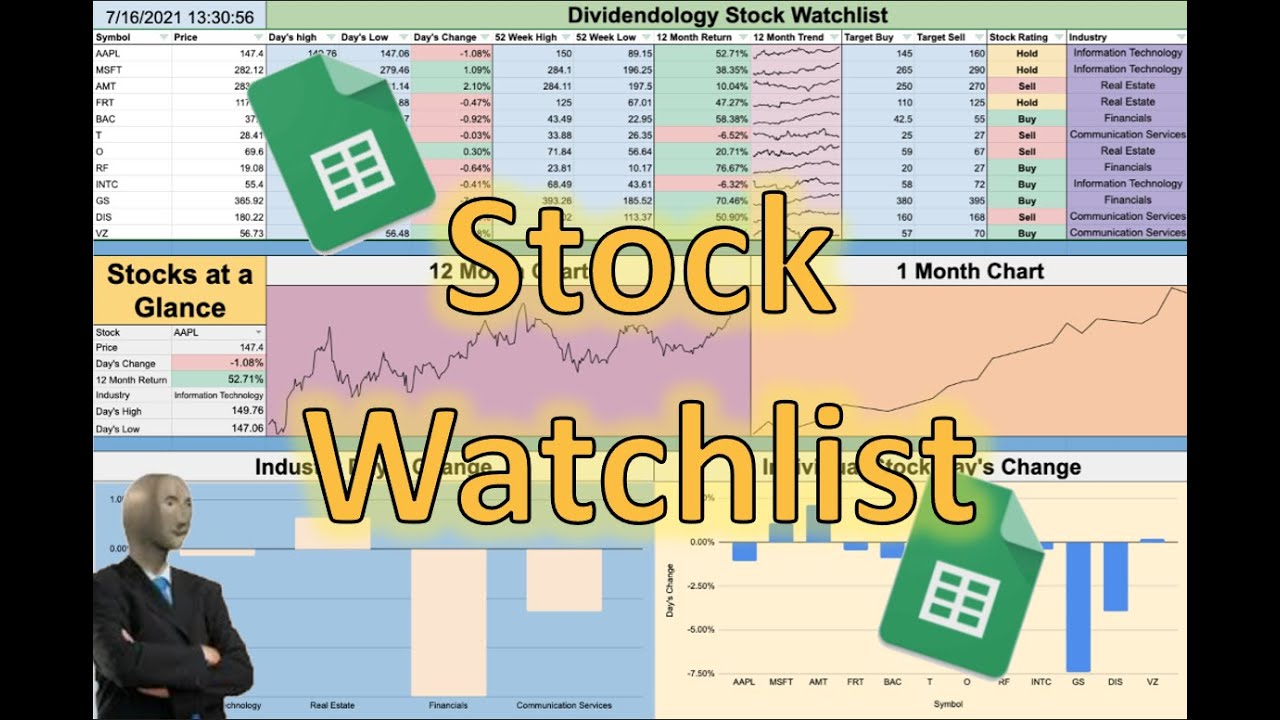
In this video, I will take you step by step on how to create an interactive stock watchlist in google sheets. This a great tool that has many different capabilities that should help you better understand how the markets are moving as well as how individual stocks have been performing. If you have any questions, be sure to ask in the comments. Feel free to slow down or rewind the video if needed.
Below are the codes for a few of the more difficult formulas that you can copy and paste if needed.
Formula for 12 month return:
=(GOOGLEFINANCE(A4,"price") / index(GOOGLEFINANCE(A4,"price", datevalue(today()-365) ) , 2,2) - 1 )
Formula for 12 month trendline:
=sparkline(GOOGLEFINANCE(A4,"Price",today()-364,today()))
Formula for stock rating: *NOTE - youtube does not allow angled brackets (greater than or less than signs in the description. For that reason I cannot post the formula in the description and suggest you pause the video during this portion of the tutorial to ensure that you get the formula correct.
Here is the updated formula to pull dividends and industry:
Dividends:
=(SUBSTITUTE(index(importhtml("http://finviz.com/quote.ashx?t="&I2,"table",10),7,2),"*",""))
Industry:
=if(I2="","",IFERROR(substitute(Index(IMPORTHTML("https://finviz.com/quote.ashx?t="&I2,"Table",8),3,1),"*",""),"-"))
=if(I2="","",Left(Q2, Search(" |",Q2)))
*Be sure to adjust I2 to where your ticker is located
Formula to create the industry chart:
=if(isblank(F2),"",AVERAGEIF(D2:D13,F2,C2:C13))
Note - These formulas are based off of where my prior data is located. You may have to change what cells the data is pulling from based off of where you put your prior data. For example, If A4 is in my code for pulling dividends from Fidelity, you may have to change it to B4 or B5 depending on how you set up your spreadsheet.
If you are having trouble, be sure to ask a question in the comments or head to my patreon page and download this spreadsheet for your own use!
Thanks for watching and don't forget to like and subscribe!
How to create a Stock Portfolio Tracker in Google Sheets:
• How to Create a Stock Portfolio Tracker in...
How to create a Dividend Income Tracker in Google Sheets:
• Dividend/Passive Income Tracker in Google ...
How to create a Crypto Tracker in Google Sheets:
• Cryptocurrency Tracker in Google Sheets Tu...
How to create a portfolio dashboard in Google Sheets:
• How to Create a Portfolio Dashboard in Goo...
The microphone I use: https://amzn.to/3ngqbVz
#StockWatchlist #GoogleSheets #StockTracker
Повторяем попытку...
Доступные форматы для скачивания:
Скачать видео
-
Информация по загрузке: