Operating and Programming the Pro Plus Controller on Your Gilson Concrete Compression Machine
Автор: Gilson Company Inc.
Загружено: 2019-04-09
Просмотров: 3211
Описание:
https://www.globalgilson.com/concrete...
Operating and Programming the Pro Plus Controller on Your Gilson Concrete Compression Machine
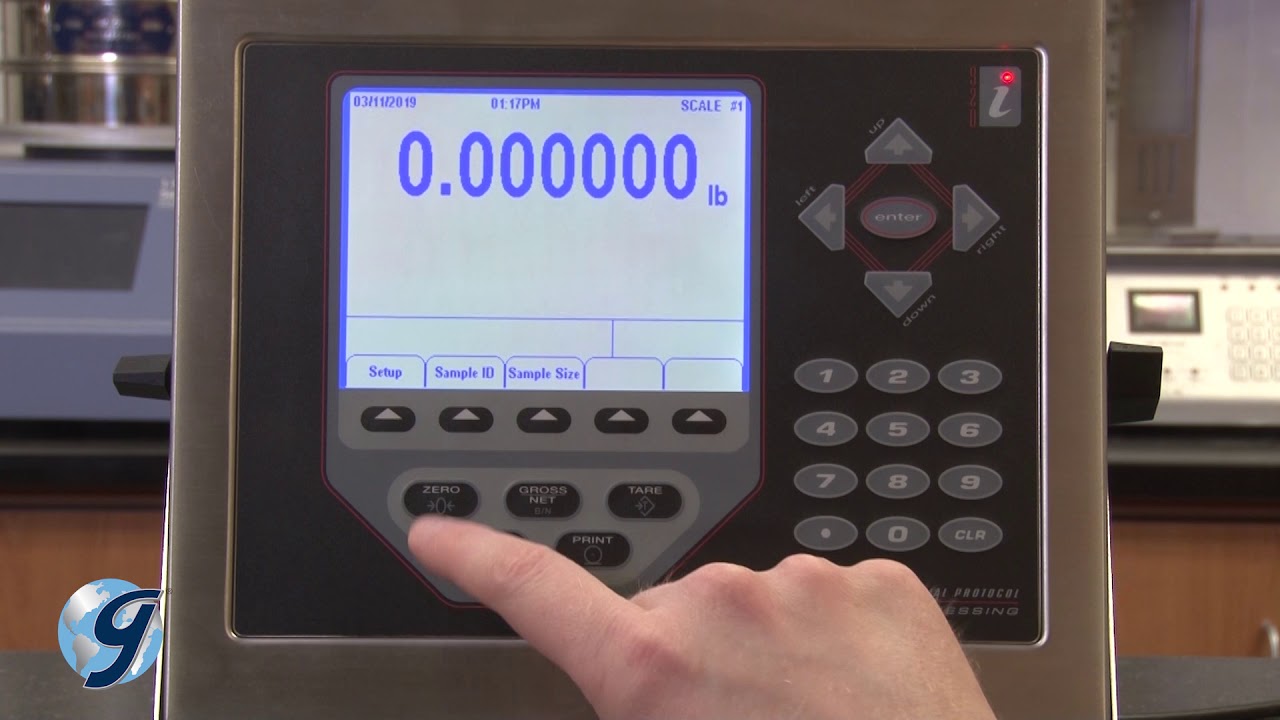
The Gilson Pro-Plus Controller has a 320 x 240-pixel VGA display and a NEMA-4 rated dust and moisture proof stainless-steel enclosure. This easy to use controller exceeds ASTM C-39 & E-4 requirements for accuracy. And displays in real-time load and rate-of-load, as well as sample stress, sample size and sample type during the test, and peak load, average rate-of-load and peak stress at the completion of the test.
Test Setup
To operator your Pro-Plus Controller for your compressive strength testing you first press the setup key, once the compression machine is calibrated and powered on.
Now, on the setup screen, select Time/Date. Use the arrow and number keys to set the time and date. Press the Enter key when all entries are correct.
Next, we are going to select the desired Engineering Units, the Sample Type, Sample Break, Test Report Options, Print Options, Rate Options, display the Peak Load or not, and choose desired Language.
Press the corresponding number key to select an option.
For our Engineering Units, we will use pounds, psi, and inches.
For our Sample Type, we have multiple options including cylinder, cube, beam third point, beam center point, cylinder split tensile and cross-sectional area specimens. For this demonstration we’ll use Cylinder.
For our Sample Break, we’ll use a load threshold of 500 pounds, and a sample break of 50% of peak load.
The sample break detector continuously monitors specimen loading and ends the test when the current load falls below a set percentage of the peak load.The peak load will be the concretes compressive strength.
Before selecting test report options, review the function of each option in the Gilson operating manual as well as the reporting requirements of the particular ASTM or AASHTO test method. In this example, we’ll turn on all options.
For Test Report Options, we’ll turned on all options. (Date and Time, Sample ID, Sample Type, Sample Area and Length, Peak Load, Peak Stress, Average Rate of Load, Cylinder Correction Factor, Cylinder Break Type, Cylinder Cap Type, Sample Age and Weight, And Operator ID Number)
In most situations, Auto Save should be turned on. This will allow you to retrieve test results later.
Press exit to return to the set-up menu.
Option 5 takes you to Print Options, where you can print your test results (Using the printer accessory MCA-24) or send results to a PC (Using the able cable MCA-29)
Option 6 allows you to select Rate Options. We have selected Load/Second. Option 7 toggles Peak Load display from on or off. Option 8 toggles between English and Spanish.
Run a test
Now that we have setup the Pro-Plus Controller, we can run a compressive strength test. If required, determine the specimen density as described in ASTM C39, section 7.4.
Weight and measured the sample being tested and properly position it in the testing machine.
Now press the key for sample ID. Press the up key to select letters or symbols. Use the “Clear” key to correct any mistakes.
When you are finished entering the sample ID, move the cursor to the end of the entry and press “Enter.”
Next, enter the age of the sample in days and press enter. Now, enter the weight of the sample, if required, in pounds and press enter.
Confirm the type and dimension of the sample, and then begin the test. After failure, use the number keys to select the type of break.
Now the data for your test is saved within the Pro-Plus Controller.
The controller is now ready to begin the next test.
Transfer Test Data
Next, we are going to demonstrate how to transfer the data to a PC using the Able Cable
Connect the serial connector to the serial cable on the Pro-Plus Controller and the USB connector to the computer. Open an Excel Document. With Column labels entered, select the first cell where you would like to write data.
On the Pro-Plus controller, press Setup and select 5 for Print Options. You can send the last test, all stored tests, or an individual test by entering the sample ID.
Once you have selected your options, the data will write to the Excel document, starting in the selected cell.
The Pro-Plus Controller can store up to 500 tests. To clear the database of all tests. Make sure all necessary tests are saved to other media before clearing the database.
For more information go to https://www.globalgilson.com/concrete...
concrete compression testing / concrete strength testing equipment / testmark compression machine / forney concrete compression machine / concrete compression machine spacers /
compression testing machine for concrete / test mark compression machine manual /gilson concrete compression machine / compression testing machine specification
Повторяем попытку...
Доступные форматы для скачивания:
Скачать видео
-
Информация по загрузке: