How to extract an MPEG2 file from a DVD using VOB2MPG v3
Автор: Matt Hawkins
Загружено: 2011-09-16
Просмотров: 5569
Описание:
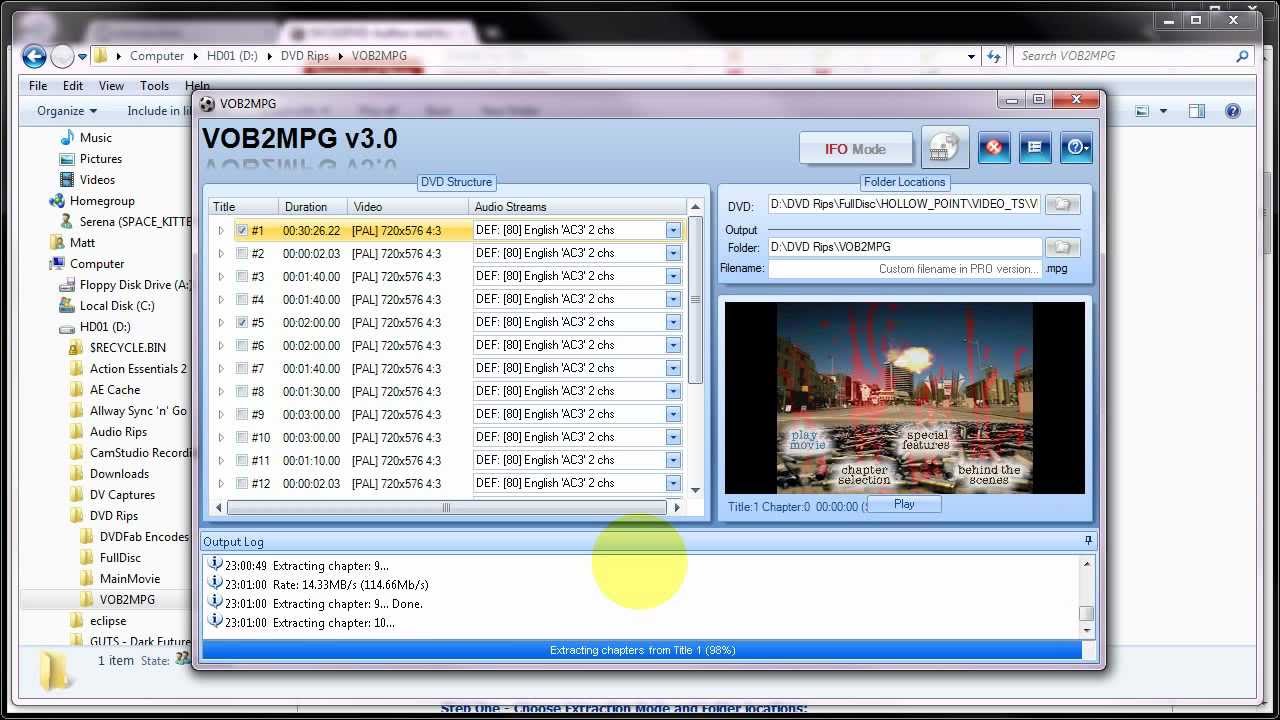
This video tutorial from MattHawkins.co.uk show you how to extract MPEG2 video files from a DVD. You can select one or more titles from the DVD and extract each one to an individual MPEG2 video file.
The tutorial demonstrates this using the free application VOB2MPG version 3.
The process of extraction is easy, the longest part being the extraction itself.
Using the free version of VOB2MPG you can extract whole titles. With the PRO version you can extract specific chapters within those titles. If you need to do this then the Pro version is worth looking at given its low price.
In order to use VOB2MPG you can either :
1) extract directly from a DVD disc (must be unencrypted)
2) extract directly from a DVD disc where you are running on-the-fly decryption software
3) extract from a VIDEO_TS folder on your hard drive that you have extracted using a program such as DVD Decrypter or DVDFab
Why do you need to extract an MPEG2 from a DVD? Well I used it recently to extract my low-budget camcorder film "Hollow Point" from a DVD. It was the easiest way to obtain a file I could simply upload to YouTube.
This only applies to DVD Video discs and not DVD data discs that just have media files dumped on them. A DVD Video disc has an AUDIO_TS and VIDEO_TS folder.
Повторяем попытку...
Доступные форматы для скачивания:
Скачать видео
-
Информация по загрузке:











![Как сжимаются изображения? [46 МБ ↘↘ 4,07 МБ] JPEG в деталях](https://imager.clipsaver.ru/Kv1Hiv3ox8I/max.jpg)