Howto Setting Vertical 4K Video on Premiere for Youtube
Автор: Alphacon
Загружено: 2020-02-08
Просмотров: 1850
Описание:
วิธีทำ Video 4K แนวตั้ง ด้วย Premiere เพื่อเอาลง Youtube ให้ได้ 4K
Howto Setting Vertical 4K Video on Premiere for Youtube
Open Premiere (CC 2018 or higher)
New Project
Locate Working Path and enter the Project Name then click "OK"
Import Clip in to project
New Sequence and select some preset or AVCHD, 1080p, AVCHD 1080p30 and click tap "Settings"
Editing Mode - Custom
Timebase - Select your clip frame rate
Frame Size input 2160 in horizontal and 3840 in vertical
Enter the Sequence Name then click "OK"
Select you clip and Drag in to the Sequence Timeline it's have "Clip Mismatch Warning" Click "Keep existing settings"
Edit your Video
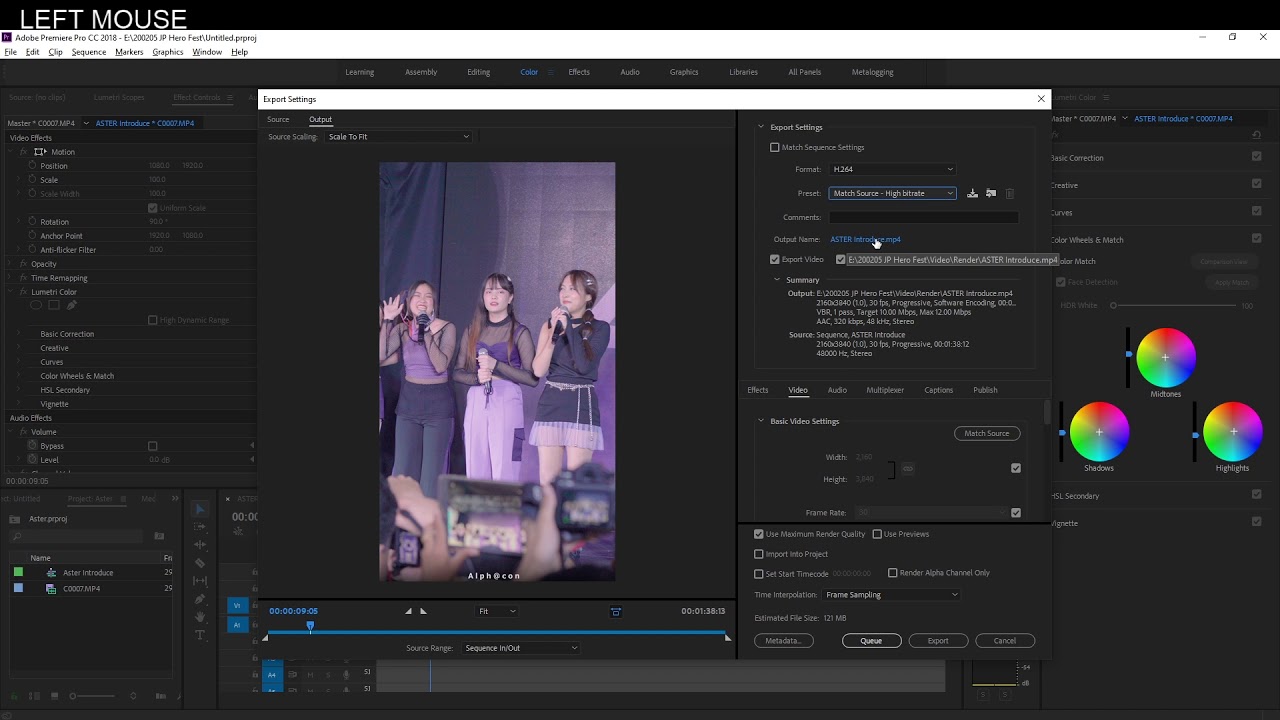
When finish editing Make Export Video by Ctrl-M or click File, Export, Media and use follow this setting
Format - H264
Tap Video - Encoding Settings
Profile - High
Level - 5.1
Bitrate not lower then 20 mbps
Chang Output Name and Path and Export
Повторяем попытку...
Доступные форматы для скачивания:
Скачать видео
-
Информация по загрузке: