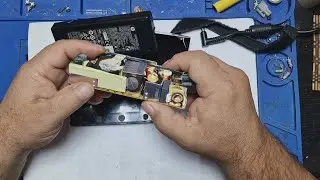
How to Replace Hard Disk Printed Circuit Board (PCB) of Seagate HDD
Автор: ByteVision Technology
Загружено: 2025-08-17
Просмотров: 896
Описание:
https://bytevisiontechnology.com/
Email : [email protected]
Welcome to ByteVision YouTube channel
How to Replace Hard Disk Printed Circuit Board (PCB) of Seagate HDD
This is Seagate traditional hard disk, turn the back of the hard disk
Here you will see hard disk printed circuit board of Seagate HDD
Unscrew the all 6 nut bolt and pull up the circuit board gently
Now clean up the area with dry soft cloth
This is printed circuit board (PCB) of a Seagate hard disk drive (HDD) is the primary electronic component that controls the drive's operations. The PCB serves as the interface between the drive's internal mechanical parts and the computer
Main Controller IC/CPU: This is the largest chip on the board and acts as the "brain." It manages all of the drive's functions, including data transfer, power management, and communication with the computer
A faulty PCB is a common cause of hard drive failure, accounting for an estimated 70% of HDD failures. Common symptoms of a PCB failure include
The drive does not spin up or makes no noise. The drive makes a short, quiet ticking sound. A burning smell or visible burn marks on the PCB
For a DIY repair, the most common method is a PCB swap. However, a straight swap is often unsuccessful on modern drives because of the unique firmware on the ROM chip. To properly perform a PCB swap, you must
Find an identical donor PCB. Transfer the BIOS/ROM chip from the original, faulty PCB to the new, donor PCB. This requires specialized tools like a hot-air gun and soldering skills. Install the new PCB on the hard drive
Now replace the circuit board and tight up the all 6 screws nut bolt
Thank You for watching ByteVision YouTube channel
Please Like and Subscribe
Повторяем попытку...

Доступные форматы для скачивания:
Скачать видео
-
Информация по загрузке: