Скачать
how to check jnanabhumi epass scholarship status andhra pradesh
Автор: iselftech
Загружено: 2018-01-24
Просмотров: 12354
Описание:
Hai friends here in this video i have shown you how to check your scholarship status.
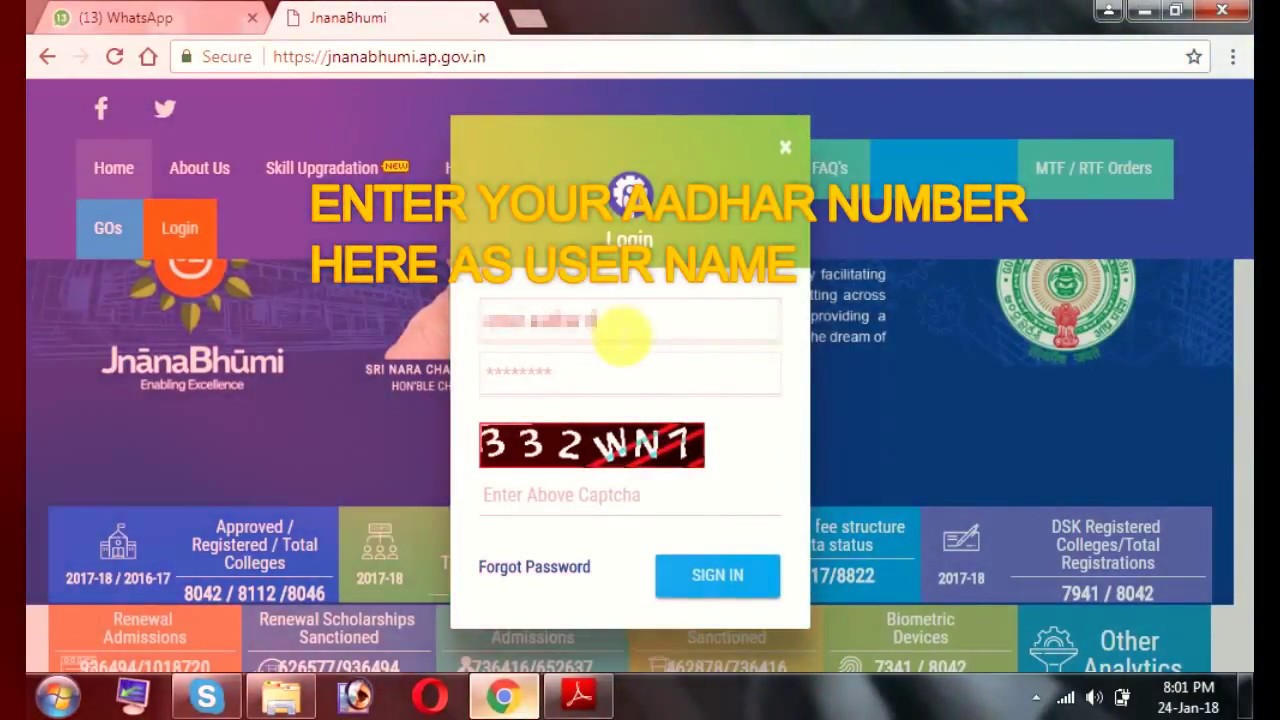
How to login;
Enter your AADHAR number in user id
And coming to password section
If you dont have password click on "Forget Password"
Now you Ask to Enter AADHAR number then u will recieve an OTP to your registered Mobile number.
verify your OTP
After completing your password change , Now login to your account as student login.
Again you will be ask to change your password change it.
Now you can check all ypur SCHOLAR DETAILS....
Please do subscribe to my channel......
Не удается загрузить Youtube-плеер. Проверьте блокировку Youtube в вашей сети.
Повторяем попытку...
Повторяем попытку...
Доступные форматы для скачивания:
Скачать видео
-
Информация по загрузке: