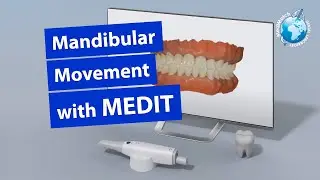
Using Medit i700 Intraoral Scanner to show blocking of one area, and cut, and re-scan other areas
Автор: Dentistry in General
Загружено: 2022-01-22
Просмотров: 9438
Описание:
Please subscribe to channel and like the video.
If you're a dentist, please join our Facebook group for discussion.
/ dentistryingeneral
This isn't for you scanning gurus. 😁
💥💥💥Are you still taking an impression? 💥💥💥
Blocking, cut, and re-scan procedures for scanning.
Here is a video I made demonstrating how "blocking and protecting" a part of your scan while you re-scan a second area works. It's a very effective way of scanning two crowns, one at a time, so you don't disturb the scan of one when completing the other one. It's also helpful when you scan a prep and realize everything is great except one little area. You protect the good areas by blocking it, then cut the area you need to re-scan, and scan that one area without disturbing the good areas.
I used the Medit i700 for this as it has a really cool feature to record your screen included (windows 10 has one as well).
Повторяем попытку...

Доступные форматы для скачивания:
Скачать видео
-
Информация по загрузке: