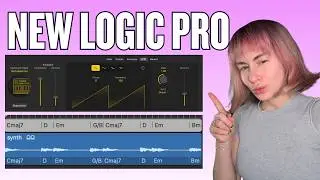
Apple Creator Studio is Here: What Musicians Need to Know About Logic Pro 12
Автор: Paolo Marelli
Загружено: 2026-01-29
Просмотров: 21905
Описание:
⬇ Download the template for free
buymeacoffee.com/paolomarelliguitarist/e/504337
Logic Pro 12: Enhancing Your Workflow with Chord Recognition 🎹✨
Logic Pro 12 is officially here, bringing powerful new tools designed to streamline the creative/practice process. In this quick look, I’m focusing on the new Chord Recognition (Chord ID) and how it serves as a powerful utility for musicians to refine and practice their ideas.
A New Way to Practice and Compose:
Visual Reinforcement: Logic now identifies the chords you play. It’s a great way to see your harmonic ideas mapped out instantly on the Global Chord Track.
Dynamic Accompaniment: By recognising your progression, the new AI Session Players can follow your lead, providing a responsive backing band to help you hear your ideas in a full arrangement.
Seamless Workflow: Whether you’re sketching a melody or testing a new progression, this feature helps you stay in the creative flow without stopping to manually input every change.
Other Key Updates:
AI Synth & Keyboard Players: Intelligent performances that respond to your track's harmony.
Logic Pro 12 is about giving musicians more tools to experiment and grow. How are you planning to use the new chord features in your studio?
This update is available for both subscribers of Apple Creator Studio and for anyone who owns Logic Pro
Checkout my website
paolomarelli.com
#LogicPro12 #Applecreatorstudio #apple #MusicProduction #Musician #StudioWorkflow #LogicPro #songwriting
0:00 Intro
0:19 Recording some audio
1:29 Analyse Chords from my audio
2:31 Adding Session Players
3:44 Jamming with Logic
4:30 Changing Session Players behaviour
5:05 The Session Synth Player
6:22 Enhancing iReal charts
8:51 Conclusions
Повторяем попытку...
Доступные форматы для скачивания:
Скачать видео
-
Информация по загрузке: