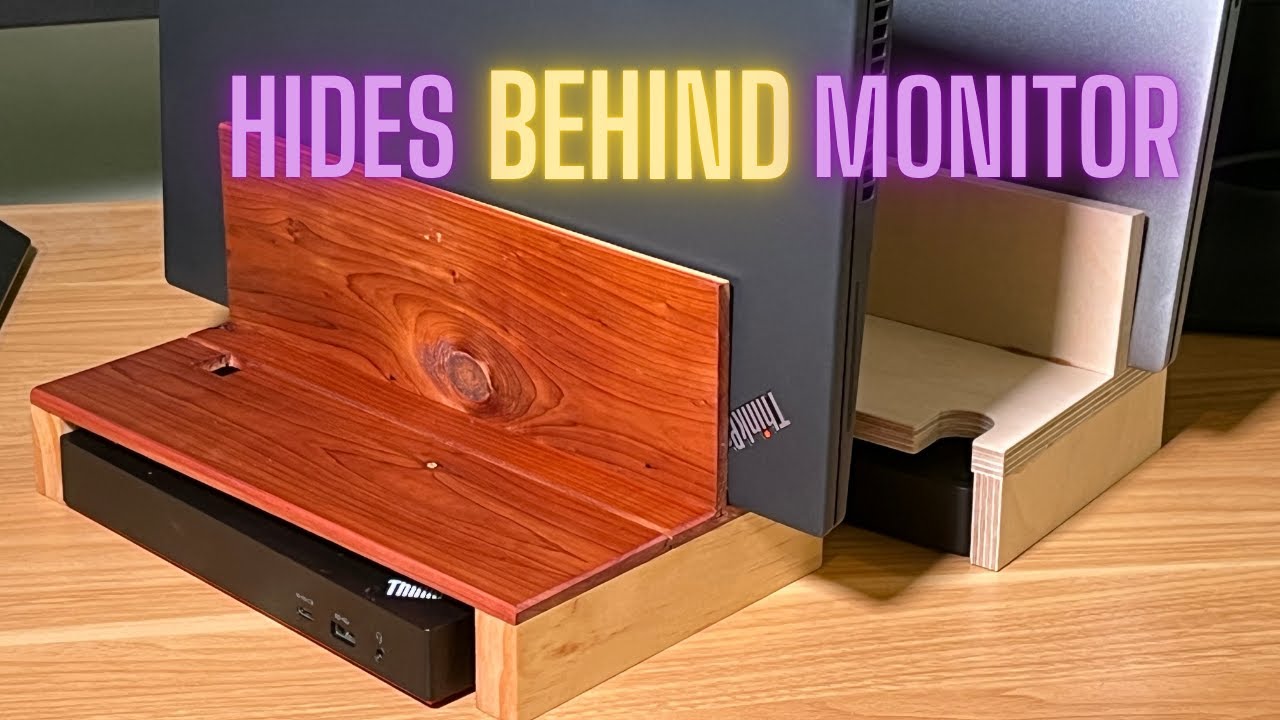
DIY Thunderbolt Dock + Laptop Stand – Hidden Behind Monitor!
Автор: Polylight
Загружено: 2025-08-11
Просмотров: 780
Описание:
Build this DIY laptop stand and Thunderbolt dock holder that hides behind your monitor for a clean, clutter-free desk setup. Perfect for dual monitor and docking station users!
This easy woodworking project solves two big problems:
1) Where to put your Thunderbolt dock without bending cables
2️ )How to keep your desk looking clean with more space for the keyboard
00:00-00:05 - Coming Up
00:05-00:37 - Desk 1 and problem overview
00:37-00:53 - Desk 2 "even worse"
00:53-01:29 - Prototype for Desk 2
01:29-04:40 - Real-world considerations and final design
04:40-05:12 - Wood parts sawing (cedar and pine)
05:12-05:55 - Finished parts overview
05:55-06:05 - Gluing with CA (Cyanoacrylic glue used for video; Titebond recommended)
06:05-07:07 - Review of finished stand construction
07:07-07:58 - Finishing with butcher block conditioner
07:58-08:21 - Final positioning of the stand on Desk 1
08:21-08:26 - Wrap Up
In this video, I walk through designing and building a custom laptop stand with a built-in dock holder that fits neatly behind your monitor. It keeps your laptop cool, your cables stress-free, and your workspace tidy.
Build features:
Custom fits Thunderbolt docks & docking stations
Works with dual monitor setups
Improves cable management and airflow
Customizable to your desk size
Tools & Materials I used: (include affiliate links if you want)
Cedar and pine wood
Saw and glue
Sandpaper & finish (butcher block wax)
#DIY #LaptopStand #ThunderboltDock #DeskSetup #cablemanagement
diy laptop stand
diy thunderbolt dock stand
laptop stand behind monitor
docking station holder
clean desk setup
desk organization ideas
cable management diy
dual monitor laptop setup
workspace setup
woodworking desk accessories
Повторяем попытку...
Доступные форматы для скачивания:
Скачать видео
-
Информация по загрузке:





