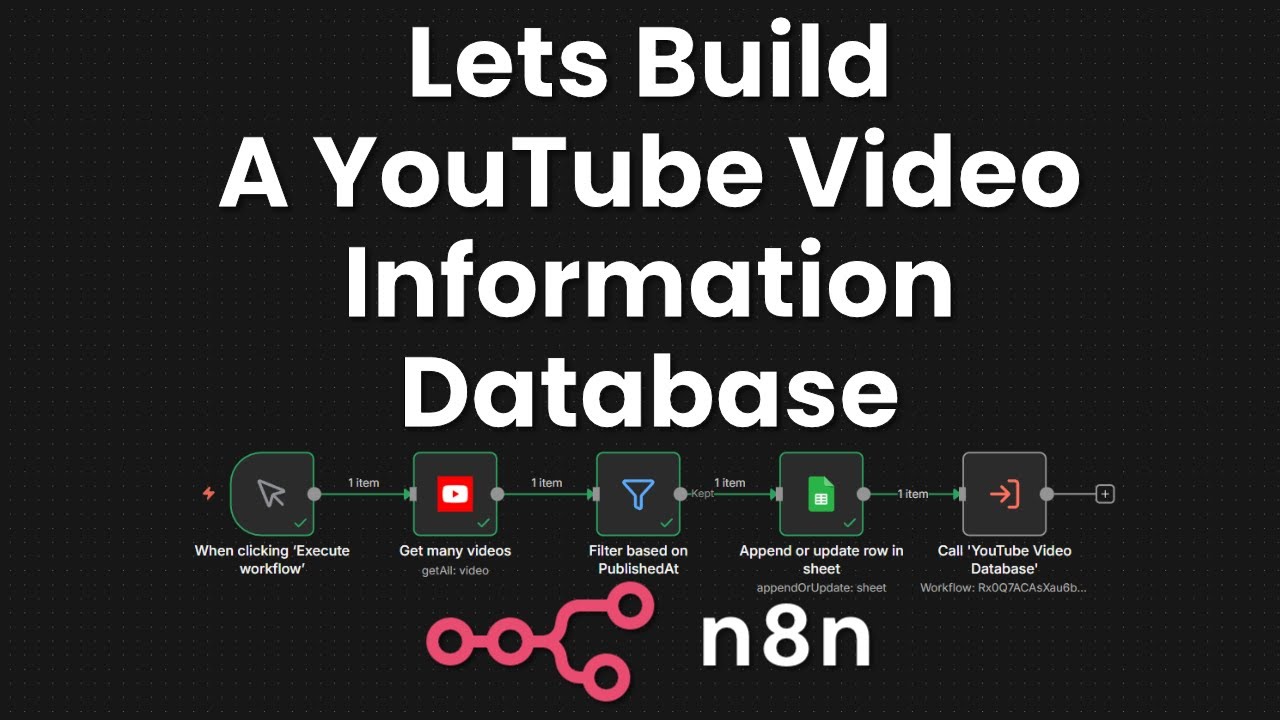
Lets build a YouTube Video Information Database together using an n8n workflow
Автор: Steve Plavetzky
Загружено: 2025-12-12
Просмотров: 45
Описание:
Learn step-by-step how to create a powerful YouTube video database workflow using YouTube API, Google Sheets, Rapid API, and ChatGPT. In this detailed tutorial, I'll walk you through setting up a seamless process to pull in your video details like titles, thumbnails, descriptions, tags, transcripts, key topics, and sponsor info directly into Google Sheets. Organize your content, identify missing tags, and optimize your YouTube channel workflow efficiently. Perfect for creators wanting to enhance video management and SEO. Watch now and start transforming your YouTube video data workflow today! Don't forget to like, subscribe, and comment your questions below!
🔗 LINKS - Some of the links above are affiliate links, meaning I may earn a small commission at no extra cost to you. Thank you for supporting the channel!
n8n - https://n8n.partnerlinks.io/nnfxr18ys6ro
⚙️ Workflow
YouTube Info Generator - https://drive.google.com/file/d/1PI0W...
YouTube Video Information Database - End Result - https://drive.google.com/file/d/1kFwY...
⏰ Timestamps:
00:00 Intro
00:24 Credentials Needed
01:05 Workflow Questions
02:18 General Workflow Idea
03:27 Google Sheet Setup
05:47 YouTube Get Many Videos
07:42 Filter based on PublishedAt
08:56 Append or Add videoID to sheet
11:31 Get rows based on videoID
12:25 Check if Transcripts is filled in
13:52 Get YouTube Video Information
14:53 Get Transcription with RapidAPI
16:21 OpenAI / Chat GPT
17:13 Use Chat GPT to create the prompt
19:28 Consolidating Tags
21:36 Placing the Consolidate Tags Code Node
22:18 Append info to Google Sheet
25:00 Thumbnail Pictures using Google Sheets
26:25 Setup hyperlink Formula in n8n
28:16 Sponsor Demo with Manual modifying the transcript
29:13 YouTube API Error
30:14 Workflow Completed for 1 video
30:30 Convert to Sub Workflow
31:58 SAVE!!!
34:10 Running with multiple videos
34:47 Find in Database
35:36 Cell Wrap Explanation
36:48 Adding New Header - Date Uploaded
37:38 Converting sub work flow back to normal workflow
38:32 Correcting Google Sheets node for new column names
39:31 Formatted Date Code Node
42:49 Adding If NOT Private check
43:59 Adding private videos to google sheet
45:44 PublishAt for Scheduled Videos
46:50 Correcting for Published and Publish for public videos
49:21 Switching back to sub workflow
49:53 Sub workflows don't show running
50:29 Sorting on Google Sheets
#YouTubeSEO #GoogleSheets #YouTubeAPI #ChatGPT #VideoMarketing #YouTubeWorkflow #ContentCreation #VideoTags #Transcripts #youtubetips #n8n #n8nworkflow #n8nautomation #n8ntutorial
Повторяем попытку...
Доступные форматы для скачивания:
Скачать видео
-
Информация по загрузке:
![ПОЛНЫЙ ГАЙД на n8n. ИИ агенты и автоматизации (5+ часовой курс) [Без кода]](https://imager.clipsaver.ru/tUufFo-JTZQ/max.jpg)