OS27: HOW TO USE EDIT BLOCK IN OMNISCRIPTS WITH DATARAPTOR EXTRACT AS DATASOURCE
Автор: Salesforce AI Champions
Загружено: 2025-07-21
Просмотров: 374
Описание:
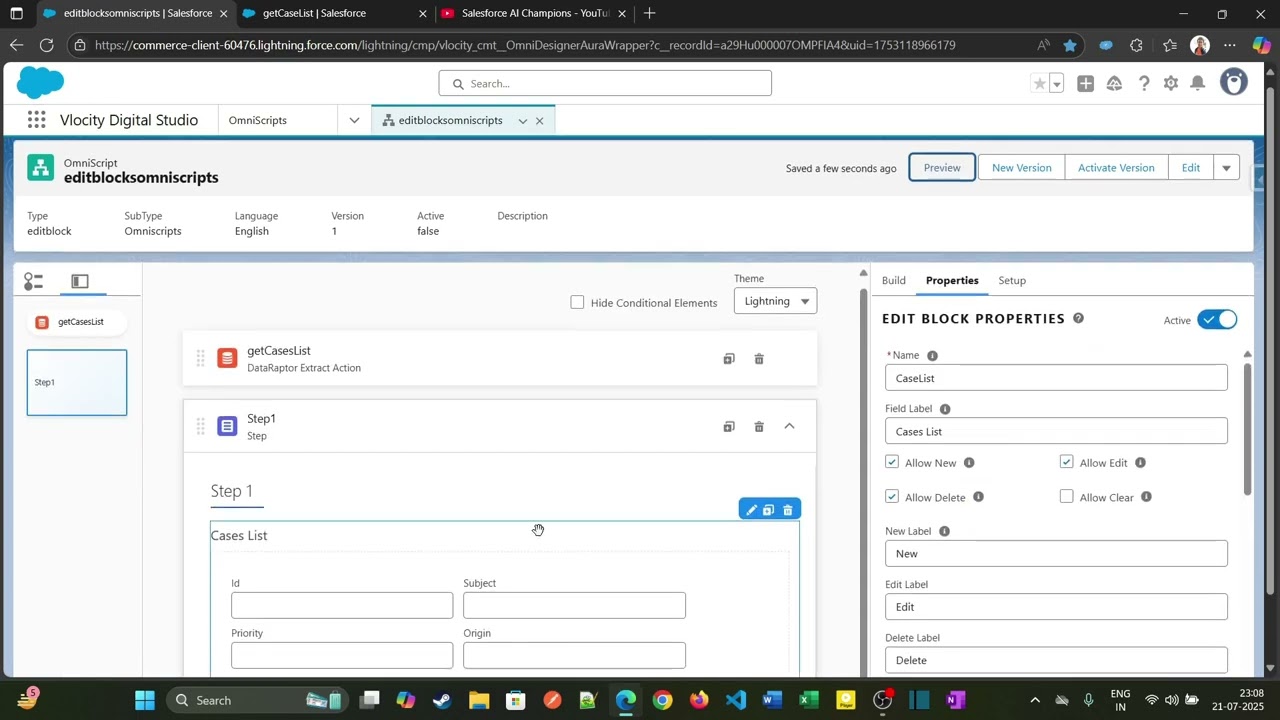
In this detailed Salesforce OmniStudio tutorial, you'll learn how to use the Edit Block in OmniScripts and connect it to a DataRaptor Extract Action as the data source. In this example, the DataRaptor is extracting a list of Cases which is then displayed and editable through the Edit Block for an enhanced user experience.
✅ What you'll learn in this tutorial:
How to configure DataRaptor Extract Action as a data source in OmniScripts
How to retrieve a list of Cases from Salesforce using DataRaptor
How to properly use the Edit Block to allow inline editing of records
Best practices for data mapping and integration within OmniStudio
How to ensure data flows smoothly from DataRaptor to OmniScript for real-time updates
This is a perfect example of leveraging Salesforce OmniStudio for seamless data retrieval and user-friendly UI without writing custom code.
💡 For more Salesforce OmniStudio and Automation tutorials, don't forget to like, share, and subscribe to stay updated!
#Salesforce #OmniStudio #SalesforceOmniScripts #DataRaptorExtract #SalesforceEditBlock #OmniStudioTutorial #SalesforceDataIntegration #SalesforceAutomation #OmniScriptsEditBlock #SalesforceCRM #SalesforceCases
Повторяем попытку...
Доступные форматы для скачивания:
Скачать видео
-
Информация по загрузке:





