How To Use Google Business Profile Dashboard (Complete Tutorial 2026)
Автор: VisiScale
Загружено: 2026-02-17
Просмотров: 14
Описание:
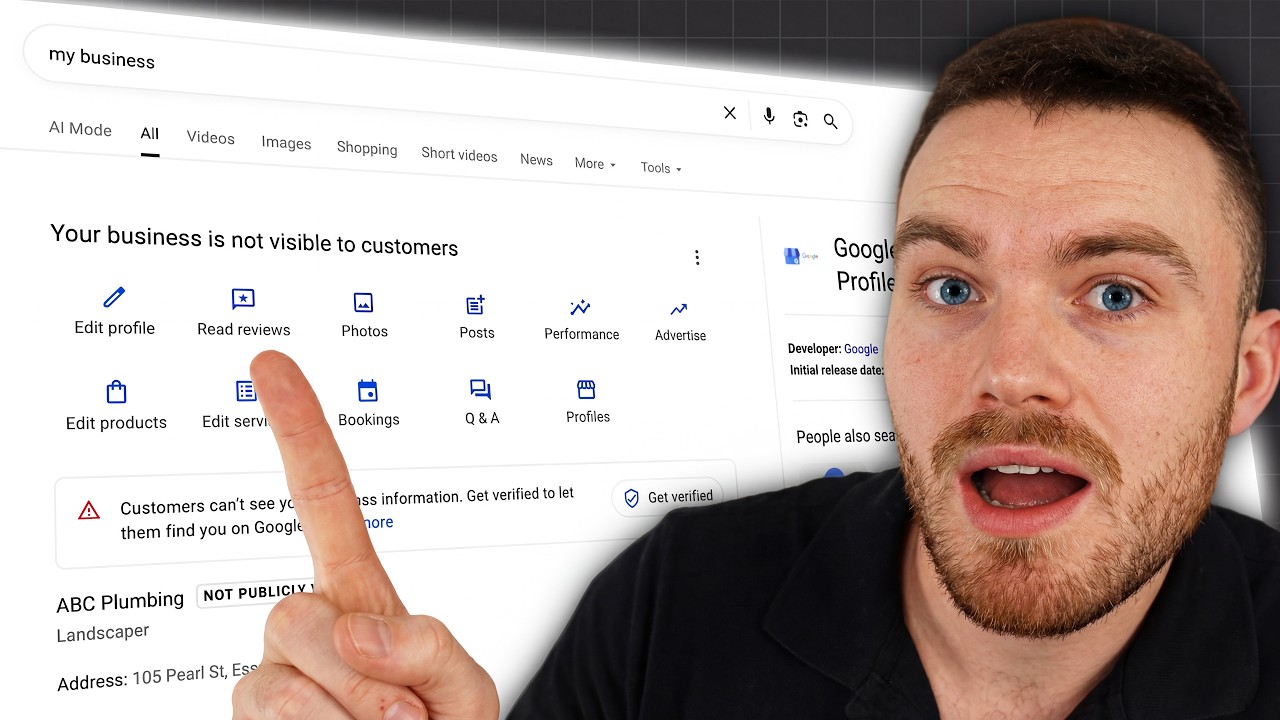
Stop guessing where your settings are! In this video, we provide a complete walkthrough of the Google Business Profile dashboard so you can find exactly what you need, from updating your business hours to accessing "hidden" settings like user management and review links.
Work With Us: https://www.visiscale.com/gpb-service
Watch the Full Google Business Profile Course 2026 playlist here: • Google Business Profile Ultimate Guide
In this video, you will learn:
The layout of the new NMX (New Merchant Experience) dashboard
How to edit core info: Name, Category, Description, and Opening Date
The difference between "Special Hours" and regular hours (and when to use them)
How to add Social Media links directly to your profile
The "Three Dots" Menu: Where to find advanced settings like User Access and Profile ID
SUBSCRIBE for more content like this: / @visiscale
Let's Connect:
Website: https://www.visiscale.com/
Instagram: / visiscale
LinkedIn: / visiscale
Facebook: https://www.facebook.com/profile.php?...
References:
https://support.google.com/business/a...
https://support.google.com/business/t...
https://support.google.com/business/a...
https://support.google.com/business/a...
Timestamps
0:00 - Intro: Navigating the Dashboard
0:20 - Editing Core Info (Name, Category, Description)
2:26 - Adding Contact Info & Social Media Links
3:17 - Setting Location & Special Hours
5:00 - Attributes: "Women-Owned," "Wheelchair Accessible," etc.
5:40 - Managing Reviews & Messages
6:55 - Uploading Photos & Logos
7:20 - Understanding Performance (Analytics)
9:40 - Products vs. Services (Critical Difference)
10:55 - The "Three Dots" Menu (Advanced Settings)
#googlebusinessprofile #googlemaps #localseo #smallbusinessmarketing #visiscale #googlemybusinessdashboard #localseotips
Повторяем попытку...
Доступные форматы для скачивания:
Скачать видео
-
Информация по загрузке: