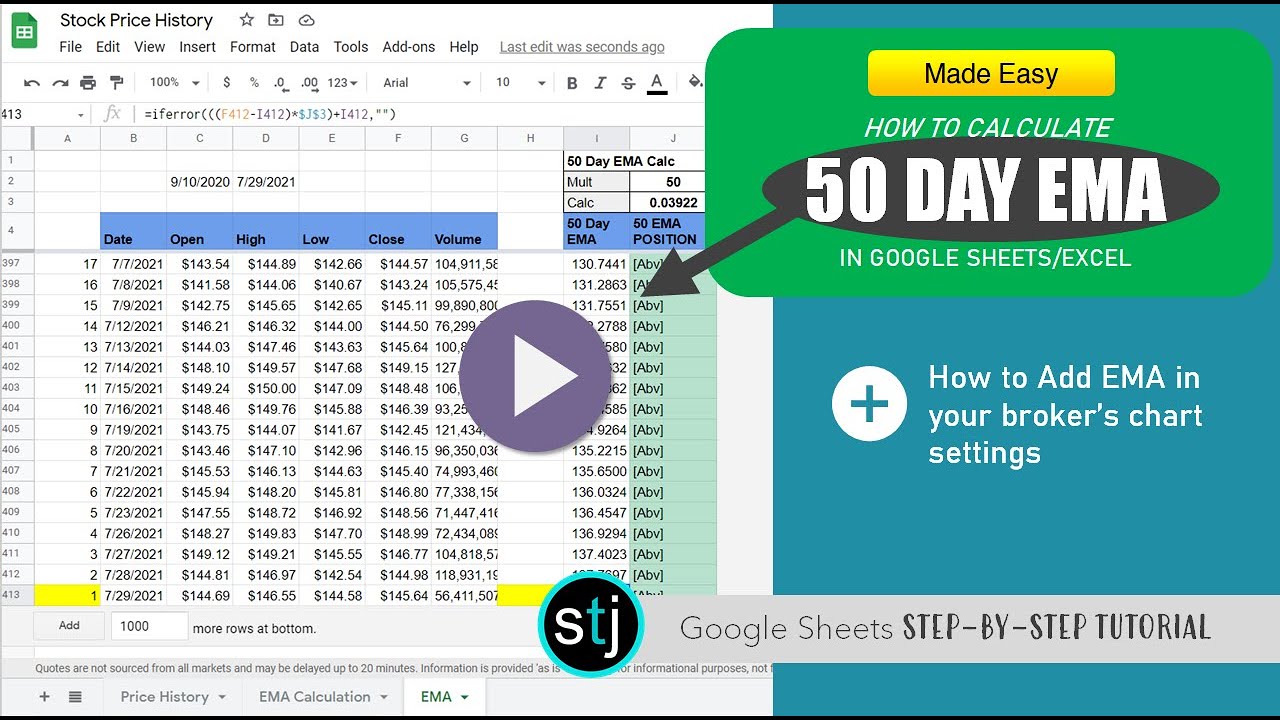
How to Calculate 50 Day EMA in Google Sheets/Excel
Автор: Stackedo STJ
Загружено: 2021-07-29
Просмотров: 18252
Описание:
wanting to know how to calculate 50 day Ema in Excel/Google sheets easily?
Here are the formulas.
Here’s a quick and easy step by step how to calculate 50 Day EMA without a ton of know-how with spreadsheets. Trying to research stocks and decide whether it's a good time to enter based on its position with its 50 Day EMA?
You're not alone, this is a very common approach by traders. I’ll go over how to use the formula, where to get the data, and how to make it dynamic so you can easily change stocks without any effort.
WEBULL LINK MENTIONED IN VIDEO: https://act.webull.com/kol-us/share.h...
FULL POST ON STJ: https://stocktraderjack.com/google-sh...
(Download Sheet through this link)
________________________________________
How to Get Stock History in Sheets so you can calculate EMA
You might be wondering what's the difference between SMA and EMA? While they are similar, Simple Moving Average (SMA) uses the stock price average (so for 50 days you would just use an AVERAGE formula, no extra calculations). Exponential Moving Average (EMA), however, uses a weight in its data that's essential for getting the correct readout. We'll go into that here:
What is the Formula for EMA? Here's the step-by-step:
1. How Many Days: As shown in the video, you'll put 50 for the time frame, representing the days. All the steps will be the same if you go with 200 day as well, just change the days.
2. EMA Multiplier Calculation: The formula you'll be adding into the data is 2/(Days+1).
So an example: 50 days would mean 2/(50+1). For 50 days, the result will be =.03921568627
3. EMA FORMULA TRENDLINE: After getting the stock's data for the desired period (ex. 200 trading days), in your EMA column (see video at 2:15) and average the last 50 days closing price. Now you can add this formula in the next cell down:
EMA Formula =((Previous Close-Previous Day EMA)*EMA Multiplier)+Previous Day EMA
It’s quick and easy once you know the formula. You can even cross check it against your broker, like I do with Webull. In this tutorial, I also show you how to add the 50 Day EMA in Webull for your reference (I know I'll have people ask me how, so wanted to help you guys ahead of time on this one-- see 4:17 in the video above).
Thanks for watching and please subscribe to see more!
Unsure how to get the closing price? Just use the GoogleFinance formula mentioned here or watch the video above.
________________________________________
► Follow Me On Twitter: / stocktraderjack
________________________________________
Advertiser Disclosure: STJ is an affiliate and may receive compensation through clicking links above (if you've found this article helpful, we always appreciate the support by using our link above). Any offers are based on the time in which the video was released and are subject to change. Trading and investing involves an inherent amount of risk. Be sure to educate yourself on the benefits and dangers of trading in the stock market or crypto prior to making any financial decisions.
For Stocks, especially for those further along, STJ Recommends: WEBULL
Повторяем попытку...
Доступные форматы для скачивания:
Скачать видео
-
Информация по загрузке: