How to add a new URL redirect
Автор: HubSpot Tutorials
Загружено: 2023-08-25
Просмотров: 2373
Описание:
Have a bunch of URLs to redirect? No worries! HubSpot allows you to perform URL redirects in bulk, saving you precious time and effort. Managing your website has never been this convenient!
With this incredible feature, you now have the power to redirect traffic from any URL on your HubSpot-hosted domain to any other URL. Additionally, you can establish rules to dynamically modify URL structures using flexible pattern redirects.
To add a new URL redirect to your HubSpot account, follow these steps:
Step 1 - Click the settings icon in the main navigation bar.
Step 2 - In the left sidebar menu, go to Website and click on Domains & URLs.
Step 3 - Click on the URL Redirects tab.
Step 4 - In the upper right corner, select "Add URL redirect."
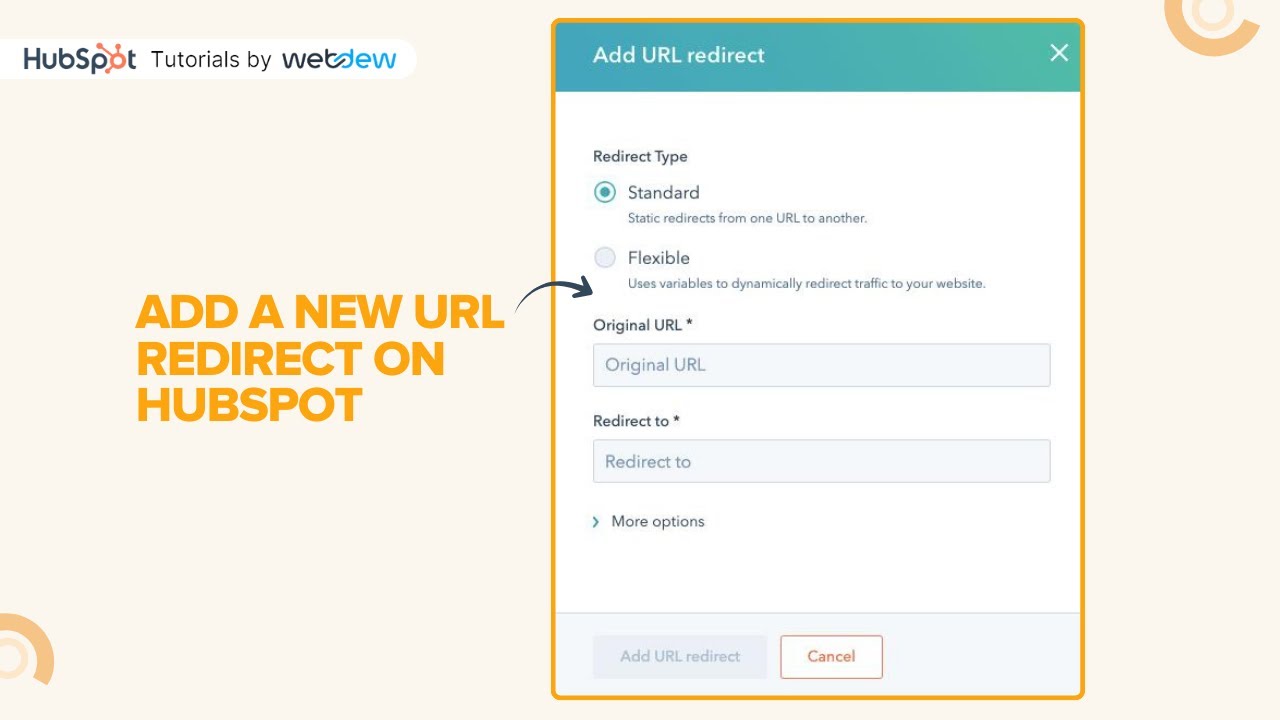
Step 5 - In the right panel, choose either the Standard or Flexible redirect type. The Standard redirect is used to redirect one URL to another, while the Flexible redirect updates URLs based on their structure.
Step 6 - Provide the original URL or URL path you want to redirect in the "Original URL" field.
Step 7 - Enter the URL of the page you wish the original URL to redirect to in the "Redirect to" field. Finally, click "Add URL redirect" to implement the redirect.
And thats how it is done
----------------------------------------------------------------------------------------------------------------------
Follow HubSpot Tutorials by webdew: / @hubspottutorials
With webdew's HubSpot account setup tutorials, you will learn about General, Security, Notifications, Website, Inbox settings, and much more. All the videos that are shared on this Youtube channel will make you run through the HubSpot tool effortlessly.
Moreover, you will learn more about the HubSpot CRM, Marketing Hub, Sales Hub, Service Hub, Reporting, and Dashboards through our videos and see how you can use these tools to leverage HubSpot to benefit your business.
To get access to Webdew’s Weekly Newsletter with tips and tricks for using HubSpot, follow the steps below: https://www.webdew.com/hubspot/newsle...
1. Go to the Webdew website and find the newsletter sign-up form.
2. Enter your email address in the designated field.
3. Click the “Subscribe” button to submit your subscription request.
4. You should receive a confirmation email shortly after, which will ask you to confirm your subscription. Follow the instructions in the email to complete the process.
Once you’ve successfully subscribed to the newsletter, you’ll receive weekly updates and tips on using HubSpot. Keep an eye on your inbox for the latest information and helpful advice.
Get Started with HubSpot with the Free CRM Sign-up:
https://www.hubspot.com/products/get-...
Повторяем попытку...
Доступные форматы для скачивания:
Скачать видео
-
Информация по загрузке:









![Уральские Пельмени | [НОВЫЙ 2025] Хельга | Комедийная группа №1 в России](https://imager.clipsaver.ru/SRaUkTHDwlg/max.jpg)



