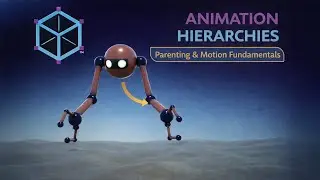
Animation Offsets in Maya – Creating Natural Overlapping Motion
Автор: Vertmode
Загружено: 2026-01-16
Просмотров: 5
Описание:
If everything moves at the same time, animation feels stiff.
In this lesson, we break down animation offsets—what they are, why they matter, and how to create them using the Graph Editor in Autodesk Maya.
Using the robot animation project, I demonstrate how offsets introduce overlap, delay, and flow between different parts of a character, making motion feel more natural and believable.
This is a key polish technique used in professional animation workflows.
What you’ll learn in this video
What animation offsets are
Why offsets improve believability
Identifying areas that need offset motion
Creating offsets using the Graph Editor
Avoiding mechanical, synchronized motion
This lesson builds on curve refinement and moving holds.
🎓 From My Full Course
This lesson is taken from my complete Udemy course:
Complete 3D Animation Masterclass: Create Animated Shorts
Beginner to Advanced – Maya, Photoshop, After Effects & Audacity
👉 Full course here:
https://www.udemy.com/course/3danimat...
🧠 Why This Matters
Real motion overlaps.
Animation offsets help:
Break robotic timing
Create believable follow-through
Add polish without adding complexity
Control motion rhythm intentionally
This is one of the most important steps in making animation feel alive.
Повторяем попытку...

Доступные форматы для скачивания:
Скачать видео
-
Информация по загрузке: