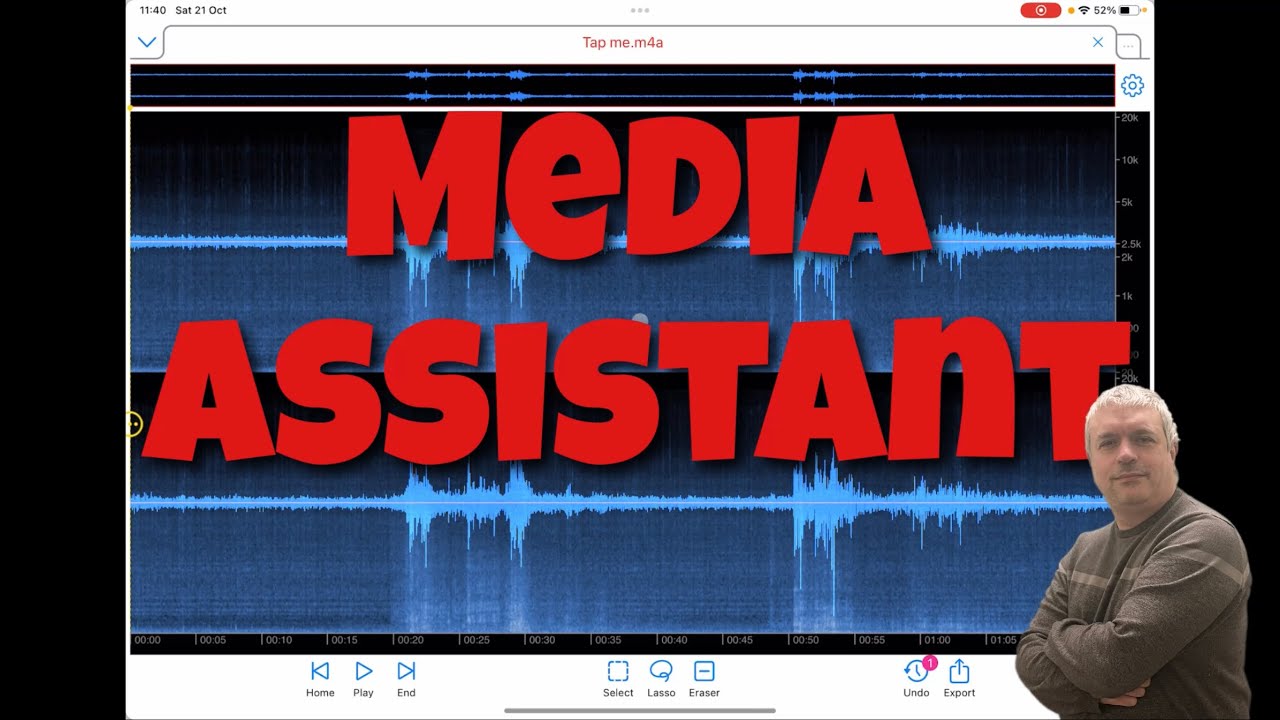
Duc Anh Nguyen Media Assistant AUv3 - Getting Started
Автор: SoundForMore Tutorials
Загружено: 2023-10-21
Просмотров: 812
Описание:
Duc Anh Nguyen Media Assistant File Manager Audio Editor AUv3 - Getting Started
https://apps.apple.com/gb/app/media-a...
Media Assistant is a file manager, offline media player, audio converter, audio editor, media joiner, a web browser with a built-in audio player so that you can apply audio effects to enhance your listening experiences. In addition, the web browser can run as an AUv3 plugin inside any DAW app.
Using Media Assistant is easy. Just long-press on a file or folder icon to display a popup menu. Simply tap your selection and you're ready to go.
FEATURES:
TRANSFER & MANAGE FILES & FOLDERS
• Manage your files and create folders for all of your needs
• Integrated iCloud Drive: Simply copy your files to AAiCloud folder, and they will be synced to all other Devices
• Transfer files between two Devices OR between your Device and PC
• Powerful media preview function: just tap on a media file, and it will play immediately in a small window
• Can import videos from Photos app
• Batch rename files
AUDIO & VIDEO PLAYER
• Listen to music offline
• Lock screen controls, PiP (Picture in Picture)
• Apply audio effect to enhance listening experience
• Supports MIDI files
• Gapless loop
AUDIO EDITOR
• Displays the audio file in 3 modes: waveform, spectrogram, or both
• Open multiple files at once
• Supports spectral editing
• Connect to host app with IAA
• Zoom-in at the audio sample level
WEB BROWSER
• Block ads & tracking
• Build-in stream plaver allows vou to apply audio effects
• Combine with FileManager to help manage your downloads easier
• Can run as AUv3 plugin inside DAW host app
• Read aloud with hundred of voices (including robot, bell, organ) then save to file for offline listening
AUDIO CONVERTER/JOINER
• Convert or extract audio from video files to other file formats
• Supports common formats such as M4A AAC, M4A ALAC, MP4, MOV, etc
• Concatenate multi audio/video files
Some features need a LIFE-TIME PURCHASE to unlock.
We offer 4 life-time In-app-purchases:
Audio Converter & Joiner: $1.99/Life-time
Audio Editor Basic Features: $1.99/Life-time
Audio Unit v3 + IAA: $9.99 /Life-time
Read Aloud: 0.99/Life-time
The video covers the following:
How to use the File Manager
How to play media files
How to edit Audio files
How to queue and shuffle playing media files
How to convert files
How to use the Web Browser as an AUv3 inside AUM
Etc.
I hope you enjoy the tutorial and find it useful.
Do not forget to subscribe.
Winners:
ChristianKrupa
Janhammler6862
2 IAP for each of the following:
IAP lifetime Audio Unit v3
IAP lifetime Audio Editor Basic
IAP lifetime Audio Converter & Joiner
Rules to enter the competition to win a code for this app:
1 - Subscribe to the channel, 2 - Click on Like, and on the bell icon, 3 - Leave a comment about the video on YouTube, 4 - I will choose 2 winner/s from the comments on the video and update the video description in the next 2 days about who won, 5 - The winners can retrieve a code sending an email to [email protected] with a screenshot as a proof they are subscribed to the channel. You need to check on the video description if you won or not as I will not be leaving a reply to comments as per previous rules. After I notified who the winner/s is/are I will give 2 days for the codes to be collected. After 2 days the codes not collected will be distributed to other subscribers. The rules above have changed due to continued challenges with reliability of comments in YouTube.
Paypal: if you like the channel and would like to make a donation use this link https://paypal.me/soundformore?locale...
Follow me on Twitter at / soundformore
Follow me on Facebook at / soundfor.more.1
Contact me on: [email protected]
#DucAnhNguyen #MediaAssistant #Tutorial
Повторяем попытку...
Доступные форматы для скачивания:
Скачать видео
-
Информация по загрузке: