Pt. 1 Photoshop Tutorial: Simplifying Portraits for Text-Based Art
Автор: john moore
Загружено: 2024-01-01
Просмотров: 251
Описание:
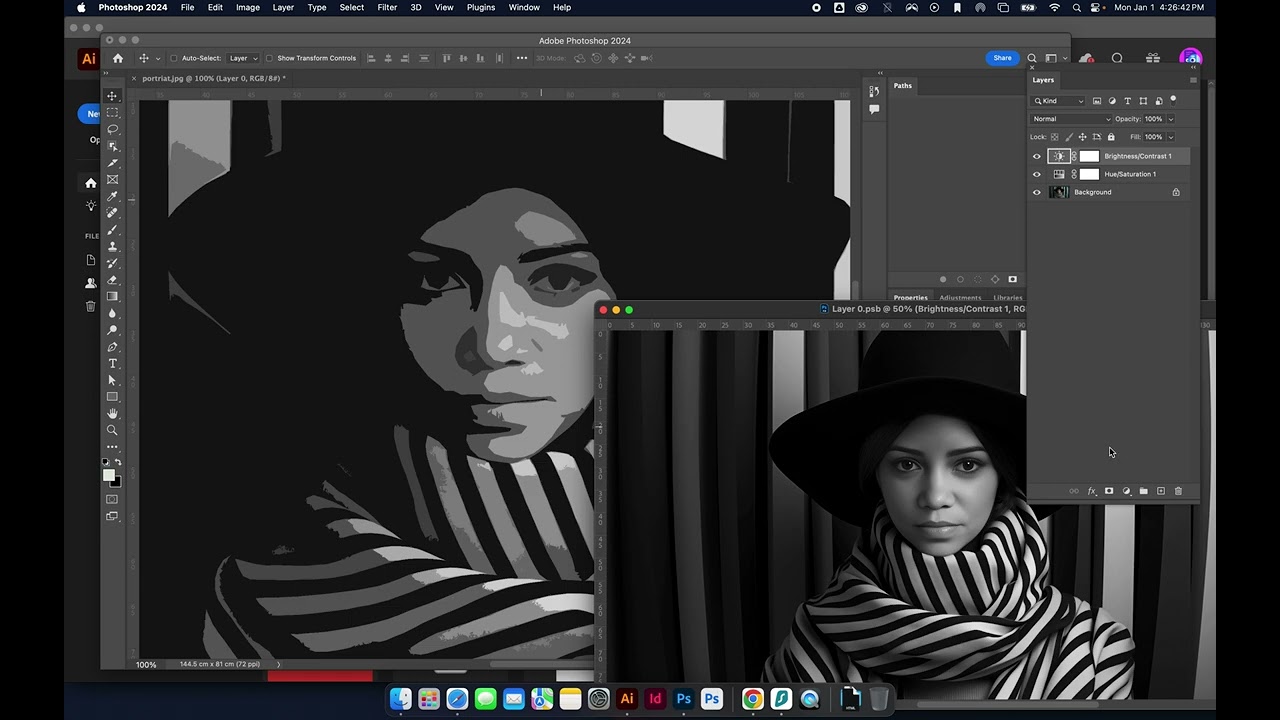
This tutorial is focused on using Adobe Photoshop for a typographic portrait project. The video explains how to start with a selected portrait and then open it in Photoshop to create different shapes. The main goal is to convert a complicated image into something more simplistic, which can then be filled in with text.
Key steps covered in the video include:
Initial Setup and Smart Object Creation: Opens a portrait in Photoshop and creates a smart object to preserve the ability to make non-destructive edits. 0:01
Converting to Grayscale: Converts the image to grayscale to simplify it for easier manipulation and shape creation with text. 0:20
Applying Cutout Filter: Uses the Cutout filter in the Filter Gallery to simplify the image further, adjusting settings like edge simplicity and fidelity. 2:12
Adjusting Contrast for Clarity: Adjusts the brightness and contrast to enhance the visual distinction in the simplified image. 2:56
Final Edits and Exporting as PNG: Makes final adjustments to the filter settings for optimal simplicity and exports the image as a PNG file for use in subsequent design steps. 6:04
Повторяем попытку...
Доступные форматы для скачивания:
Скачать видео
-
Информация по загрузке:


